We remain fully operational. Our teams are working around the clock to ensure your deliveries continue safely.

قم بتنزيل التطبيق


معلومات عنا
حقوق الطبع والنشر © 2024 Desertcart Holdings Limited
قم بتنزيل التطبيق
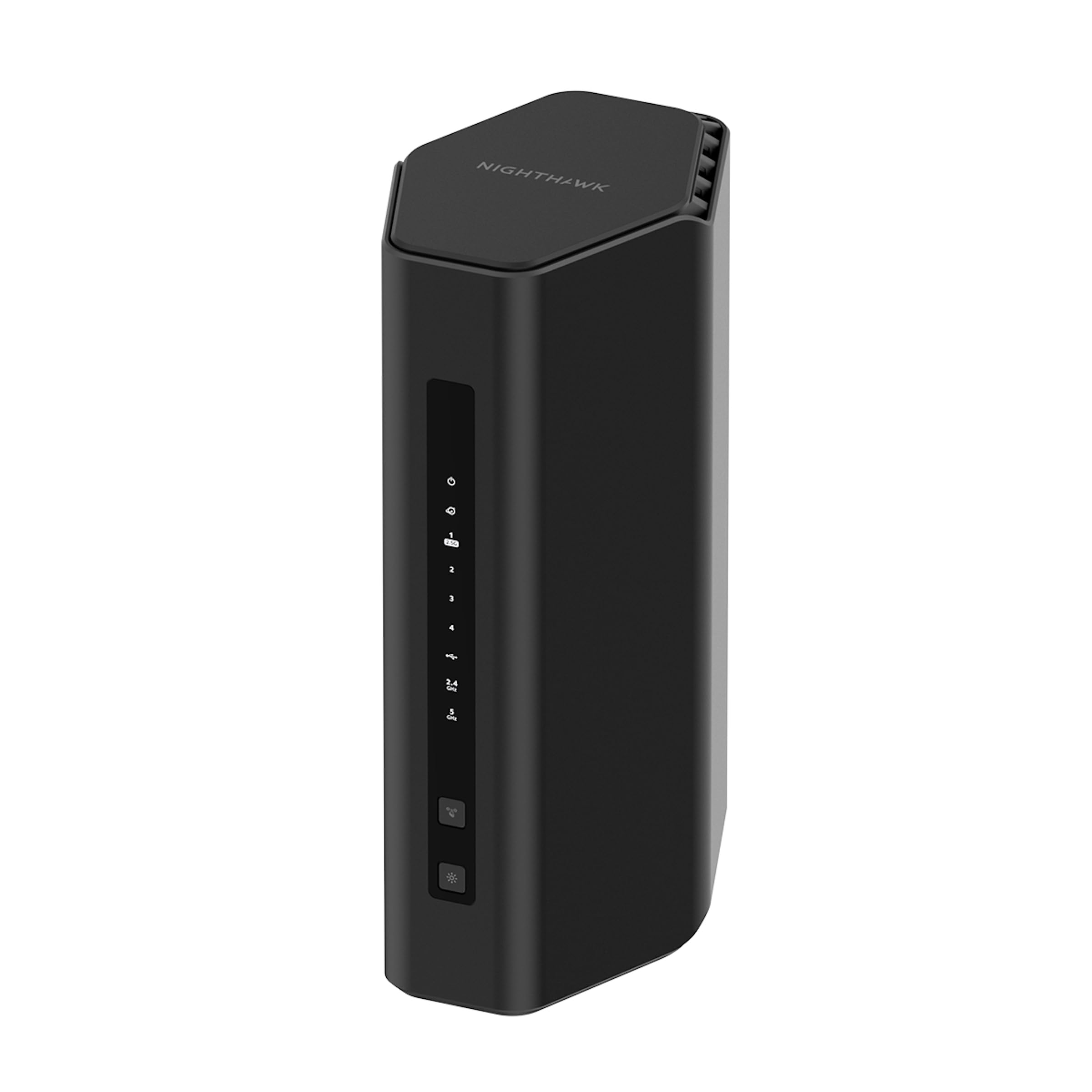
🚀 Elevate your network game with the future-proof Nighthawk WiFi 7 router!
The NETGEAR Nighthawk RS200 is a cutting-edge WiFi 7 router delivering blazing speeds up to 6.5 Gbps and coverage up to 2,500 sq.ft. It supports up to 80 devices simultaneously and features a 2.5 Gb Ethernet port for multi-gig wired connections. Designed for professionals and tech-savvy users, it offers advanced security with a 30-day Netgear Armor trial and a sleek, compact design that fits modern workspaces. Ideal for seamless streaming, gaming, and smart home connectivity.


| ASIN | B019DBR1X0 |
| Are Batteries Included | No |
| Batteries | Product Specific batteries required. |
| Best Sellers Rank | 10,903 in Computers & Accessories ( See Top 100 in Computers & Accessories ) 80 in Routers |
| Brand | NETGEAR |
| Colour | Black/White |
| Computer Memory Type | DIMM |
| Customer Reviews | 4.1 4.1 out of 5 stars (388) |
| Date First Available | 17 Sept. 2024 |
| Guaranteed software updates until | unknown |
| Item Weight | 680 g |
| Item model number | RS200-100EUS |
| Manufacturer | Netgear |
| Operating System | Cisco IOS, Junos OS, RouterOS, ZyNOS |
| Series | RS200-100EUS |
| Voltage | 230 Volts (AC) |
| Wireless Type | 802.11.be |
U**N
Great Router
There are a few older reviews that say the router is rubbish and always drops out. I am not a gamer, so cannot say if I experienced the same. I bought the router to replace my Plus Net Hub Two. People are correct when saying the Nighthawk App is crap. I can only agree with them on that, and was absolutely no use with installation of FTTP with the router plugged directly in the ONT. It would never find the connection. Nevermind, I used Firefox to browse to it on 192.168.1.1 with admin and no password. After getting me to add a password, it saved and continues through the wizard to connect. It asked me for a username which was [your username]@plusdsl.net and I was connected. (Plus Net not BT) I backed up the settings quickly the went into advanced LAN to setup a 10 range IP (I will never use 192.*.*.*), saved the settings and rebooted the rooter. Back in the web interface (Firefox to the 10.*.*.*) IP I gave the router, turned on Access Control and began reserving MAC addresses on the Advanced | LAN tab for the computer, TV, sat box, Nintendo etc. but when it came to a IP security camera, I needed to unstall the cam app first, connect to the wifi before allowing the MAC access as Access Settings are on and Block isnt the default setting, but I had already set it to block. Anyway, I wanted to connect to the 5GHz wifi but found out the camera only allows 2.4GHz but also WPA2 rather than WPA3. So, before purchasing the router check if IP cameras support the router security features. The standard password I was given for 2.4, 5 and 6 GHz was a lowercase one and 16 characters in length. Make sure, you change that. Guest networks show the SSID as default but are disabled. I've hidden my SSID's on all networks for added security, have different complex passwords for each of them for added protection. Saved config and rebooted. Connected again in the web interface to the 10.*.*.* range to setup port forwarding for my own hosted website, email server and backup device. I dont use HTTP (port 80) or insecure ports lile POP3. Checked access to 443 (HTTPS), email using 465/587 and once happy and that my IP cameras were FTPS to the backup device, and all was ok. I saved my config and all was done for me, at that point. -- After getting Internet access, I installed the latest firmware. I could have done at anytime. This is where reading the netgear forums were great. By default the router logs you out every 5 mins and to fix this, install the latest firmware, do a factory reset, use the backup file you should have created once happy with your setup to restore your configuration, reboot and do a few final things like clear the logs (I have removed the option to show connecting to a site etc, but if you have kids, you may want this kept on. Do not respond to ping (hackers try to ping your router to see if they can hack it), no response tells them nothing. Dont disable port scans etc (BT/Plus Net Hub Two allows them through) so dont help the hacker. -- This router comes with a 30-day version of Netgear Armor (American English) which needs to be activated by the Nighthawk app. This is where I had more issues. Using the app still tried to install the router, wifi etc but eventually you get to a screen on squares with security, parental controls etc. Clicking the Security box took about 2 mins and errors it cannot begin the 30-day protection. You will need to uninstall the app, restart the phone, re-install the Nighthawk app on your phone, connect to the router and click the security square once again and if all goes well, you will have your trial. At this stage, you can get a link to install Bitdefender for your phone. Login and the link you clicked to install it will connect you up to the 30-days on the router. I went one further and paid for a years subscription. Those 30 days then get added onto the year and because it was an opening charge, it was 70% off so I paid £25 for the year. Is that a lot? No, now send your hubby/wife, significant other, kids the link to install on their devices too. Nothing more to pay to protect the families devices. You can also download the VPN app but that only allows 200mb of free data per day on each account. Good enough if you go to the shops for a pint if milk. DO NOT purchase a VPN Premium subscription as the app doesnt integrate into the Nighthawk system and Cloudflare have blocked many of the IPs, so paying for nothing. I am very happy with my Netgear RAXE500 with wifi strength and speed. I am more secure than with the Plus Net router too. You can connect more devices, have more than the 4 flooded channels the Hub Two uses (slow/poor wifi). One thing I never got in the box are screws to put it on the wall but I can use the ones from the previous netgear device. If you have a Samsung device, you can connect to Wifi 6E but if you use an iPhone forget that and use 5GHz. Default Wifi Names: NETGEAR50 is 2.4GHz NETGEAR50-50 is the 5GHz NETGEAR50-60 is the 6E
R**M
A truly excellent WiFi 7 Router
I bought this router to replace my ageing NETGEAR R7000 router. It was extremely easy and straight forward to setup straight out of the box. It's now providing a rock solid secure connection for all my devices along with an excellent range of coverage such that I no longer have to rely on a range extender to get a good strong signal in the mancave down at the bottom of my garden.
D**N
Had this nearly 2 years. 6ghz glitchy.
Excellent router, purchased when we had Gigabit broadband installed. I always get maximum speeds over the wifi and I have a lot of devices in the house. One thing I have noticed is the 6ghz band seems somewhat slower than the 5ghz band. This is on a 6E supported device, in the same room as the router. I only have a gaming laptop and Samsung phone equipped with 6ghz wifi and I have noticed they both seem sluggish on the Internet when using 6ghz compared to the 5ghz when in the same room. Hence the 4 star review. I think once I come to replace this maybe in a year or so 6ghz won't be in its infancy which I think this is why it seems to be slower on this router. Even using 5ghz on most of my devices speedests are always great!!
D**N
Appalling
Bought this thinking I could use both WAN ports. Turns out you can't. Coverage is crap in a small 2 bed apartment. Changed from an old tp link to this and used for 3 hours. Packed it back up and sent back. Range was poor. Throughput was good but not reliable. Looks great but performs poorly. Back using my old tp link without an issue
M**P
Fast but Expensive
Really Strong Signal, it's not cheap though. Took a bit of time to setup as had issues when I switched out for the old router (turns out need to turn off virgin box for a good 15mins and connect this up). Apart from that it has been easy to use and rocket fast speeds across the house.
S**A
Great router
Purchased for our new home, but due to temporary living arrangements, it was required to be used early. The virgin media hub was not able to send a strong enough signal to where I work from. I set the RS6000 Nighthawk up to increase the range. It has worked brilliantly. Before, I was dropping out of teams calls, losing connection and not able to buffer simple instagram videos and now this all works lightning fast. Updating my Xbox series X games over WiFi and I was getting around 150Mbps which isn’t bad, considering before I couldn’t watch an instagram reel. Setup was easy (Nighthawk doesn’t support coax) so to utilise this with Virgin Media, you first need to switch the hub into modem mode and then link via Ethernet from port 1 on the Virgin Media hub to the internet port in the Nighthawk. You can the setup the router via the app which takes about 20-30 mins with firmware updates. The router is expensive but when you rely on connectivity to work, it pretty much pays for itself. All in all, a fantastic router which has plenty to offer in configuration and allows you to get the best out of the fibre you purchase from your ISP. It also looks like a beast!
B**S
Working perfectly with high speed. I am very satisfied.
F**M
Hatte mir den Router (AXE 300er Version) als Ersatz für meine immerhin 10 Jahre alte Fritzbox 7490 im Amazon Prime Sale für 299€ gekauft, um im Zusammenspiel mit meiner neuen Quest 3 VR Brille, welche ja WiFi 6E unterstützt, die volle Bandbreite und Vorteile des 6 Ghz Netzes ausnutzen zu können und das maximale aus der Quest 3 im PC-VR Streaming via AirLink bzw. Virtual Desktop heraus zu holen. 🔸 Ersteindruck / Verarbeitung / Lieferumfang Verarbeitung ist absolut hochwertig und das Design mit den beiden ausklappbaren Antennen ist sowieso über jeden Zweifel erhaben. Absolut stylisch und kein Vergleich zu meiner hässlichen FritzBox. Mitgeliefert wird noch ein Netzteil, ein LAN Kabel zum anschliessen an das Modem und ein paar Beilagen zwecks Ersteinrichtung. Ein gedrucktes Handbuch fehlt leider gänzlich und kann sich auch nur auf der Homepage des Herstellers als PDF herunter geladen werden. Anleitung ist auch nur in Englisch verfügbar was ich doch etwas schade finde bei dem Preis von regulär 400€ Aber nun gut, die heutige Zeit halt wo gespart wird das es nur geht. 🔸 Anschlüsse Anschlussseitig besitz der Router neben den Funknetzwerken die im 2,4 Ghz, 5 Ghz und sogar im 6Ghz Band funken 4x1Gbit LAN Ports und 2x WAN Ports zum Anschluss an das DSL Modem. Rein theoretisch sind im Grunde sogar bis zu 6 LAN Ports möglich wenn man die beiden WAN Ports als LAN Port verwendet. Da aber natürlich mindestens 1 WAN Port zum Anschluss an das Modem benötigt wird um sich mit dem Internet zu verbinden, sind daher 5x 1Gbit LAN Ports praktisch immer vorhanden. Einer der WAN Ports unterstützt sogar bis zu 2,5Gbit sofern der Internet Zugang so etwas selbst hergibt. Ich selbst kenne aber noch keinen ISP der solche hohen Zugänge anbietet, maximal ist mir eigentlich nur 1000Mbit bekannt. Ich selber besitze zudem auch nur einen 250Mbit Glasfaser Zugang bei der Telekom. Frontseitig sind zudem ein WLAN Ein/Austaster und ein WPS Taster vorhanden. Zudem besitzt der Nighthawk auch Rückseitig einen Ein/Ausschalter, so das man nicht immer den Stromanschlussstecker ziehen muss wenn man ihn zum reseten mal aus und einschalten möchte . Eine Sache die ich bei meinem Fritz Router immer vermisst habe. Weiterhin ist noch ein USB-C 3.0 Anschluss zum anschliessen eines Speichermediums wie einer Festplatte oder USB Sticks vorhanden und ein kleiner Resetschalter zum zurück setzen auf die Werkseinstellung. Diverse frontseitig angebrachte LED Symbolanzeigen informieren einen auch immer farblich und durch blinken/dauerleuchten darüber wie der Status jedes Anschlusses ist. 🔸 Ersteinrichtung mit Problemen Die Einrichtung gestaltete sich dann aber doch unerwartet schwerer als erhofft. Problem ist das der Router selbst direkt keine Verbindung zu meinem Telekom Modem (Modell: Telekom Modem 2) hinbekommt an dem ein Glasfaseranschluss hängt. Mit der Fritzbox 7490 war das überhaupt kein Problem. Am Router leuchtet durchgehend immer die Anzeige "Keine Internetverbindung" in Orange. Durch anschliessendes Googlen dann heraus gefunden dass das Telekom Modem 2 nur mit einer Handvoll Router wie den hauseigenen Speedports oder den FritzBoxen problemlos zusammen arbeitet...na super. Ab diesem Zeitpunkt war ich hier eigentlich schon drauf und dran das Gerät wieder zusammen zu packen und Retoure gehen zu lassen bis mir dann die Idee kam den Netgear Router einfach mal Testweise hinter meine Fritzbox 7490 zu klemmen, die dann vorgeschaltet die Verbindung zum Internet aufbaut. Denn schliesslich hätte ich mit der Fritzbox ja so auch ansonsten nichts mehr anfangen können. Und siehe da, nach dem Einschalten wird mir durch die durchgehend weiss leuchtende Anzeige am Netgear Nighthawk Internetkonnektivit signalisiert, so das ich die Ersteinrichtung über die Nighthawk App am Smartphone auch abschliessen konnte....juhuuu. :-) 🔸 Nighthawk App Die Nighthawk App, die weitestgehend nur zur Ersteinrichtung ausgelegt ist, bietet ein übersichtlich aufgebautes Menü, das gut verständlich ist und einem hilft den Router für die Ersteinrichtung abzuschliessen. Das gilt besonders für die ggf. benötigten Zugangsdaten des Internet Providers wie PPPoE oder per statischer IP Adresse. Ebenso natürlich auch um die Logindaten zum Router via Webbrowser über die IP 192.168.1.1. zu konfigurieren festzulegen. Die weitere Konfiguration des Routers findet dann auschliesslich nur noch über einen Webbrowser statt, wo man den Nighthawk wie auch bei jedem anderen Router üblich sehr umfangreich an seine Bedürfnisse konfigurieren kann. Hier nun aber alle Features und Einstellmöglichkeiten des Routers nochmal aufzulisten würde die Rezension absolut sprengen. 🔸 Brachiale Leistung mit der Quest 3 Im Betrieb selber leistet der Router sehrt gute Dienste im Zusammenspiel mit meiner Quest 3. Hatte zuvor mit der Quest 3 an meiner Fritzbox im 5Ghz Netz immer laut SteamVR Diagnose um die 800- 900 Mbit Datendurchsatz. Fritzbox stand natürlich in der Nähe. Im 6 Ghz Band komme ich hier auf fast 2 Gbit sofern der Router ebenfalls in der Nähe des Spielbereichs der Quest 3 steht. Das ist absolut beachtlich und mehr als eine Verdopplung der Bandbreite wodurch das Spielerlebnis in der Quest 3 natürlich auch nochmal deutlich gesteigert wird, weil eigentlich fast keine Ruckler, Aussetzer und Artefakte bei besonders anspruchsvollen VR Spielen wie dem MSFS2020 vorkommen. Nur ein Beispiel, beim Fliegen im MSFS 2020 via SteamVR und Virtual Desktop hatte ich ständig über die Fritzbox üble Ruckler/Aussetzer und Artefakte was das Fliegen eigentlich fast unmöglich machte. Mit dem Netgear ist das bei gleichen Grafikeinstellungen kein Thema mehr...absolut klasse diese Leistungssteigerung. Mein PC besteht übrigens aus einer GTX 1080TI , einer Ryzen 3700x CPU und 32GB Ram und steht im Obergeschoss meines Hauses und ist mit einem langen Flachband Lankabel quer durchs Haus mit dem Router verbunden um zu meinem PC den maximalen Datendurchsatz ins Internet zu erreichen. 🔸 Fazit 🔸 Was soll ich sagen. Ich bin im Grunde hochzufrieden mir dem Endergebnis. Klar, ich könnte nun aus puren Trotz und wegen Meckern auf hohem Niveau bzgl. der Probleme mit der Telekom und einem fehlenden Deutschen Handbuch in gedruckter Form 1 Stern abziehen. Aber ich mach es nicht, da letztendlich alles genau so funktioniert hat wie ich es mir vorgestellt hab, der Leistungszuwachs deutlich mehr als erwartet ist und ich das Gerät zudem im Amazon Prime Day Sale für 100€ günstiger erworben hab. Daher gebe ich volle Punktzahl und eine Kaufempfehlung.
G**R
Le Netgear Nighthawk RAXE300 est un routeur Wi-Fi 6E de pointe qui offre des performances impressionnantes pour les connexions Wi-Fi et filaires. Il convient tres bien pour votre maison ou apartement car il offre: 1. le Tri-bande Wi-Fi 6E qui prend en charge trois bandes de fréquences : 2,4 GHz, 5,0 GHz et la toute nouvelle bande 6,0 GHz permettant une connectivité rapide et stable, même dans les environnements encombrés. 2. Une vitesse impressionnante avec une vitesse maximale de 7,8 Gbit/s qui gére des flux vidéo 8K et des jeux VR exigeants, donc idéal pour les foyers gourmands en données. 3. Une connectivité filaire solide avec multiples ports Ethernet haute vitesse, ce qui facilite la connexion de vos appareils câblés tels que les ordinateurs de bureau, les consoles de jeu et les téléviseurs intelligents. 4. Un design élégant avec ces ailes caractéristique des modèles Nighthawk. 5. L'application Nighthawk qui vous permet de configurer et de gérer facilement votre réseau. Enfin, en ce qui concerne la sécurité, le RAXE300 est équipé de la technologie Armor, qui offre une protection avancée contre les menaces en ligne. Cela inclut la détection des logiciels malveillants, la prévention des attaques et la sécurité des appareils connectés. Cependant, il est important de noter que certaines fonctionnalités de sécurité, comme le contrôle parental, nécessitent un abonnement mensuel supplémentaire. En résumé, si vous recherchez un routeur Wi-Fi haut de gamme avec des performances exceptionnelles, le Netgear Nighthawk RAXE300 est un excellent choix.
H**S
Quelle plaisir de retrouver mes caméra de surveillance extérieur avec un signal puissant ! Même pas besoin de rentrer dans un lan pour le paramétrer en ap wlan puis configurer en ap grâce à une interface très facile ou avancée que du bonheur bref on a pour ce qu’on paye 😉
D**O
Buen router y facil de configurar
ترست بايلوت
منذ أسبوعين
منذ أسبوعين