


Desertcart purchases this item on your behalf and handles shipping, customs, and support to Morocco.
🚀 Elevate your office game with speed, smarts, and security!
The HP OfficeJet Pro 9125e is a versatile all-in-one inkjet printer designed for small to medium businesses, delivering professional-quality color prints at up to 18 ppm and black-and-white at 22 ppm. Featuring automatic duplex printing, a 250-sheet input tray, and a 35-sheet auto document feeder, it streamlines high-volume workflows. Wireless connectivity with dual-band Wi-Fi and the HP Smart app enables seamless mobile printing and scanning. Included is a 3-month Instant Ink subscription ensuring uninterrupted ink supply. Built-in HP Wolf Pro Security protects your data, making this printer a reliable, secure, and efficient centerpiece for modern offices.


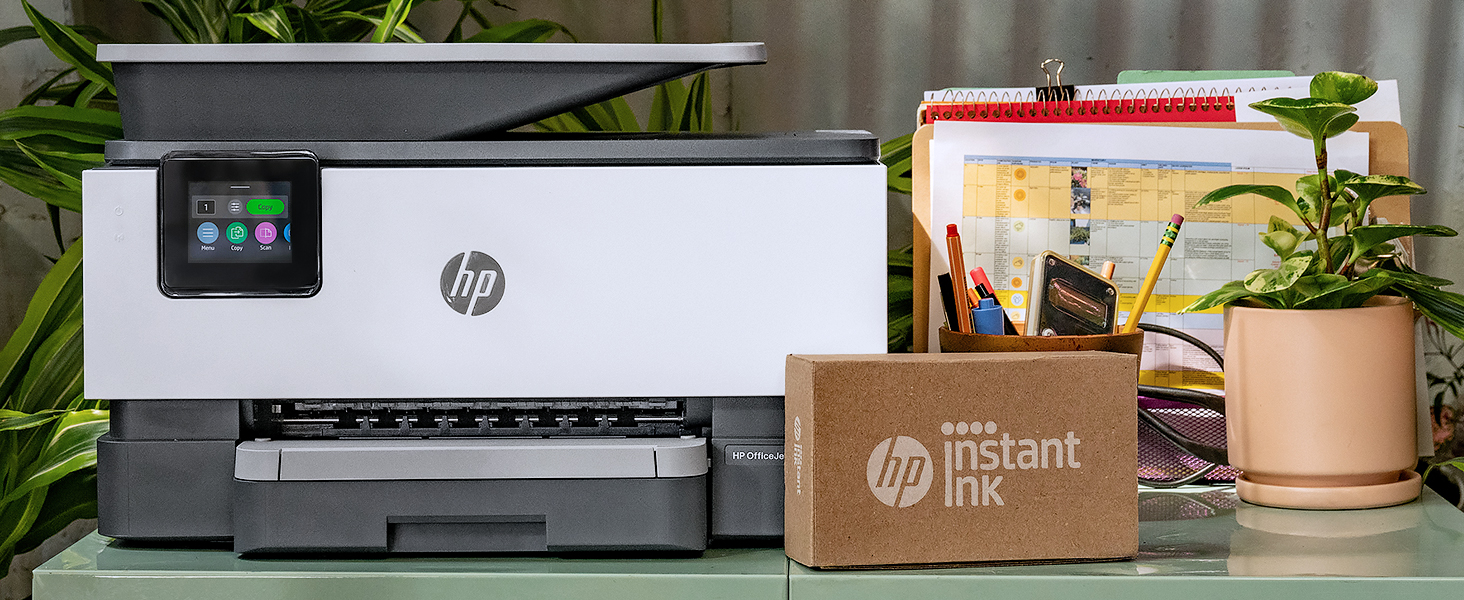


| ASIN | B0CFM82NS2 |
| Additional Printer Functions | All In One |
| B&W Pages per Minute | 22 ppm |
| Best Sellers Rank | #46,667 in Computers ( See Top 100 in Computers ) #109 in Ink Tank Printers |
| Brand | HP |
| Built-In Media | HP OfficeJet Pro 9125e AiO Printer; HP 936 Setup Black Ink Cartridge; HP 936 Setup Cyan Ink Cartridge; HP 936 Setup Magenta Ink Cartridge; HP 936 Setup Yellow Ink Cartridge; Regulatory Flyer; Ink Caution Flyer; Power Cord; Setup Poster; Reference Guide [For more information about fill and yield, see http://www.hp.com/go/learnaboutsupplies ] |
| Color | Grey or Silver |
| Color Depth | 24 |
| Color Pages per Minute | 18 ppm |
| Colour | Grey or Silver |
| Compatible Cartridge | HP Instant Ink Compatible Cartridges |
| Compatible Devices | Smartphones |
| Connectivity technology | Ethernet, USB |
| Control Method | Touch |
| Controller Type | Android |
| Customer Reviews | 3.6 out of 5 stars 3,469 Reviews |
| Display Type | LCD or LED |
| Dual-sided printing | Yes |
| Duplex | Automatic |
| Hardware Interface | Ethernet, USB |
| Initial Page Print Time | 11 Seconds |
| Ink Color | Cyan, Magenta, Yellow, Black |
| Item Dimensions D x W x H | 34.2D x 43.9W x 27.8H centimeters |
| Item Weight | 10.09 kg |
| Manufacturer | HP |
| Maximum Copies Per Run | Up to 99 copies |
| Maximum Copy Resolution Black and White | 1200 dpi |
| Maximum Copy Resolution Color | 4800 x 1200 dpi |
| Maximum Copy Speed Black and White | 21 ppm |
| Maximum Media Size | Legal |
| Maximum Print Resolution Black and White | 1200 dots_per_inch |
| Maximum Sheet Capacity | 250 |
| Maximum print Resolution Color | 600 x 1200 dpi |
| Model Name | 403X0A#B1H |
| Model Number | 403X0A#B1H |
| Model Series | OfficeJet Pro |
| Model name | 403X0A#B1H |
| Number of Drivers | 2 |
| Number of Ethernet Ports | 1 |
| Number of Trays | 1 |
| Other Special Features of the Product | Auto Document Feeder |
| Output sheet capacity | 250 |
| Paper Size | 8.5 x 11;8.27 x 11.7;8.5 x 14;7.16 x 10.12; |
| Power Consumption | 5.06 Watts |
| Print media | Paper (plain) |
| Printer Connectivity Type | Ethernet, USB |
| Printer Output Type | Color |
| Printer Type | Inkjet |
| Printing technology | Inkjet |
| Processor Count | 1 |
| Resolution | 1200 x 1200 |
| Scanner Type | Sheetfed |
| Series Number | 9120 |
| Special features | Auto Document Feeder |
| Specific Uses For Product | Office |
| Total Usb Ports | 1 |
| UPC | 196337284807 |
| Unit Count | 1 Count |
| Wattage | 100 watts |
A**R
Return not available bad option printer
Very bad item
J**H
Great all-in-one machine at an economical price
I wasn't expecting a lot from the OfficeJet Pro 9125e. I've had several other home printers in the past, including a laser printer (great because it uses dry toner which doesn't have the issues an inkjet printer typically has, but is only able to print black and white). I've had several inkjet printers, but they all end up having clogged print heads or something that renders them useless after a short amount of time. I thought I'd give this a try, as it could replace my other printers. It's meant for a small office, as it has pretty high duty cycles. I don't print a lot; usually recipes, legal documents, and coupons. I may start printing some newsletters for an organization I'm in, so this may work out well. It can print borderless pages, which would make some nice newsletters! Setting up the printer was fairly straight-forward. The printer was packaged nicely, in a bag with a handle that allows you to pull it from the box easily. The included quick-start guide tells you to plug it in, turn it on, select a language and country, and then go to a URL to set the printer up on your computer or phone wirelessly. The first step is to open the paper tray and load the paper. Adjusting the paper tray for letter-sized paper was a bit confusing, as there are little tabs you have to press to adjust the size of the paper tray. It wouldn't shrink down to the size of the paper, so I just pushed the paper all the way to the back and pushed the tray in. The printer then said it was checking the paper, and said it was successfully loaded. Installing the ink went fine. Then it wants to print an alignment page. Once printed, you put it on the scanner bed, and it scans. That went fine as well. Finally, install HP Smart Printing on the computer and scan for new printers. It didn't find it on the first try, but did on the second. Connecting was quick and easy. It even got the wifi password from the computer. Once connected it automatically updated the firmware. I didn't realize it, so I tried printing something and couldn't. Then the printer chimed and said the firmware was updated. Print quality is fantastic, as is the speed of printing. I enrolled in the HP+ and Instant Ink trial. I got an email saying my new ink cartridges were being shipped, even though I don't need them yet. I'll probably cancel the Instant Ink after the trial, as I don't print a lot, but it may be worthwhile for people/offices that do. Time will tell if the print heads last. Hopefully!
A**R
Works very good
Works perfectly
T**F
Expect to Have Your Printer Locked Down by HP
DOWNGRADING this review to one star - 6/10/2026. This is related to their instant ink program. I've been a member of this stupid program since April of 2025. I have now paid them a total of $119.95. For reference, it costs roughly $95 on Amazon to get replacement cartridges. HP has sent me replacements exactly once, which are currently unopened on top of my printer as I haven't needed them. Now, when I have never once gone over my allotment, I get an email that since I did this month I'm getting charged $1.50 per 10 additional pages I print. For the rest of the month. So basically I can't print this month anymore unless I want to pay the piper. $1.50 per 10 pages and it's not even halfway through June. That's right, they're charging me to use the paper and ink I've paid for. See, that's what this is about - they're charging you per page, not for the ink you use. And they bury that in the fine print when they sign you up, counting on people not catching that. They also outright LIE, claiming that unused pages carry over. If that were true I would not have gone over my allotment. But oh, wait! It gets worse! THEY LOCK DOWN YOUR PRINTER WHEN YOU CANCEL THE SERVICE. That's right, folks: those ink cartridges I PAID $120 FOR OVER THE PAST YEAR AND A HALF WILL NEVER BE USABLE NOW AND I HAVE TO PAY ANOTHER $95 TO GET NON-INSTANT-INK CARTRIDGES...WHICH BY ALL REPORTS ON THEIR OWN WEBSITE STILL WON'T WORK. THEY SCAMMED ME INTO A PREDATORY DEAL THAT WILL IN ALL LIKELIHOOD SHUT OFF MY PRINTER NO MATTER WHAT CARTRIDGES I TRY TO PUT IN IT, WITHIN THE NEXT MONTH. I have NEVER seen such predatory, greedy behavior from a company. NEVER. This is nothing short of victimization of tehir customer base. I have been a loyal HP customer for years; my last ten or so computers have been HP computers. After this? Nope. I'll never, ever buy another HP product again. And neither should you. Finally, when I tried to speak to someone about it? THE ONLY OPTION I HAD WAS TO TALK TO CHATGPT. THERE IS LITERALLY NO WAY TO GET REAL CUSTOMER SERVICE FROM AN ACTUAL HUMAN BEING. TL;DR version: this predatory scam has me in almost $220 for ink cartridges worth less than $100...just to keep printing on my computer. ----------------------------------------------- ORIGINAL REVIEW A MAJOR downgrade from the 8600 series. I've sworn by HP printers for years. I had an 8600 series that lasted forever, and worked like a champ both online and directly plugged in. Ink lasted a long time, if a bit expensive. it printed fast and could handle the most complex jobs. In short, the 9125e, which SHOULD be an upgrade, is instead a major downgrade in fuctionality and quality. Setup was wildly onerous, forcing me to use a smartphone app to navigate a very clunky interface just to get it hooked up to my wireless network. Man, I miss the days when the manufacturer JUST GAVE YOU SOFTWARE TO PUT ON YOUR PC. Setup for this thing failed FOUR TIMES before I finally got it to work. I signed up for the ink subscription trial, which seems like a nice service and will save money in the long run. That's about the only good thing about this printer, and I wish you could do that with the 8600 series. Since setup, any time I try to print anything of consequence more complex or longer than a few pages of a Word document, the printer just gets halfway through the job, and stops. Spits out a half-printed page and goes no further, while the stupid non-functional "HP Smart" app says it's still printing. And hangs up so I can't delete the job or print anything else. Maybe it might work if it was plugged directly into the computer? I don't know because I need the printer to service my entire household via wifi which it ADVERTISES THE ABILITY TO DO. Complete junk. HIGHLY disappointed in HP cutting corners and putting out crap product that they charge over $200 for. Do not buy this printer. Part of me wanted to give this three stars, but seriously, the printer has ONE JOB and that's to PRINT DOCUMENTS. When it works it works painfully slow, and most of the time, again, unless it's just a basic text document, it fails to do that. If you're trying to print a PDF with any level of formatting? Forget it. I haven't even tried the scanning and copying features. I don't have high hopes, though, since the basic printing doesn't work. And the control app is bare-bones at best, so I'm not even sure how I'd manage scanning at this point. The best thing about it is that it got me to tear apart my 8600 and figure out what was wrong with it. Now that's up and running again and I guess I'm just going to leave this piece of garbage out for simple print jobs when guests or my gaming group is here.
R**E
Cumple con lo que promete.
Todo muy bien, excelente calidad de intensión. lo único que no me gusta es que aunque si imprime en tamaño oficio, solo escanea documentos en tamaño carta. Everything is fine, excellent quality of printing. The only thing I don't like is that although it does print in legal size, it only scans letter-sized documents.
A**A
Pictures turn out amazingly good!
I first printed a recipe, which printed fine. Next, I looked at my pics in the hp app. I clicked on 2 to print. I hit the button, and they instantly shot out. My mouth flew open, and I questioned how? I had just clicked the button! My husband and I were amazed with the quality. Our old printer of another brand never prints anywhere close to that good or nearly as fast. It would have taken much much longer to print them on our old printer. My husband set it up on his phone. Then, he printed our insurance cards and a ticket to a show. They both printed quickly. I was messing around in the hp app, and printed some cards and coloring pages. They all printed in great quality. I've since printed more recipes, some vet records, and other papers. I'm loving the quality and quickness. I'm not sure how the whole paying for ink monthly will work. I'm not sure if it'll be cheaper or not. Our old printer didn't have the option to print on 2 sides. We haven't had one of those in yrs, so I like that we have that option back in the house. I forgot when I was printing recipes that I had that option again. I guess I'll have to print them again if I want them double sided. My daughter will be using it lots to print stuff for school. It was very easy to use the screen then the app to follow setup steps. It prints better than my old printer but the cost is cheaper. I don't know how. I say it's a good value for the money. I haven't had it long enough to see how well it will function over time but for now it is working great. It came with 3 months of free ink and 1 month of free paper. I've already received both in the mail. I canceled the paper, but it says I will be billed for October, even though there is still plenty of time before then. If I get billed for a month I won't be using the paper option I won't be happy. That makes me believe, if you end up canceling the ink, you'll still get billed. I don't think you should be if you cancel it early enough like I did on the paper. If I get billed for paper I won't receive for the following month I will cancel the ink. I will not support that. The weight of the printer isn't too bad. I'm able to pick it up myself and move it. Overall, if you print lots of normal random stuff like I do, I think you'll like this printer. I'm amazed with the pictures, and they weren't even on picture paper! I've got a cricut, so I can't wait to see how well it prints stuff for my cricut when I need stuff printed.
Trustpilot
2 weeks ago
1 month ago