Buy anything from 5,000+ international stores. One checkout price. No surprise fees. Join 2M+ shoppers on Desertcart.
Desertcart purchases this item on your behalf and handles shipping, customs, and support to Morocco.
🚀 Print Fast, Print Big, Print Smart — Join the 3D Printing Revolution!
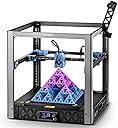
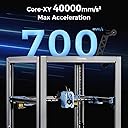
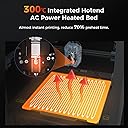
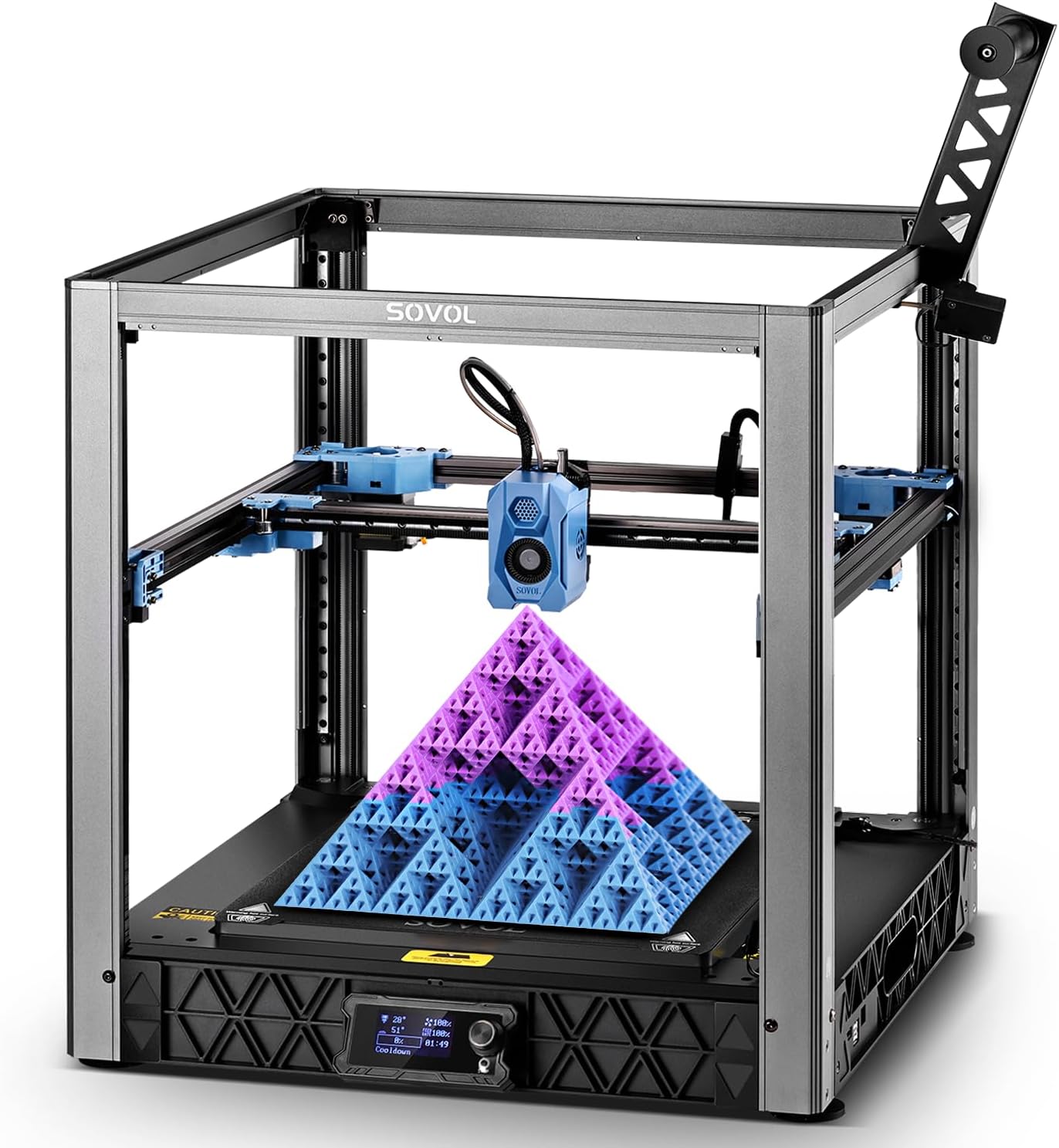
The Sovol SV08 is a high-speed CoreXY 3D printer featuring a large 350x350x345mm build volume, 700mm/s max print speed, and advanced quad-gantry auto-leveling with 4 independent Z motors. Open-source and powered by Klipper firmware, it offers network connectivity with a built-in camera for remote monitoring. Its 300°C clog-free hotend and rapid-heating ceramic block enable versatile material compatibility and quick startup, making it ideal for professionals and makers seeking precision, speed, and customization without vendor lock-in.


| Best Sellers Rank | #31,455 in Industrial & Scientific ( See Top 100 in Industrial & Scientific ) #47 in 3D Printers |
| Brand | Sovol |
| Color | SV08 Silver |
| Compatible Devices | OrcaSlicer(Win\Mac), Cura-Ultimaker(Win\Mac), Cura-Sovol(Win) |
| Customer Reviews | 3.9 out of 5 stars 165 Reviews |
| Item Weight | 39 Pounds |
| Material | Metal |
| Product Dimensions | 21"D x 21.7"W x 22.6"H |
T**N
Great open source printer, good features and decent prints within hours of unboxing.
Summary: Worked out of the box and was printing decent quality items the same day. The software is standard Orca Slicer and tweaked Klipper, so the manufacturer can't lock main features behind a paywall. Runs on your network and is opensource, they even provide the 3d files of the printer so you can print replacement/modified parts if you want. Sovol was smart and enlisted a few good content creators to make how-to videos, including setup and upgrades. I only have 24 hours of total print time and will update the review later if needed. Background: I started on a borrowed Monoprice MP Mini and learned a lot, especially about build volume and bed slingers. The Mini had ok print quality on most things, was slower, needed a micro SD card to get files to it, and had no way to check on prints remotely (prints fail, it happens but without having it close by you just don’t know if everything is ok). I am an IT person by trade, so anything that connects to my home network get severely locked down. I also have had far to many devices that stop working because the manufacturer decided not to support the web portion it needed even though the device still works great. My requirements: Needed larger build volume: 350mm x 350mm x 345mm vs 120mm x 120mm x 120mm Needed LAN connection: RJ45 (ethernet) and Wifi No Planned obsolescence: Open Source and upgradable with no internet required to work. Works without constant fiddling: I can send to Orca Slicer from thingiverse on my desktop and just print. Need remote monitoring: Has a webcam and connection to Orca Slicer. Simply print and watch it work from your desktop. Need a removable plate: PEI plate included Need option to print fast: 700mm/sec vs 55mm/sec After diving down the rabbit hole, I wanted to build a Voron but currently do not have the time or printer with a big enough build volume to print the parts needed. I looked at the other name brand printers, but ruled out most. The Sovol is like a Voron, but mostly put together. It took me a few hours with help from small curious onlookers to get it out of the box, setup, and printing (even though I overly complicated the setup). The directions are good and there are a number of Sovol sponsored videos showing tips and tricks to do a full setup. Once it was assembled and levelled, I connected it to its own vLAN on my network which had no internet (one of my big requirements). Then I downloaded and installed the latest Orca Slicer LTS build (an older version was on the included USB stick), plugged in the IP address of the printer (after creating a firewall rule because of the vLAN) and there it was. I used the “Open in Orca Slicer” option in Thingiverse (Printables has a button for Orca Slicer too), then hit the print button in Orca Slicer to send it remotely to the printer so it started printing and watched the printer auto level and start printing on the included web cam from the comfort of my office chair. No more walking to the basement where the printer is only to have forgotten the SD card. No more making 5 trips to see if the print is doing ok, just going back to Orca Slicer. The print quality was much better than the Monoprice and I could batch print things that were too big to fit one of one the Mini. Because it is so much easier to print and the prints look better, I use the Sovol printer far more. Future tinkering: I plan to enclose the Sovol, but can do that later because of the open source nature of the printer (they sell one or I can design my own). I plan to add a Bondtech INDX when they are out to give me a tool changer with Multi-Material (Looks pretty straight forward on the Sovol compared to other name brand printers). I plan to add fume exhaust with the enclosure, but again can wait until later. I was going to upgrade a whole bunch of things like the bed and leveling sensor, but the Sovol works good enough that I don’t have a reason too yet. The biggest benefit to me is that I CAN if I want and someone already has a video on how to do it which was probably sponsored by SOVOL. They want it to be your printer, not theirs that they are leasing you through software. Competitors: Prusa (top contender) - I really wanted an XL with a tool changer, but my pocketbook just laughed. Even a Prusa Core One or MK4s was almost twice the price. They are really nice and you get more features, but tinkering seems more difficult. Putting something like Bontechs upcoming INDX on a Core One would be interesting, but it will be a lot easier on the Sovol. Adding an enclosure to the Sovol is pretty easy, but would take tinkering to make it as good as the Core One. Also, software and parts seem a little more closed off, but again I would own a Prusa if Sovol didn’t make the SV-08. Bambu - Needs internet to use some of the main features and Bambu has automatically rolled out changes that ruffled a lot of feathers in the community. The printers look nice and are a great price if you are ok with being locked into the Bambu Ecosphere. The H2D looks amazing, but if their software stops working for some reason, so does your printer. The Sovol can be put on main line Klipper and already works with main line Orca Slicer. Voron 2.4 Kit - I just don’t have the time or budget right now. Maybe in a few years, but honestly I think starting with the Sovol and upgrading it is a better idea for people who don’t want the printer to be the hobby. The software and hardware are as open as you want, since you select and load everything. Creality, Anycubix, etc. - These all seemed to have similar issues with software and upgradability as Bambu (though not to the same extent). There are a lot of nice options and features on these, but I want to decide when I stop using the machine and how to make it better. Creality was a close contender behind Prusa, but again the Sovol just made more sense.
P**B
If you like to tinker
This printer is a great alternative to something like a Voron for people who actually enjoy tinkering as much as printing. If your goal is to just hit print and get perfect parts every time, you’re probably better off with something like a Bambu Labs machine. Those are incredibly polished and dialed in out of the box. This is not that. This is for people who want to learn, tweak, and experiment. It runs Klipper, which opens the door to a ton of customization, and I’ve spent countless hours modifying it to do weird and genuinely cool stuff. It’s a great platform for understanding how printers actually work, not just using one. It’s also relatively low cost, so you don’t feel bad pushing it, upgrading it, or even breaking something along the way. If you enjoy the process as much as the result, this is a solid choice. If you just want reliable, hassle-free printing, look elsewhere.
K**.
Best 3D printer I have owned!!
I recently purchased the Sovol SV08 3D printer, and I couldn’t be happier with my decision. This printer is a game-changer for anyone looking to get into 3D printing or upgrade their current setup. -This 3d printers runs incredibly fast and still has precise prints. I’ve been able to achieve speeds up to 700mm/s. -I love the generous 350 x 350 x 345 mm build plate, it's going to be perfect for any larger projects that I plan to do. I love that it gives me the flexibility to print a wide range of items rather just smaller knick-knacks. -Despite its size and complexity, the assembly process was honestly fairly straightforward. The instructions were clear, and I had it up and running in about an hour. PLEASE READ THE DIRECTIONS. I thought I was clever enough to assemble it without the directions because the design of the printer is very user friendly, but I kept putting the wrong length screws into the wrong locations, so please READ the instructions like I eventually did! LOL Other than that, it was super straight forward. -This 3d printer comes with auto bed leveling and the inclusion of a camera module and remote control capabilities are nice to have additions as well. -From what's been produced so far, the print quality is outstanding. I’ve printed with PLA, TPU, and the results have been consistently excellent. Overall, the Sovol SV08 is incredible value for its price. It’s build quality is top notch and feels very premium, but most importantly it's prints are top notch and does it very fast. Highly recommended for both beginners and experienced makers! 10/10 would recommend!
W**J
The Ender 3 POS of CoreXY printers. Cheep Cheep.
12 month update === Still 1 star. The latest Firmware, that adds POWER LOSS RESUME, now crashes all the time... I couldn't get two long duration prints without something throwing a Klipper Exception and crashing the printer while mid-print... of course, you'd think with POWER LOSS RESUME it would be okay... it was unable to resume... so WHY THE FOXTROT would anyone add a PLR feature if it doesn't work, and not only that, it now crashes ALL the FRIGGING time!!! I had to replace the toolhead after it dug another hole into the PEI plate, this time ripping the head. Amazingly, with this new toolhead the printer seems to work much better... except when KLIPPER crashes due to the PLR useless feature they've half-a&&ed in there... what a joke 10 month update === Still 1 star. I am on the 2nd build plate (2nd destroyed by the printer deciding to dig into it due to heat drift? ) The PEI build plates wear out super quick, and stuff usually doesn't stick very well. Polymaker ASA has trouble sticking to it unless you use some glue on the build plate. Zoffset calculation is hopeless, doesn't work. The sensor has about 0.65mm drift between hot/cold states. And about a ~0.1 mm accuracy error between prints with same identical temperature. I tried a klicky proble, but that wasn't much better. It is just a bad printer. Cheap. The hardened nozzles are not very good at all. They seem to suck compared to the original chrome plated copper ones. In the end, if you want to actually build things, then get something else... or if you like to just tinker, then sure, get this. Oh, while not related to the printer directly, the Orcaslicer software that is "needed" to print crashes all the time too. In contrast, BambuStudio (based on the same slicer) does not: Its just bad software. And it won't slice certain models correctly either, like the good old Cura did. At this point I am ditching the printer in favor of something else that doesn't require me sitting next to the printer like the POS Ender 3 did. Or, This is the Ender 3 of the CoreXY printers.
L**O
It's big! It's fast! A community favorite!
This is my 7th different 3D printer. Until recently my favorite was the famous X1 Carbon. I was surprised that the SV08 could the deliver the same print quality at a faster pace than my X1C. Out of the box, with a PID tune, Flow Calibration, and Pressure Advanced calibration, I was printing great quality and way faster than my X1C. For optimal quality, I slowed the print speed down to closer to the X1C and borrowed many of the slicer settings from that printer. The SV08 is a little more hands on, extrusion and flow should be manually calibrated, but quality and speed are superb. It's hard to describe how much more space you get. The photos I attached show a trash bin I printed for 3D waste on the SV08, and that same print in the X1C chamber. It takes up quite a bit of space in the X1C, so you can see how much of a difference it is. Also note that I used the SV08 to print a honeycomb wall enclosure for the SV08 in gray ABS plastic. Out of the box, because of the powerful AC heat bed, I could do those large ABS panels. Speaking of which, the community support for this printer is huge. There is so much you can do to customize it, and it is fully open source down to every last drawing. Sovol has done right by the community there. I have added a BTT Eddy probe to my printer, for super fast bed scanning. I added a 0.6mm nozzle for even faster printing, an the enclosure for large temperature sensitive filament prints. Beyond that, I bought everything needed to do a Stealth Burner toolhead, but the printer has been working so well that I just don't feel the need to change anything else. Just be warned! Please do some basic calibrations and find some community optimized Orca Slicer print profiles if you aren't comfortable making your own. If you click go out of the box to print, you are missing out on the quality this printer can produce with a little work.
M**Y
Excellent performance with few compromises
I've had my Sovol SV08 for a bit now, and I'm really happy with it! The speed is incredible, and the 350x350mm build plate is super spacious. I love that it runs Klipper firmware out of the box. I've been 3D printing for almost 10 years now and this printer represents a huge leap in capability compared to previous mass market sub-$700 printers. Yes, the display is a basic $1 screen (and you can upgrade to a fancier one if you want), but for me, that's not a deal-breaker. It's all about function over form when it comes to 3D printing. The fact that this printer is based on a proven Voron design, and the hardware and software are open source, gives me confidence that the motion system is solid, and if I have any long term issues I can always modify the parts to fit my needs. So far after using the printer for three weeks and printing several models and types of filament, I can say that the print exceeds meets my expectations for this price range. The only print failures were my own fault. PLA and PETG print really well as they should on any modern printer. TPU is possible with some care (reducing retraction, lower volumetric speeds) and while the extruder design does jam occasionally with flexible filaments it's easy to get in and clear out when needed. This hasn’t stopped me from printing TPU although I might consider adding a jam sensor in the future. The price point of under $600 is also unbeatable. If you're in the market for a fast and affordable 3D printer with Klipper pre-installed, I'd definitely recommend giving the Sovol SV08 a look!
K**R
Heap
2 months of getting it dialed in but making nice prints FAST. Had some corrupted file issues AI and I had to fix but managed to reinstall the right .CFG files. Working fine.
J**E
Looks great, but the firmware is hot garbage.
I REALLY want to give this printer a higher review, but this is honestly the first printer I've ever gotten that I regret buying. EVERYTHING had to be tuned, down to the belt tensions. The firmware is not mainline, and they brag about adding power loss resume, while breaking everything else. Who on earth puts PLR on a printer that has no endstop sensors, it's impossible to get the printer to properly pick up where it left off because every time the print head homes, it's going to be slightly different than the last time because it has no definitive end stops to properly set it's place in space. The plus is that I was up and printing within 2 hours of having the box delivered on my doorstep, the down side is that the firmware really does need to be updated to make it usable. HOWEVER, this will cause timer issues between the MCU on the print head and the mainboard. Which means you need to update the firmware for the print head, however, the firmware they have available for download is not the same version as the firmware they are using for the mainboard (which you will need an STLINK to load the firmware btw). So then you get a timer error for the mainboard. Once you flash the mainboard with downgraded firmware they offer for the print head, the stupid thing can't keep up with the calculations on any circle smaller than an inch in diameter. I ended up having to disable the PLR all together to get it to work, but then ran into the same issue when it was printing tree supports and once again had a buffer overload. I have built printers from scratch that I've had to work on less than this printer. I'm scratching the BS firmware they have and flashing this thing over to mainline Klipper in hopes that I can get rid of the laundry list of errors it puts out. Sure the printer looks great, it prints the most simple of files pretty well, but to print functional parts or anything with an ounce of detail, get ready for a wild ride of chasing down one error after another to get it to work. Moral of story, I would not buy this printer again if I had the option. I don't care how cheap it is, the low price point definitely shows. The only thing good about this printer is that it comes mostly pre-assembled, so you can buy it for that and then get to work on completely overhauling the firmware and software yourself to get something functional.
R**E
VIP: Very Impressive Printer
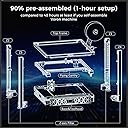
I decided it was time to upgrade my positively geriatric and poorly-Frankensteined CR-10 with something a bit more modern and powerful, and while it's still early days, the SV08 has so far blown me away and is absoultely worthy of five stars in my opinion. It's not perfect, but perfection is difficult to gauge, and a bit subjective, for a 3D printer of this calibre and size at this price point. I'll try and explain. I'd say that the one-hour assembly time that Sovol states is optimistic at best unless you've already built an SV08 or another "mostly-assembled" CoreXY printer before. It took me a couple of hours, but I'd imagine prior knowledge of 3D printer assembly, a decent electric screwdriver and a good understanding of the manual will help to have this thing built in an hour or less. Overall it wasn't difficult at all, though there were some areas of the manual I didn't fully understand (unsure if it's the fault of the manual or the reader, probably the latter...), so I also consulted a video someone made going through the assembly process. Either way, once it was built, I was impressed by just how sturdy it felt. After the initial set up, an update of the firmware, and some calibration, the SV08 has already been giving me some excellent prints. For one thing, it's scary how fast this thing can move. Very very impressive stuff for someone coming from an old bed-slinger, to see just how quickly this thing can lay down material. I've not built anything massive yet, mainly just small items such as a case for a music player (pictured) but a 350x350x345mm build volume opens up the opportunity for some big prints. It's not quite as tall a build surface as my CR-10 was, but I'm happy to sacrifice 5cm on the Z axis for an extra 5cm on both the X and Y axes. I'd imagine this'd be a great printer for decor, storage, cosplay, all sorts of applications that call for some larger printers. I still have some dialling in to do for this printer. Prints aren't perfect yet - namely I'm encountering a lot of stringing between gaps and other such artefacts that can surely be eliminated with some tweaks to temperature, cooling and retraction settings, but in the meantime it's nothing that a bit of post-processing can't fix. A quiet 3D printer this is not! I will say that I don't hear anywhere near the amount of stepper motor whirring and whining that I heard with my CR-10, but that's possibly because the fans drown it all out. The mainboard cooling fan is small and loud and runs constantly, and the part cooling fans scream like a hairdryer while it's printing, but I'd imagine a solid door between you and the printer will surely help. I also hear that the enclosure kit you can buy for this helps some; I have it but haven't fitted it yet. Just keep in mind that out of the box this is not a quiet printer by any means. The beauty of a printer like this is that it's on the more barebones end of the 3D printer spectrum - it's derived from the Voron 2.4 and is mostly open source. And sure, the 2.4 has a bigger following, and Sovol surely had to make a few compromises to create the SV08 as a cheap and mass-producible version of it, but there's still a thriving community supporting this printer, providing fixes, upgrades and plenty of advice. For example I know that I'll be able to quieten down the printer significantly by replacing the fans, and I'll know exactly what to do because people have done it before and posted guides and 3D printable parts. Overall, I'd say that if you're looking for a big, fast, advanced printer on a budget, you can't go wrong with the SV08. You get a hell of a lot of printer for the price, and you'd be hard-pressed to find anything better without spending two or three times as much. It's really impressive to see just how far 3D printing has come since I got my first printer in 2018, and while the SV08 isn't cutting-edge or objectively 'perfect' by any means, the fact that such a capable printer can be so inexpensive now, is truly mind-blowing to me.
T**Y
Helpful after service
This is my first time buying a 3d printer, not exactly plug and play and need to tinker a bit. Quite happy with the purchase, although there was a hiccup during installation and there is defect here and there, the after sales service help me solve the issue and give me back partial refund while keeping the item
A**6
Günstige Voron 2.4 Variante mit Großem Potential
Der Sovol SV08 Basiert auf Dem Voron Community Projekt und Ubterstüzt die Weiterentwicklung dieses Projekts mit 2$ Pro Verkauftem SV08 was eine Sehr löbliche sache ist, da das nicht jeder Hersteller So Habdhabt wenn er sich bei Community Projekten „bedient“. Der Sovol SV08 ist mit einem CoreXY-Design, Klipper-Firmware und einem großen Bauraum ausgestattet – Merkmale, die bei 3D-Druck-Enthusiasten gut ankommen. Dieser Testbericht beleuchtet die wichtigsten Spezifikationen, Montage und Features des Geräts und gibt detaillierte Einblicke in Druckergebnisse sowie die Vor- und Nachteile. Unboxing und Montage Der Sovol SV08 kam sicher verpackt an und erfordert eine etwas längere Montagezeit im Vergleich zu typischen Bett-Schiebe-Druckern. Der Aufbau nimmt ungefähr eine Stunde in Anspruch. Besonders hervorzuheben ist die korrekte Verlegung der Kabel, da diese in engen Bereichen leicht beschädigt werden könnten. Nach der mechanischen Montage der Z-Aufzüge und des Portalrahmens erfolgt das Verbinden der Kabel. Dank klarer Anleitungen gestaltet sich der Aufbau jedoch unkompliziert. Wichtige Features CoreXY-System und Linearschienen Das CoreXY-Design des Sovol SV08 verleiht dem Drucker eine höhere Stabilität und Präzision bei schnellen Druckgeschwindigkeiten. Die Linearschienen an allen Achsen tragen zu einer flüssigen und exakten Bewegung bei, was sich positiv auf die Druckqualität auswirkt. 4 Unabhängige Z-Motoren Der Sovol SV08 verfügt über vier Z-Motoren, die an allen vier Ecken des Druckbettes angebracht sind. Diese Konfiguration gewährleistet eine perfekte Ausrichtung der Z-Achse, was insbesondere bei größeren Druckprojekten von Vorteil ist. Klipper-Firmware Die Verwendung der Klipper-Firmware ermöglicht eine verbesserte Druckgeschwindigkeit und bietet umfassende Steuerungsmöglichkeiten über das Webinterface. Mit Klipper lässt sich der Drucker aus der Ferne steuern, was vor allem für fortgeschrittene Anwender ein großes Plus darstellt. Bed Leveling und Kalibrierung Nach der Montage folgt der Prozess der automatischen Bettnivellierung. Hierbei wird das Bett auf 60°C aufgeheizt und anschließend das Z-Offset kalibriert. Die automatische Quad-Gantry-Level-Funktion sowie die Bett-Mesh-Kalibrierung tragen zu einem präzisen Druck bei. Dieser Prozess dauert nur wenige Minuten und erfordert keine manuelle Anpassung. Slicer Software: ORCA Der mitgelieferte ORCA-Slicer auf dem USB-Stick macht den Einstieg in den Druck einfach. Die vorkonfigurierten Druckerprofile sind gut abgestimmt, sodass ohne große Anpassungen direkt losgedruckt werden kann. Der Slicer bietet zudem automatische Baumstützen, die komplexe Modelle unterstützen. Testdrucke Der Sovol SV08 zeigt seine Stärke insbesondere bei detaillierten Druckmodellen. Verschiedene Testdrucke, wie ein Benchy-Modell in 12 Minuten, flexible Drucke sowie funktionale Objekte, wurden mit hoher Präzision und Stabilität gefertigt. Selbst bei anspruchsvollen Modellen wie dem Darth Vader oder dem Dragon Pot Planter zeigte der Drucker keine Schwächen. Insbesondere die Verwendung von Dual-Filamenten war ein Highlight und führte zu beeindruckenden Farbverläufen. Vergleich mit anderen 3D-Druckern Im Vergleich zu ähnlichen Modellen wie dem Creality K1, Two Trees SK1 oder Bambu Lab P1P bietet der Sovol SV08 eine größere Baugröße und einen umfangreichen Funktionsumfang. Für einen vergleichbaren Preis erhalten Anwender mehr Flexibilität und eine größere Druckfläche, was ihn besonders für größere Projekte attraktiv macht. Fazit und Zusammenfassung der Vor- und Nachteile Der Sovol SV08 überzeugt als vielseitiger und leistungsstarker CoreXY-Drucker, der sich sowohl für Einsteiger als auch fortgeschrittene Anwender eignet. Die solide Bauqualität, in Kombination mit der Klipper-Firmware und der umfassenden Funktionsausstattung, macht den Drucker zu einer hervorragenden Wahl in seiner Preisklasse. Vorteile: Hochwertige Linearschienen an allen Achsen Klipper-Firmware mit Fernzugriff Präzise und schnelle Drucke Großer Bauraum Automatische Kalibrierung Nachteile: Etwas kleine Benutzeroberfläche Lauter Lüfter Für Enthusiasten und Modder bietet der Sovol SV08 eine exzellente Grundlage für weitere Upgrades und Anpassungen, sei es durch das Hinzufügen von Gehäusen oder Touchscreens. Trotz kleinerer Schwächen stellt der Drucker eine starke Konkurrenz für teurere Modelle dar und bietet eine hervorragende Balance zwischen Preis und Leistung.
V**N
Great printer
I loved this printer so much that I bought a second one. Not a good first printer, but for the experienced user it is fast and reliable. Update, today it refused to turn on? Lucky for me that I had 2. Dad thing is that the price has jumped $30. I still think they’re a great printer, I just won’t spend the extra $ plus tax to get another one.
カ**ー
大型プリンターへのステップアップに
3Dプリンター未経験で選ぶ機種ではないです。 ですが、一般的な3Dプリンターの調整やトラブル対応をひととおり経験しており、かつラズパイなどでKlipperを運用したことがある方には、コストパフォーマンスで非常に優れた製品だと感じました。 以下に注意点などを記載します。 最初の一点は重大な不具合についての記載なので、購入を検討している方は必ずお読みください。 工場出荷時点でツールヘッドに取り付けられているノズルは、プリント中に破損して先端部が飛び出すという問題を抱えている可能性があります。 この破損が起きるとノズルが造形物やベッドと接触することになるため、運が悪ければプリンターの機構が広範囲にダメージを負うこともあり得ます。 「温度センサーを挿入する穴の隣にネジ穴がない」物がこれに該当すると思われ、その場合はメーカーに連絡して改良版を送ってもらい交換することをおすすめします。 あるいは、どうせ消耗品ですので、単体販売されているノズルを買ってしまうのも良いかもしれません。(何度か公式サイトで購入してみた感じ、改良版に置き換わっているものと思われます) 組み立ては四方からアクセスできる60x60cm程度の作業机の上で行うとやりやすいです。 なければ床でどうぞ。 手順どおりに組み立ててレベリングを行い、テストプリントが成功するところまで行ったら、ガントリーのアラインメントと各ベルトのテンション調整を行いましょう。 調整方法は公式サイトやCoreXYの情報を発信しているブログなどを参考に。 ベッドメッシュを計測するときは先にQGLを行いましょう。さもないととんでもない傾斜のメッシュが記録されます。 本機にインストールされているKlipperは、少々古いバージョンにSovol独自のカスタマイズが入ったフォーク版です。 Klipperの最新機能を使いたい場合は、mainline版を導入する方法を書いている方がいるので探してみてください。 その際には内蔵ストレージの書き換えと、マザーボードおよびツールヘッドのファームウェア更新作業が発生します。 それぞれ、eMMCリーダーとST-Linkエミュレーターというデバイスが必要になります。 前者はマイクロSDカードとカードリーダーを使った代替的な導入手順もありますが、後者は必須です。
Trustpilot
4 days ago
1 week ago