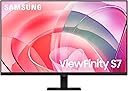
🚀 Elevate your workspace with Samsung’s 4K powerhouse — see more, do more, be more.
The Samsung ViewFinity S7 is a 27-inch 4K UHD monitor designed for professionals demanding precision and productivity. Featuring HDR10 for exceptional color accuracy, multiple connectivity options including HDMI, DisplayPort, and USB, plus an easy-to-assemble stand, it delivers a seamless setup and immersive viewing experience. TÜV-certified eye care technology ensures reduced eye strain during long work sessions, making it the ideal choice for creators and managers who value both performance and comfort.


| ASIN | B0D1DZNL3H |
| Adaptive Sync | FreeSync |
| Additional Features | Built-In Speakers, Eye Care, Eye Saver Mode,Flicker free,Built in Speakers,Height Adjustable Stand,Tilt,Swivel,Pivot,Wide viewing angle, Pivot Adjustment, USB Hub |
| Aspect Ratio | 16:9 |
| Best Sellers Rank | #2,343 in Electronics ( See Top 100 in Electronics ) #92 in Computer Monitors |
| Brand | Samsung |
| Brightness | 350 Candela |
| Built-In Media | DisplayPort Cable, HDMI Cable, Power Cable, Quick setup guide, USB-C Cable |
| Color | Black |
| Color Gamut | 0.99 |
| Compatible Devices | Desktop, MAC |
| Connectivity Technology | DisplayPort, HDMI, USB Type C |
| Contrast Ratio | 1,000:1 |
| Customer Reviews | 4.1 out of 5 stars 3,733 Reviews |
| Display Resolution Maximum | 3840 x 2160 Pixels |
| Display Technology | LED |
| Display Type | LED |
| Hardware Connectivity | DisplayPort, HDMI, USB 3.0, USB 3.1 Type C |
| Has Color Screen | Yes |
| Item Dimensions D x W x H | 7.1"D x 24.1"W x 18.2"H |
| Item Height | 18.2 inches |
| Item Weight | 11 Pounds |
| Manufacturer | Samsung |
| Model Name | S70D |
| Model Number | LS27D702EANXGO |
| Mounting Type | Wall Mount |
| Native Resolution | 3840x2160 |
| Number of Component Outputs | 2 |
| Picture Quality Enhancement Technology | HDR10 |
| Power Consumption | 80 Watts |
| Refresh Rate | 60 Hz |
| Resolution | 4K UHD 2160p |
| Response Time | 5 Milliseconds |
| Screen Finish | Matte |
| Screen Size | 27 Inches |
| Series Number | 70 |
| Shape | Flat |
| Specific Uses For Product | Business, Photo Editing, Video Editing |
| Total Number of HDMI Ports | 1 |
| UPC | 887276836843 |
| Viewing Angle | 178 Degrees |
| Voltage | 240 Volts |
| Warranty Description | 3 Year Manufacturer |
| Warranty Type | 3 Years Manufacturer Warranty |
V**.
NEVER HAD ONE PROBLEM WITH THIS SINCE PURCHASE
Simply a beautiful monitor. This is my 2nd 32" sitting side by side. Quality is very nice and took only minutes to set up. Image quality is the best.
B**N
Decent for the price.
I’d say that for the price, these are great monitors. The menu button on the back are poorly designed; but that’s a minor thing. I’m using the Display Port and the only annoying thing is the extra audio interfaces that are added even though there is no audio device attached. This is more of a DP protocol issue than a monitor issue
D**N
Great Monitor!... But... I have reason to believe these are not new, but refurbished screens..
First, you should know, I used to work as a "verified technician" and did repairs on all sorts of Samsung models in the past. If you get an item on arrival that is dead, do not try to go through Samsung, Deal with Amazon first. Now, if this messes up in the future, you may have to deal with them. You don't want this. We were trained to come up with any excuse to say it isn't covered in warranty and make you pay for repairs. So follow the directions on unboxing them to the letter. Hold it right, put a blanket underneath when taking it out of the box, etc. My first monitor was dead on arrival. It had power, but nothing came on the screen. This had a protective film on the screen. My replacement monitor, that worked, did not have the screen protector you peel off. This suggests to me that Samsung has an overstock of these monitors, are not checking the quality before shipping them out. That being said, let amazon handle the return/replacement process if you get something out of the box that doesn't work, they're really great that this! This monitor though, gotta say, awesome for the price (when I got mine that worked). Yes you need to adjust the settings, otherwise it won't look right. HDR looks great (when set up correctly, but a lot of people think it's just a toggle, there's more to it then that). I bought this for gaming and I love how crisp things look. It's easy to assemble, nice size for a small desk. All I wanted was a 4k monitor, as mine was just an old one that only did 1080p. If this is what you're looking for, take a risk, but buyer be warned. My worry is in the future I will have some issues, but for the price, it's good (if you get a good one). These are not new monitors. no way they are, they have all the signs of refurbished ones, and a huge overstock at Samsung, hense the 44% discount or whatever. Apparently they don't work on Macs or apple products, according to the reviews, but this worked perfectly with my NVIDA on PC. Again, it will not look right at first, too dark problem, colors off. you have to go in the settings and tweak it, but if you're not afraid of a lil work, and you just want an upgrade. Perfect choice here! I will update this review if it turns out it's a lemon in a few months or something.
D**.
Stunning 4K Clarity and Great Value
The SAMSUNG 32" UJ59 monitor delivers incredibly sharp 4K detail with vibrant colors and a clean, spacious display. The VA panel offers deep contrast, making everything from work to streaming look fantastic. Setup was simple, and the large screen real estate is a huge productivity boost. For the price, the performance is outstanding — a great upgrade for any workspace.
A**R
Returning. Multiple problems with the monitor
I bought this monitor for my Mac Mini M4 pro. It arrived with a couple of dents on the base of the stand and its frame. There were also two tiny areas of dead pixels on the screen. But worse than that, the audio never worked. I checked the HDMI connection, audio output settings of the mac, and reset the mac and monitor a few times. Nothing helped with the audio. And the last problem was that I could not adjust brightness of the monitor when HDR is off. Both in the mac and the monitor menu itself, the picture adjustment settings get disabled when HDR is off. When I turn on the HDR, the picture and the colors get distorted. Margins of icons get murky. So there is really no way to get both brightness adjustment and good picture quality at the same time. I spent a lot of time to make that I am not missing anything in the mac and monitor settings that could resolve the picture problem. It seems like there is a software issue with the monitor I’ve purchased. I am returning the monitor and will get another pricier one. This monitor was the cheapest I could find with these specs (4K, 60 Hz, 27 inches), but I guess that comes with some corners cut.
T**.
Price and quality amazing
Great quality. Good size for me. Price is great!
W**K
Good--But Not Without its Warts
I received this monitor via Amazon about three weeks ago. I've been planning on a 4K UHD monitor for some time now due to vision issues, with 32" seeming to be about the right size. I was right on both accounts. The clarity of this monitor, especially compared to my former one, is nothing short of amazing, and the size means that I can get a lot of work done (text, photos, word processing) without eyestrain. For these reasons I am pleased so far with it. Physical setup consisted of putting the stand together and mounting the monitor on it. They supplied instructions but there were very few parts and how it went together was self-evident. The monitor itself is pretty much plug-and-play: set it on the stand, use the supplied USB cable to hook it up to your computer, and turn it on. Voila! Picture! Only you turn it on the first time with a button mounted on the BACK of the monitor! Odd. However the monitor is not without its issues. The one rather large fly in the ointment is that there is no software included (or even available, as a chat with a Samsung tech confirmed) to control the monitor from my computer. Instead, all monitor changes (brightness, clarity, modes, etc. etc.) are controlled from a button on the back of the unit. You put your finger up under the bottom middle of the unit, reach up in the back, and your finger contacts a mechanical button on the back of the unit maybe two inches above the bottom of the monitor. Round, with a smaller activation button in the middle. You press up, down, left or right on the outside rim of the button with your finger to access and toggle between the various modes. It works--after numerous attempts to literally feel my way around. But to me it seems to be a solution in search of a problem. It would be MUCH simpler, probably cheaper, and FAR more convenient, to merely have computer software available so that any needed changes to settings can be made from the keyboard rather than by groping around for a button you can't even see. Second fly is that the monitor had an annoying habit, just after I turned it on, of staying on for maybe 30 seconds or so, then blacking out for maybe 10 seconds before coming back on. Though not a deal-killer it WAS annoying. I text-chatted with Samsung: the tech had never heard of this issue before but had me unplug the USB cable from both ends (monitor and computer), wait 30 seconds, then plug everything back in again. It seemed to work--so far. No recurrence for the past week. Third is that whenever the monitor comes on, I get a rather large dialog box (maybe 4" x 4") urging me to register the unit. I did, the first day. But the monitor apparently doesn't know that and there is no way I can find to turn the dialogue box off--and it stays on for maybe 30 seconds, which is time I could use for actually accomplishing something, before shutting off. Again--very annoying. Finally, there is no height adjustment on the stand. The height seems to be in a good location and I don't know if I'd use a height adjustment even if it were available, but other users might. BOTTOM LINE: I was sort of nervous when seeing a 32" 4K UHD monitor for what seemed a VERY low price ($300), but as Samsung is a good name and I've always enjoyed good product support from them, I took the chance. If the only issue were visual performance and clarity, it is a great deal, and as indicated earlier I am perfectly happy with that. But the other things--well, in a nutshell, they seem very Un-Samsung-Like to say the least--almost like this particular line of monitors reflects putting a bunch of leftover parts together that they had no real use for otherwise. The picture is great, and if you can put up with the numerous inconveniences, then this monitor is a good deal. Otherwise...well, you'll have to decide for yourself if the headaches are worth it.
J**S
Great for office work, etc. I would not say a great gaming monitor
I don't play too many games on the PC this is on. But it's not the fastest refresh, so I probably would not buy one for that. That being said, I'm not putting this down at all! It's an awesome monitor. I HAD a great gaming monitor with a curved screen this replaced. I don't need 240 Hz refresh rate or whatever. I play drums, and this is the monitor I use to play along to sheet music on the screen mostly. But my eyes weren't what they were. I run it at half the resolution it is capable of, because I want everything LARGE. I need to see the music notes clearly. I also need nice big clear text. The visual difference when I got this monitor after using the last one for 2+ years for this, was astonishing. Everything was clearer and sharper. Text is crisp. Video play back is awesome. This isn't the best of the best in monitors, but in this price range, this size, well I'm glad I picked this one. Sturdy as hell. You can see and feel the build quality. Colors are vibrant but not (to me) inaccurate. And I'm sure it works great for gaming! But not what I would pick for gaming, as I would want a faster screen refresh rate. For my use the refresh rate is way more than I need.
ترست بايلوت
منذ 3 أسابيع
منذ 3 أسابيع