
قم بتنزيل التطبيق


معلومات عنا
حقوق الطبع والنشر © 2024 Desertcart Holdings Limited
قم بتنزيل التطبيق
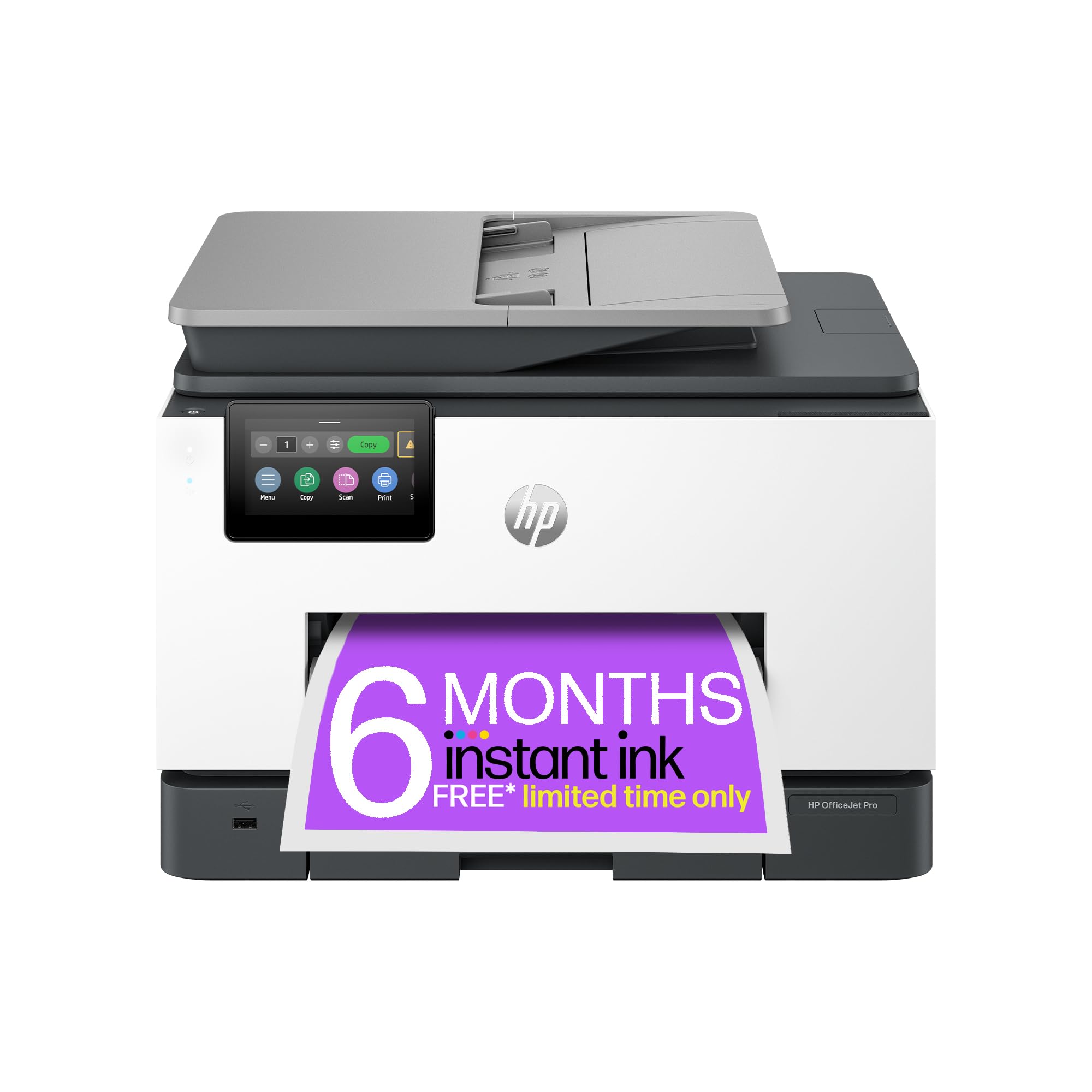
🚀 Elevate your office game with speed, capacity, and eco-conscious innovation!
The HP OfficeJet Pro 9132e is a high-performance all-in-one inkjet printer designed for small to medium offices. It delivers fast printing speeds of up to 25 ppm (black & white) and 20 ppm (color), features dual 250-sheet input trays, and a 35-sheet automatic duplex document feeder for efficient double-sided scanning. With robust connectivity options including dual-band Wi-Fi, Ethernet, and USB, plus the HP Smart app for cloud and mobile printing, it ensures seamless workflow integration. The printer supports HP’s Instant Ink subscription for up to 70% ink cost savings and is constructed with 40% recycled plastic, combining productivity with sustainability. Backed by up to 3 years warranty, it’s a reliable, eco-friendly powerhouse for professional environments.






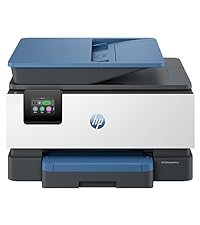


| ASIN | B0CM41LYTH |
| Additional Printer Functions | Copy |
| B&W Pages per Minute | 25 ppm |
| Best Sellers Rank | 3,328 in Computers & Accessories ( See Top 100 in Computers & Accessories ) 17 in All-In-One Printers |
| Box Contents | OfficeJet Pro 9132e All-in-One Printer |
| Brand | HP |
| Brand Name | HP |
| Color Depth | 48 bpp |
| Color Pages per Minute | 20 ppm |
| Colour | colour |
| Compatible Cartridge | HP |
| Compatible Devices | Smartphones |
| Connectivity technology | Ethernet, USB, Wi-Fi |
| Control Method | Touch |
| Controller Type | Android |
| Country of Origin | Thailand |
| Customer Reviews | 4.0 out of 5 stars 163 Reviews |
| Display Type | CGD |
| Dual-sided printing | Yes |
| Duplex | Automatic |
| Global Trade Identification Number | 00196337285019 |
| Hardware Interface | Ethernet, USB, USB 2.0 |
| Ink Colour | Cyan, Magenta, Yellow, Black |
| Item Dimensions D x W x H | 3.96D x 4.37W x 3.18H metres |
| Item Type Name | Multifunction Printer |
| Item Weight | 11840 Grams |
| Manufacturer | HP |
| Maximum Copies Per Run | 99 |
| Maximum Copy Resolution Black and White | 600 dpi |
| Maximum Copy Resolution Color | 300 dpi |
| Maximum Copy Speed Black and White | 25 ppm |
| Maximum Print Resolution Black and White | 1200 x 1200 |
| Maximum Sheet Capacity | 100 |
| Maximum Supported Paper Size | Legal |
| Maximum print Resolution Color | Color |
| Model Name | HP OfficeJet Pro 9132e |
| Model Number | 404M5B#687 |
| Model Series | OfficeJet Pro |
| Model name | HP OfficeJet Pro 9132e |
| Network Connectivity Technology | Ethernet, USB, Wi-Fi |
| Number of Ethernet Ports | 1 |
| Number of Trays | 2 |
| Other Special Features of the Product | Auto-Duplex |
| Output sheet capacity | 150 |
| Paper Size | A4, Legal |
| Print media | Paper (plain) |
| Printer Output Type | Colour |
| Printer Type | Inkjet |
| Printing technology | Inkjet |
| Processor Count | 1 |
| Product Warranty | Standard one-year HP commercial hardware warranty. One-year extra HP warranty through HP+ activation at setup; and (3) One year bonus HP warranty through separate online registration, which must be completed at www.hp.com/eu/bonuswarranty/ within 60 days of printer purchase. For up to 3 years of warranty. Warranty and support options vary by product, country, and local legal requirements. See: htt… |
| Resolution | 1200 x 1200 |
| Scanner Type | ADF |
| Special feature | Auto-Duplex |
| Specific Uses For Product | Small and medium office use, high-volume printing and scanning |
| Total USB Ports | 1 |
| UPC | 196337285019 |
| Unit Count | 1.0 Count |
| Warranty Type | Time-based warranty |
D**O
The Perfect Office Companion
The Unboxing - Right from the start you know this is a quality product. The packaging is thoughtfully designed with everything easy to unpack. The quick start instructions are also placed immediately at the top of the box, so you know exactly what you need to be doing. The Setup - The HP Smart app has been updated so it is now even easier to use. Setup is a simple case of following the very clear instructions to get the printer up and running, and then connecting each of the devices that you would like to print from. For those wondering about a cabled connection – you can do this but only after you have run the initial setup via HP Smart. This is the first time I have signed up for Instant Ink as well. We did a quick calculation on how much we have spent on printer ink in the last year and realised we will save an absolute fortune by using Instant Ink, and they even post it to you automatically when you start getting low. Using the Printer - I have used HP printers in the past and have always been happy with the quality and reliability of the printer. I can honestly say that this printer sees a step-up in quality, both with the physical printer (really good build quality) and the printed output (so much quicker, quieter and crisper print). The added features that the HP Smart App offer have provided me with tools I never knew I needed – especially the Camera Scan option that allows me to use my phone instead to scan documents. Also, the ability to print when I’m not even at home is fantastic and a real time saver – it’s all waiting for me when I arrive home. The Summary - A great printer that’s easy to set up and does what you need it to do (with some added bonuses!). It won’t let you down and you will never run out of ink if you subscribe to Instant Ink. I’m really happy with this purchase.
G**H
Works as expected.
Works as expected. It replaced my previous HP 8600 Pro all in one and performs tasks more quickly. Print quality is good so far, not yet tried any photo prints, only text on standard paper. Only observation is that it looks and sounds a bit plasticky, more so than my 8600Pro. Will be interesting to see how long the ink cartridges last; HP encourage you to join their scheme but as I'm a low volume user and changed cartridges in my last printer approx once a year, I haven't taken up their offer. Best to scan using the HP SmartApp. Other than printing from PC, this is the only other function I use regularly. For the price it's a good, functional all-in-one, although I can't remember the last time I sent a fax so am unlikely to use this function!
M**H
Good quality printing
A good quality printer with all the bells and whistles needed to produce excellent results. The setup is a little time consuming, but the step-by-step procedures are easy to follow.
P**E
Heavy Duty Printer
Printer arrived quickly and very well packaged. I was hesitant at first due to the size of the machine, this definitely needs a bit of space on a desk but that’s understandable with the 2 paper trays and full duplex scanner. Setup was a breeze with the HP App. I already had an existing HP printer so adding an extra device was seamless and my machine connected immediately to the network and performed a quick firmware update. Print speed is excellent in both colour and black. Copying appeared to take slightly longer but being able to scan a double sided page and print double sided without having to rescan or turn the printer page was fantastic. While the ink cartridges supplied appear to last quite a while I did signup to the HP+ Instant Ink plan and found them all reasonably priced and very suited for my household printing needs which often includes a lot of work printing. Overall this machine would be well suited to any home office or workplace and with the extra features such as AirPrint and the HP App it is perfect for advanced IT users and novices alike, would highly recommend this unit.
T**Y
Enigma machine full of crapware
HP invented abomination out of its sick imagination. Requirement to have internet to setup, smartphone bloatware in form of two apps offering 99 percent useless features but required for operation. Hp + ink cartridge brain rape, you will have to decline it 100 times if you don't want. Printer has slow brains as it is filled with all the sick crapware imagination of the designers who thinks printer must be this spaghetti monster which does many things but not printing. Printer doesn't support WPA3 where even my legacy devices of 4 years know what to do with protected frames. Printer doesn't see hidden networks same as 15 years ago. On guest network this crap will frantically get confused on setup finalize getting stuck infinitely. So you can't use this type of network for it anyway. On Linux this poop needs a 20 min build of pip with pipenv and dozens of python libraries.. Final straw was firmware update which this imbecile triggered by itself and then reset its own activated state, bricked itself to a point where smartphone thinks it is setup and ready and printer spits error "finish setup". It asked some hidden pin which could be found in a secret printer compartment but then reset itself to loop state again. When you go to support you see 90s style support forum asking to give them likes for generic advices. Penny employees? Unethical. This is not a printer this is a mutant whos evolution stuck a dead end because it forgot it's primary feature. Hp must dump it's cloudcrapware inkbrainrape and return back to basic printing. Alternatively hp can go bust , world won't miss you. Uh , dear Reader, I hold two computing science degree related so if you get stuck much earlier than that - don't panic just hit "return" button. Don't waste your time. Update: I successfully returned this and received Epson - one of the cheapest on amazon, OH LORD OH LOOOORD, this little hardworking machine is twice smaller than this abomination , prints 10x slower, and is 3 times cheaper. The setup was smooth and guided just through printer screen, connected to my wifi from first attempt. It asked some fine grained calibration but nothing too demanding. Best part , my linux machine "just saw it" didn't need any drivers, just saw it and i successfully printed, the setup took less than 30 min compared to failed 3 hours for the abomination. People let's come to terms with reality, HP is dead as a company, long time before they realized and the existing products get progressively worse.
S**S
Good home office printer!!
Fantastic home office printer. Works like a dream. Does double sided. You can scan with it. The print quality is very good
N**T
An Ok Office printer
The printer was well packaged when it arrived. Unboxing was made easier by the handles on the plastic it was wrapped in. It was quick and easy to set up and all was going well. The print quality was good and the ink cartridges had a decent amount of ink in them compared to other new printers. Unfortunately, a lot of the smart apps do not work with a Mac which is very disappointing. The scan to email or scan to computer functions do not work directly from the printer itself with a Mac and you have to use a peice of software or app on the computer to tdo his which is frustrating and can be time consuming! The print speed is good and i like having the ability to use the 2 trays although this can be a bit buggy at times when selecting the correct paper tray. I print quite a lot on card of about 200gsm. I haven't yet had a successful print with this but it may be me. I will persevere. All in all it is an OK printer! i would say if you wanted to buy a printer to use with a mac, to not buy this one and use one that has functions that work for a mac, although there are not many of those around. If you were looking for a high use home printer then this one's for you.
M**N
Good printer
A bit of trouble trying to set account and putting in Promotion code.
ترست بايلوت
منذ شهر
منذ أسبوع