We remain fully operational. Our teams are working around the clock to ensure your deliveries continue safely.

قم بتنزيل التطبيق


معلومات عنا
حقوق الطبع والنشر © 2024 Desertcart Holdings Limited
قم بتنزيل التطبيق

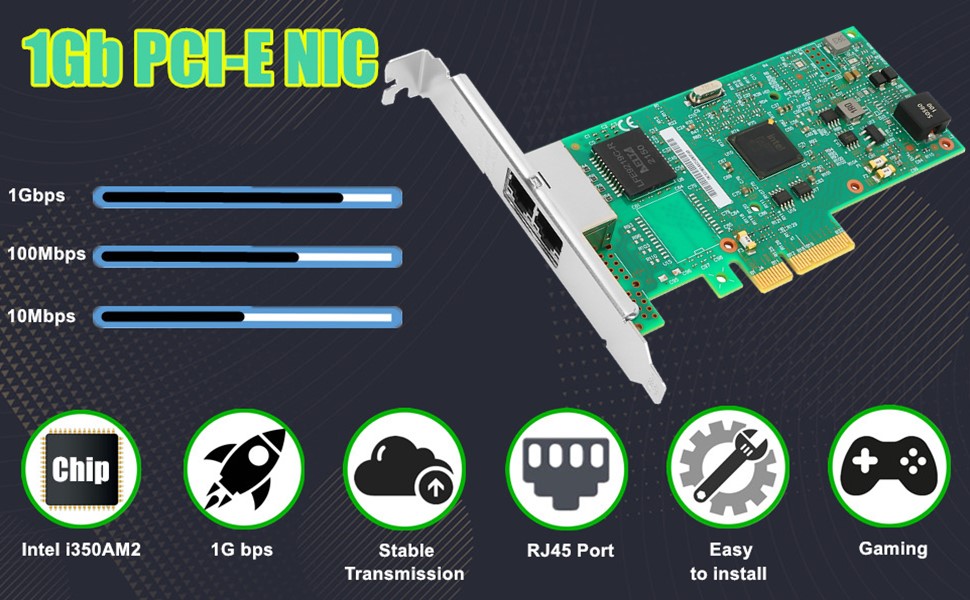
🌐 Upgrade your network game with Intel-grade speed and stability — because buffering is so last decade!
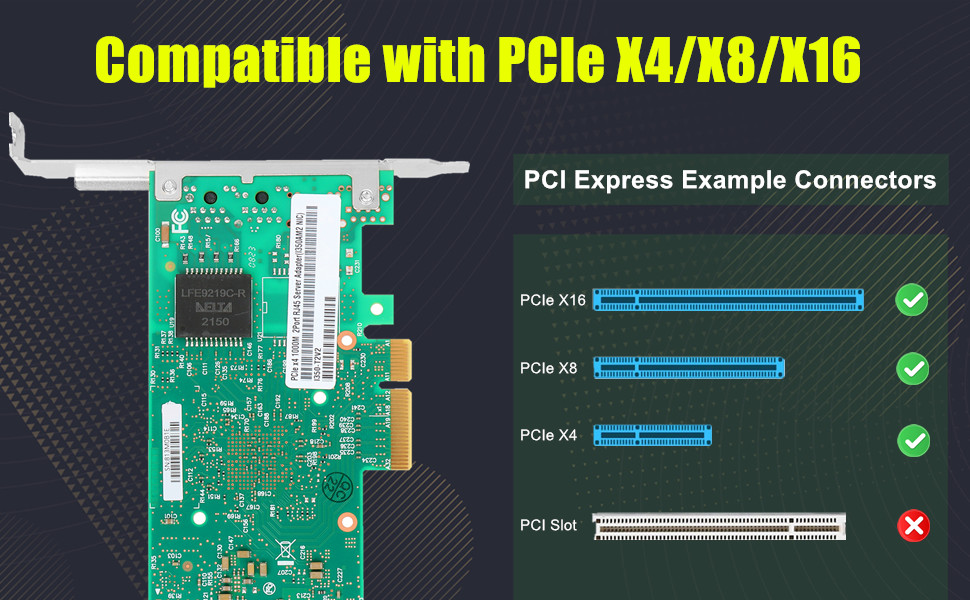
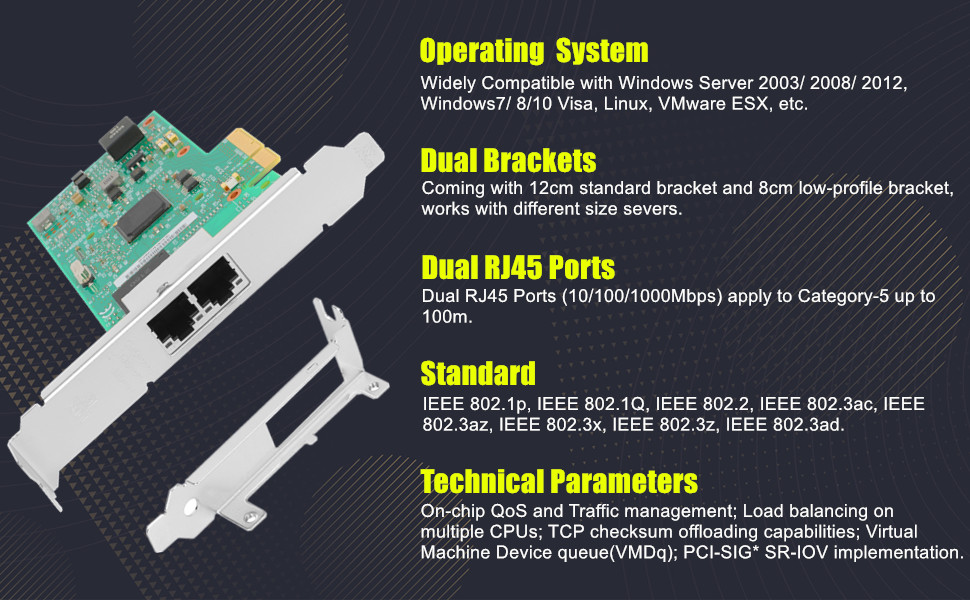
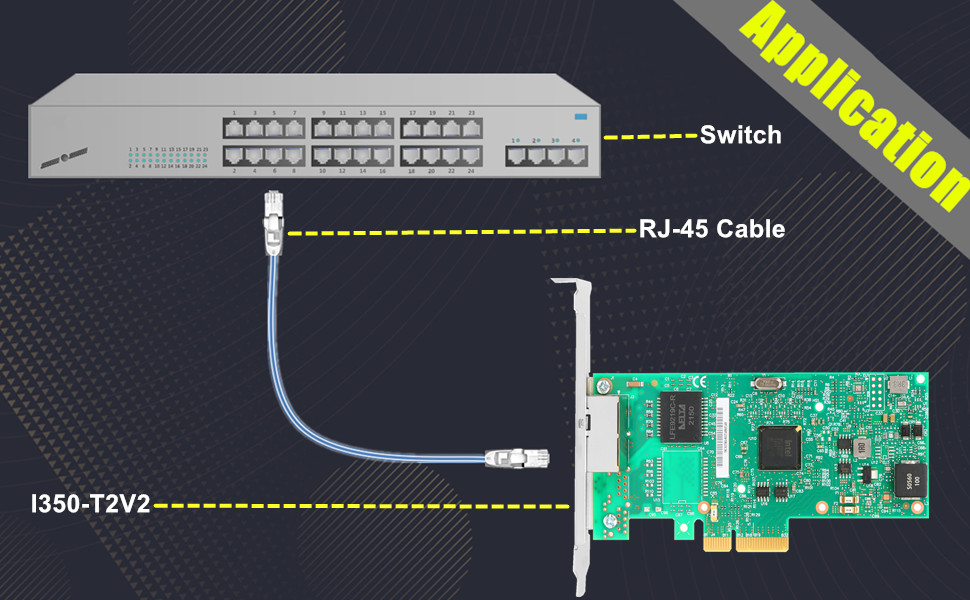
The Vogzone 1Gb PCI-E NIC Network Card features the Intel I350-AM2 chip with dual RJ45 ports supporting 10/100/1000 Mbps speeds. It uses a PCIe 2.1 x4 interface for high bandwidth and supports advanced networking features like virtualization, QoS, and TCP offloading. Compatible with Windows, Linux, and VMware, it’s designed for professionals seeking reliable, low-latency, and high-performance network connectivity.
| ASIN | B07RQD41VH |
| Best Sellers Rank | #32 in Internal Computer Networking Cards |
| Customer Reviews | 4.4 4.4 out of 5 stars (354) |
| Date First Available | May 11, 2019 |
| Item Weight | 6.4 ounces |
| Item model number | V-I350-T2 |
| Manufacturer | Vogzone |
| Product Dimensions | 8.8 x 5.9 x 1.1 inches |
W**M
Great performance + latency, handles all features I tested, and is pcie 3.0 x4
I think I am going to give this a 5 star review for now. It was the first one with every feature I needed working and no performance issues. The first 10GB/s NICs I bought were the Marvell Aquantia ones integrated into some high end motherboards. They were crap. They would crash all the time, latency issues were a big problem, and they didn't handle vlan tagging on windows (probably due to driver issues). Would not recommend. The second 10Gb/s NIC I bought was a X540T1 and it wasn't supported by Intel for windows anymore, so I had to find a windows 10 driver and install the .inf file manually. On top of the difficulty in getting it set up it was pcie 2.0 x8, so not ideal for most people's computers. It also gave my motherboard trouble with a warm boot where my motherboard would get stuck with a post code indicating something in one of the slots was having issues. The third was an ASUS XG-C100C (shares the Marvell Aquantia chip integrated on the motherboards I bought) which was stable, did pull drivers right away with windows, and handled VLAN tagging without any problems at all. Great right? Only, it had horrendous latency which was very noticeable when connecting to game servers, but not so much when transferring files or performing speed tests. I assume the Marvell Aquantia chip and board + software was tweaked to be more stable, handle certain features, etc which is why it worked so much better than the integrated ones I used previously, but it still wasn't worth keeping since I play games on my machine nearly every day. This one that I bought and am reviewing right now is perfect. Warm boots just fine, handles VLAN tagging, and great low latency for gaming. Plus it's pcie 3.0 x4 which makes it a great option for a lot of high end computers. The one thing I am unsure of is durability and on top of that I haven't tested both ports at the same time. I would assume they work, but I just can't be 100% on that. It does use an intel chip though, so I assume it would work just fine and hopefully has adequate cooling since I assume the board is 3rd party? Not sure on that. Also durability, which is something I would assume is OK on these. I mean, I have only had mine for a day so I will update this review if and when it fails. Anyway, 5 stars and I am buying a second one.
M**C
Easy install and improved network performance
this NIC is replacing the built-in NIC on my ASUS Prime 320m mobo ... it installed easily into the PCI slot, Win10 Pro recognized and enabled it at bootup, and Ookla's Speedtest is showing 1G down and up speeds with my 1G Google Fiber connection
A**X
Easy Plug & Play Upgrade for 5Gb Fiber – Gets Warm but Performs Well
🟢 Installation: Setup was a breeze. Truly plug-and-play – no drivers needed, no configuration hassle. Worked right out of the box on my Windows setup. 🟢 Usage: I upgraded to 5Gb fiber internet and needed my desktop to keep up. This NIC handled it with no issues and immediately unlocked full bandwidth potential. 🟡 Heat: It does get warm to the touch during extended use, but not enough to raise serious concerns. A bit of airflow should keep it in check. 🟢 Performance: Rock-solid connection and consistent speeds. Great value for unlocking multi-gig speeds. Verdict: If you’re upgrading your home network to 2.5/5/10GbE, this is a reliable and affordable card to bring your system up to speed. Just make sure you have some case ventilation in place.
B**B
Works fine in Ubuntu and unRAID, no driver installation needed - getting over 2GB speeds!
I can’t believe the affordable price of this device. You could literally buy two of these for the price of a single TP-Link 2.5GB network card! And that’s why I bought two of the Vogzone cards. I thought if these don’t work, I’d return them and buy Intel-based network cards. But the Realtek are so much cheaper that I thought it would be worth a try. I installed the Vogzone network card with curiosity, unsure if it would work or not. Pleased to see it works well without having to install drivers in Ubuntu 24.04. I installed the 2nd one in an unRAID server (running Slackware Linux) and that also worked fine, no issues. Speed tests show 1.5-2.3gbps for the devices that are connected to a 2.5 gigabit switch, so I am happy with that. Looks like Ubuntu and unRAID/SlackWare are using the “r8169” kernel driver for this network card. BTW these cards show up in Linux as “Realtek Semiconductor Co., Ltd. RTL8125 2.5GbE Controller (rev 05)”. I’ll update the review if anything of interest happens, but so far I’m happy with the purchase. Yes, it is a bit more work to open a computer case and install a card, but these are so affordable I think it is worth it. If you are OK with spending a little more (around $20 per device), you could buy an RTL8125-based USB 3.0/USB-C dongle and use that instead. In that case you just plug it into a port on the case! Because the Realtek 2.5GB network devices generally have the same chipset (RTL8125) then that should work fine as well. By buying these Vogzone cards I saved about $16 total, which means the switch I bought to use with these cards only cost $32 instead of $48 as I applied the savings to that! (BrosTrend 2.5GB white plastic 8 port switch; works great too). I recommend this device based on preliminary performance. The device comes in a plain box with a printed label. Inside the box is a plastic bag (doesn’t appear to be anti-static, might be?) containing the very small network card. It also includes a half-height card bracket, which you could easily swap if you need the shorter bracket. By default the card had the full-height bracket installed, which worked perfectly in my mid-tower PC case. I’m taking 1 star off as the packaging is very minimal. The cardboard box isn’t sealed at all, not shrink wrapped, so it feels like anyone could have tampered with the product before it was delivered. It also contains zero instructions; no spec sheet, driver information, etc. If you want any details you’ll need to review the Amazon product listing! So the customer experience isn’t fantastic, but experienced users will be able to easily install the card and enjoy the savings from the lower cost. Working great so far!
P**9
Delivered the speed as advertise! A+
TX/RX shown a consistency of 2.2Gbps or around 275MBps in Windows 11 (aware of Byte vs bits! 275 x 8 = 2.2Gbps). At time, a short burst can be seen up to 2.6Gbps. They are plug/Pray no driver is needed but should make sure your PC chipset is updated for optimal performance. Beside above, I have been running it only for few days and so far, so good! Will update on longevity or if encounter any.
B**D
I love this Intel X710-DA4 quad 10 gig server card from Vogzone! Build quality is excellent and the packaging includes a plastic clamshell that protects your card right up to the moment of installation. This card can be installed with either screw-based slot mounting or tool-less chassis alike. Installation was effortless and it worked flawlessly in every test I threw at it, including iperf tests that show full line rate throughput on all ports. Like any of a thousand other Intel-based cards I've used over the years this offering from Vogzone provides enterprise-class PCIe hardware using a chipset that (in my opinion) rivals anything ever released by 3Com, Realtek, Broadcom or Mellanox. Installing in a fully updated 2026 Windows test machine this card shows up in Device Manager as "Intel(R) Ethernet Converged Network Adapter X710" with the second, third and fourth ports adding the "-2", "-3" and "-4" labels respectively. The best thing about this card is the staggering amount of configurable options under the advanced properties tab that lets you do virtually ANYTHING you want for an enterprise-class network. QoS, VLANs, frame sizing, TCP checksum offloading... on and on. The 1.10.128.0 driver Windows Update installs is quite old, but that's a good thing - it has been relentlessly used and hardened through years of 24/7 usage in datacenters all over the world so performance and stability are absolutely guaranteed. Highly recommended as a cost-effective enterprise-class NIC.
B**D
I love this Intel X710-DA2 10 gig server card from Vogzone! Build quality is excellent and the packaging includes a plastic clamshell that protects your card right up to the moment of installation and a low profile bracket is also included. This card can be installed with either screw-based slot mounting or tool-less chassis alike. Installation was effortless and it worked flawlessly in every test I threw at it, including iperf tests that show full line rate throughput on both ports. Like any of a thousand other Intel-based cards I've used over the years this offering from Vogzone provides enterprise-class PCIe hardware using a chipset that (in my opinion) rivals anything ever released by 3Com, Realtek, Broadcom or Mellanox. Installing in a fully updated 2026 Windows test machine this card shows up in Device Manager as "Intel(R) Ethernet Converged Network Adapter X710" with the second port adding the "-2" label. The best thing about this card is the staggering amount of configurable options under the advanced properties tab that lets you do virtually ANYTHING you want for an enterprise-class network. QoS, VLANs, frame sizing, TCP checksum offloading... on and on. The 1.10.128.0 driver Windows Update installs is quite old, but that's a good thing - it has been relentlessly used and hardened through years of 24/7 usage in datacenters all over the world so performance and stability are absolutely guaranteed. Highly recommended as a cost-effective enterprise-class server or workstation NIC.
T**S
This 10Gb PCIe network card has been excellent in terms of stability and overall build quality. The standout feature is the Intel X550-based chipset, which immediately inspires confidence. It’s well known for reliability, strong driver support, and consistent performance, and that reputation definitely shows here. The card itself feels solid and well constructed, with a clean PCB layout and a sturdy bracket. Installation was straightforward, and the single RJ45 port is convenient since it supports multiple speeds, making it flexible for different network setups without needing special cabling. It negotiates speeds properly and maintains a stable connection under sustained load. Performance has been smooth and dependable, with no random disconnects, dropped packets, or odd behavior. The card runs efficiently and feels well optimized, especially for systems that benefit from Intel’s advanced networking features. Driver support is mature and easy to work with, which is a big advantage compared to lesser-known chipsets. Overall, this is a high-quality 10Gb NIC that delivers exactly what you’d expect from an Intel-based solution. If reliability, compatibility, and long-term stability matter to you, this card is an excellent choice.
N**S
Works out of the box with my 12 year old intel workstation motherboard, with a truenas setup. Negotiates nicely with my 10gig sfp+ zyxel switch. Options in India are very expensive online, this was still reasonable compared to everything else out there.
A**R
Works perfect on HP Z8, install intel drivers for windows 10
ترست بايلوت
منذ شهر
منذ 4 أيام