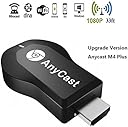
WIFI Display Dongle, Anycast M4 Plus 1080P Wireless Display Adapter Digital AV to HDMI Connector TV Receiver Stick for iOS/Android/Windows/MAC OSX/Projector,Support DLNA/Airplay Mirror/Miracast/Ezcast
Product ID: 59487155
Desertcart purchases this item on your behalf and handles shipping, customs, and support to Morocco.
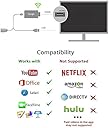
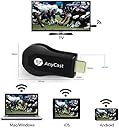
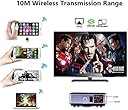
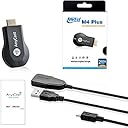
✔The HIGHEVER [2018 NEWEST UPGRADE VERSION] WIFI Display Dongle Receiver AnyCast M4 Plus is your best choice in HIPO. WIDE COMPATIBILITY: 1. Support System: iSO 7.0+, Android 4.2+, Windows 8.1+, Mac 10.8 (PowerPoint, Excel, Word, PDF and images to HD TV/monitor /beamer) 2.Anycast miracast adapter, NO NEED MODE SWITCHING. (Remark: Please be sure it supports MiraCast when using Windows system). No additional app or driver on your smartphone or tablet is required. [Connection for iOS device] Step 1: Get SSID and PSK/Password on Anycast page; Step 2: Connect AnyCast in WiFi Setting on iPhone; Step 3: Go to a browser and input 192.168.203.1 to come to the setting menu(You can connect your home wifi here by clicking "Internet" and Choosing your home Wifi to connect); Step 4: Pull up the Control Center on iPhone and turn on Airplay, and select AnyCast dongle to start mirroring. • Keep your iOS device connected to your home router Wifi, and your Anycast dongle connected to the same WIFI. Your iOS device surfing through the router wifi directly. [Connection for Android device] •Step 1: Enable WIFI, and find the "wireless display" in the "setting"menu, touch and your will see the AnyCast' SSID; •Step 2: Touch AnyCast SSID and start the connection mobile device with the Anycast dongle. Specification: CPU: RK3036, Dual Core Operating System: Linux Operating System RAM: DDR3 256MB WiFi: IEEE 802.11B/G/N Port: Micro USB 5V-1A OTA: Support Online upgrade Warning: AnyCast WiFi display dongle is NOT COMPATIBLE With NETFLIX, HULU, Directv, Amazon Prime videos and other paid subscription videos. Package Includes: 1 x WiFi display dongle 1 x WiFi Antenna 1 x User Manual
Trustpilot
2 months ago
1 month ago