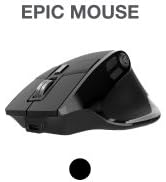
🖱️ Elevate your workflow with comfort and control—because your hand deserves the best.
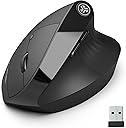
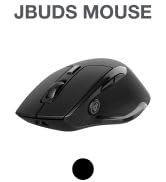
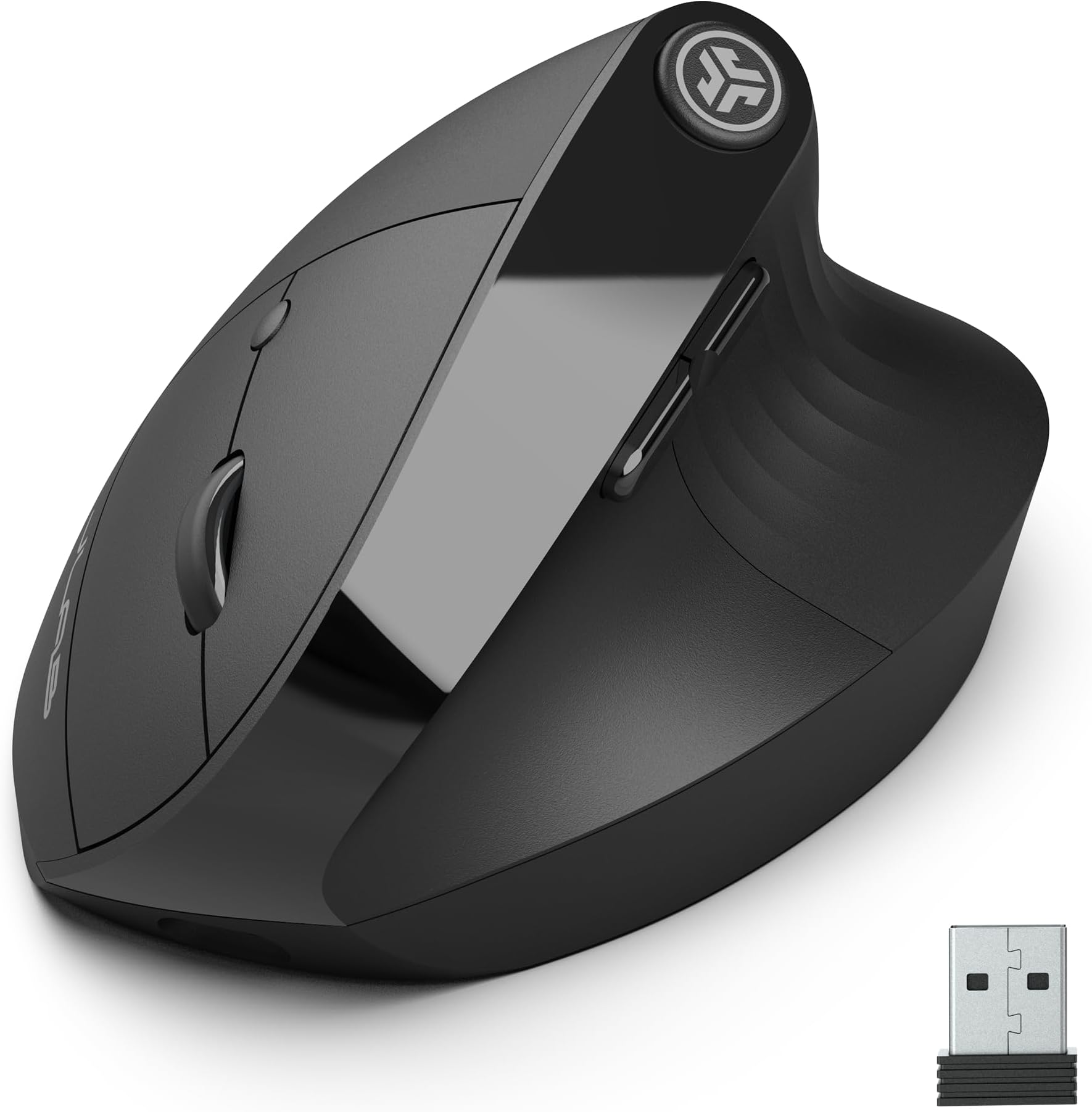
The JLab JBuds Ergonomic Mouse is a rechargeable, wireless vertical mouse designed for professionals seeking ergonomic comfort and multi-device versatility. Featuring Bluetooth 5.2 and a 2.4 GHz USB receiver, it supports simultaneous connection to three devices with instant switching. Its 52-degree handshake angle reduces wrist strain, while adjustable tracking and programmable buttons via the JLab Work App optimize productivity. Silent clicks and a rechargeable battery with up to 4 months of life make it an eco-conscious, user-friendly choice for Windows and Mac users.


| ASIN | B0CNH7T8VK |
| Antenna Location | Gaming |
| Are Batteries Included? | Yes |
| Are Batteries Required | Yes |
| Battery Average Life | 4 months |
| Best Sellers Rank | 18,430 in Computers & Accessories ( See Top 100 in Computers & Accessories ) 449 in Mice |
| Box Contents | Ergonomic Mouse |
| Brand Name | JLab |
| Button Quantity | 6 |
| Colour | Black |
| Compatible Devices | Devices with Bluetooth 5. |
| Country of Origin | China |
| Customer Reviews | 4.1 4.1 out of 5 stars (377) |
| Enclosure Material | Plastic |
| Global Trade Identification Number | 00810119070845 |
| Hardware Platform | Laptop, Personal Computer, Tablet |
| Item Weight | 0.23 Kilograms |
| Manufacturer | Jlab |
| Model Name | Jlab JBuds Ergonomic Wireless Mouse - Black |
| Model Number | MJBERGORBLK82 |
| Network Connectivity Technology | Bluetooth |
| Number of Batteries | 1 Lithium Ion batteries required. (included) |
| Operating System | Windows 11 |
| Power Source | Battery Powered |
| Product Features | Ergonomic Design, Programmable Buttons, Rechargeable, Soundless, Wireless |
| Product Warranty | 2 year manufacturer |
| Range | 30 feet |
| Style Name | Ergonomic |
| Theme | Ergonomics |
| UPC | 810119070845 |
| Unit Count | 1.0 count |
A**R
Great product
I have small hands so I was worried that the mouse may not be comfortable but it was great, much nicer for my hand and wrist than the normal shaped mouse. Battery life was also really good. Great value.
K**N
Good for RSI comfortable
Much more comfortable than normal mouse. I have suffered from RSI for few months and this really makes a difference.
S**Y
Comfortable and very easy to use
Bought this for work as I work in a call centre and need a reliable mouse. It's very easy to set up and very comfortable to use I have very big hands and was perfect for me Highly recommend
V**V
Smooth as black ice (not in a good way)
The shape of this mouse is excellent, it fits medium and larger sized hands like a glove. After trying a lot of mice, few fit so nicely in the hand. The weight is also good, it's what I consider to be the comfortable range for a vertical mouse. Anything above 140g and your hand feels it after a day of CAD work. However, I've also never tried a mouse as ridiculously smooth as this one. The body is made of hard plastic and not a single surface is textured, so the body offers the same level of grip as black ice. 9 out of 10 times I drop it when I try to pick it up no matter how I hold it, despite it being a good weight. The main buttons are also VERY soft click with minimal travel. Add in the slipperiness of the mouse body, the buttons just get mashed every time you pick it up. And when you do CAD work, that's quite often. This mouse is unusable for me as a result, which is a shame as I love the shape. Build it out of a soft rubber material and add some resistance to the buttons, it'll be 10/10. Current design 2/10.
J**E
A pleasure to use
This mouse is a pleasure to use and genuinely relieves wrist pressure. Using an ergonomic mouse is a little odd to begin with but now I wouldn’t go back to a regular one as the grip action feels more natural. It has good sensitivity- I even use with light gaming. It can connect to your computer via Bluetooth or with a dongle - I keep a port free and don’t use the dongle and it works well. One thing to remember is that the JLab software suite needs the dongle to change the mouse button functions, but you can set things up to your liking with the dongle, then keep it in a drawer and go wireless.
Y**S
Great mouse, but expensive
Very comfortable, light and quiet, always connect and battery last forever. At almost £40 is expensive, but you can tell just by unpacking it that it was built with quality in mind.
N**S
A bit hit and miss
This mouse works, on both my Windows laptop and my Mac Studio. It will happily switch to either using its Bluetooth connection. However, what annoys is that the settings software will only work if you are connected using the wireless dongle. Both my devices are usb-c not usba-a. And worse, if you find an adapter, clear a port and set things up, it seems as soon as you switch back to Bluetooth the settings are forgotten. So, if you have one device and happy to use the wireless dongle it's all smiles. Otherwise things get a bit hit and miss.
R**.
Excellent
Works perfectly. Literally, just what my doctor ordered to help me after a trigger finger operation.
M**N
Ich habe kürzlich die JLab JBuds Ergonomische Wireless Mouse erworben und bin sehr zufrieden mit meiner Entscheidung. Diese Maus bietet eine Vielzahl von Funktionen, die sie zu einer hervorragenden Wahl für den täglichen Gebrauch machen. **Ergonomie und Design**: Das ergonomische Design der Maus ist besonders hervorzuheben. Sie liegt angenehm in der Hand und reduziert die Belastung des Handgelenks, was gerade bei längerem Arbeiten am Computer sehr vorteilhaft ist. Die vertikale Ausrichtung der Maus unterstützt eine natürliche Handhaltung und beugt Ermüdung vor. **Verbindungsoptionen**: Die Möglichkeit, die Maus entweder über Bluetooth oder USB zu verbinden, ist äußerst praktisch. Die kabellose Verbindung funktioniert zuverlässig und ermöglicht es, problemlos zwischen mehreren Geräten zu wechseln. Ob Laptop, PC oder Tablet – die Maus lässt sich schnell und einfach koppeln. **Stille Bedienung**: Die Maus ist nahezu geräuschlos, was sie ideal für ruhige Arbeitsumgebungen macht. Die Tasten klicken sehr leise, was besonders in Büros oder Bibliotheken angenehm ist. **Wiederaufladbare Batterie**: Ein weiterer Pluspunkt ist die wiederaufladbare Batterie. Dies spart nicht nur Geld für Batterien, sondern ist auch umweltfreundlicher. Die Akkulaufzeit ist beeindruckend und hält bei regelmäßiger Nutzung mehrere Tage. **Leistung und Präzision**: Die Maus reagiert präzise auf Bewegungen und Eingaben, was ein flüssiges Arbeiten ermöglicht. Die DPI-Einstellungen lassen sich leicht anpassen, sodass man die Empfindlichkeit der Maus je nach Bedarf verändern kann. **Kritikpunkte**: 1. **Größe und Gewicht**: Die Maus ist etwas größer und schwerer als herkömmliche Mäuse, was für Personen mit kleineren Händen oder für den mobilen Einsatz weniger praktisch sein könnte. 2. **Tastenanordnung**: Die Platzierung der seitlichen Tasten erfordert eine gewisse Eingewöhnung. Anfangs kann es passieren, dass man sie versehentlich drückt, aber mit der Zeit gewöhnt man sich daran. 3. **Kompatibilität**: Während die Maus mit den meisten Betriebssystemen kompatibel ist, könnte die Installation der speziellen Treiber auf älteren Geräten etwas umständlich sein. Hier wäre eine detailliertere Anleitung hilfreich. Insgesamt bin ich mit der JLab JBuds Ergonomischen Wireless Mouse äußerst zufrieden. Sie bietet eine großartige Kombination aus Komfort, Vielseitigkeit und leiser Bedienung, die sie zu einer ausgezeichneten Wahl für den täglichen Gebrauch macht. Trotz kleinerer Schwächen ist sie eine empfehlenswerte Investition für jeden, der eine zuverlässige und ergonomische Maus sucht.
A**Y
The JLab JBuds Ergonomic Vertical Mouse is a budget-friendly wireless mouse designed to reduce wrist and forearm strain by promoting a natural handshake position. Users widely praise its comfort and long battery life, though the scroll wheel and build material are noted as potential weaknesses. Key Features Ergonomic Design: The mouse features a 52-degree vertical angle designed to mimic a natural handshake position, which helps alleviate wrist pain and the risk of repetitive strain injuries associated with traditional mice. Connectivity: It offers flexible connectivity options, including Bluetooth 5.2 and a 2.4 GHz USB wireless dongle, allowing you to pair with and switch between up to three different devices (Windows, macOS, or Chrome OS). Customization: The JLab Work App allows users to program the seven buttons for specific functions and tasks, creating custom user profiles. Battery Life: The built-in 600 mAh rechargeable battery provides an impressive 4+ months of use on a single charge and can be used while plugged in via the included USB-C cable. Quiet Clicks: The buttons are designed for silent clicking, which is ideal for shared workspaces or quiet environments. What Users Are Saying Pros: Significant Comfort: The primary benefit mentioned by users is the substantial reduction in wrist and hand pain/strain, making long work sessions much more comfortable. Many users mention it's a "game-changer" for those with arthritis or carpal tunnel issues. Excellent Battery Life: Customers are consistently impressed with the long-lasting rechargeable battery, with many reporting several months of use before needing to recharge. Great Value: Reviewers frequently note that the mouse offers features comparable to much more expensive ergonomic options from brands like Logitech, making it an excellent value for the price. Multi-Device Functionality: The ability to seamlessly switch between multiple devices (up to three) using a button on the bottom is a highly appreciated feature for those with multiple computers or tablets. Cons: Scroll Wheel Issues: Some users have reported that the scroll wheel could be smoother or feels a bit flimsy, occasionally scrolling too much or not enough. Lightweight/Plastic Feel: To achieve its budget price point, the mouse uses a lighter plastic, which some users felt made it feel less premium than higher-end models. Learning Curve/Size: The vertical design takes some getting used to, and some users with very large or very small hands found the fit wasn't perfect, making it slightly difficult to pick up and reposition. Basic Software: The JLab Work App is functional for button customization but lacks some advanced features like application- specific profiles that change automatically. Verdict The JLab JBuds Ergonomic Vertical Mouse is a highly recommended and affordable option for anyone seeking relief from wrist strain during long hours of computer use. Its core strengths lie in its effective ergonomic design, versatile connectivity, and outstanding battery life. While the build materials aren't premium and the scroll wheel can be inconsistent, its overall performance and value make it a compelling choice for general office work and productivity.
C**S
La rueda no responde
L**N
quite high but still comfortable
G**A
Adatto per chi lavora molto al PC.
ترست بايلوت
منذ 3 أسابيع
منذ أسبوع