We remain fully operational. Our teams are working around the clock to ensure your deliveries continue safely.

قم بتنزيل التطبيق


معلومات عنا
حقوق الطبع والنشر © 2024 Desertcart Holdings Limited
قم بتنزيل التطبيق


Buy anything from 5,000+ international stores. One checkout price. No surprise fees. Join 2M+ shoppers on Desertcart.
Desertcart purchases this item on your behalf and handles shipping, customs, and support to Morocco.
🚀 Elevate your home network to WiFi 7 — speed, coverage, and security, all in one sleek package!
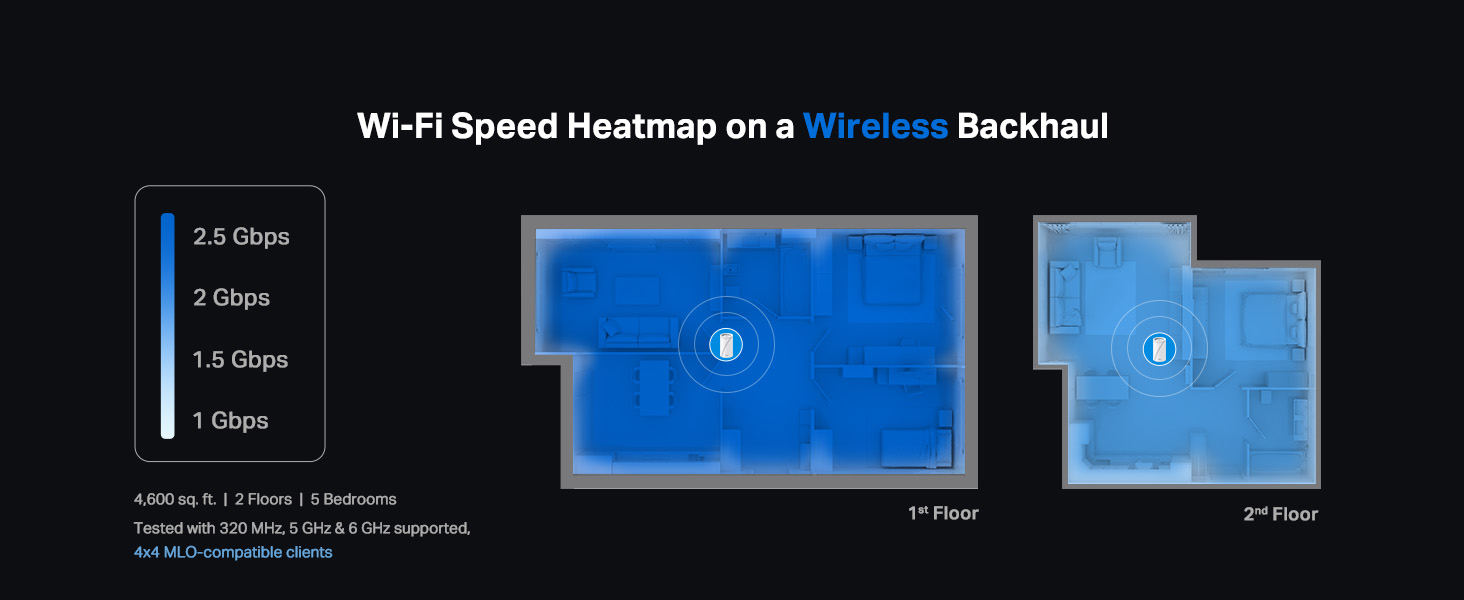
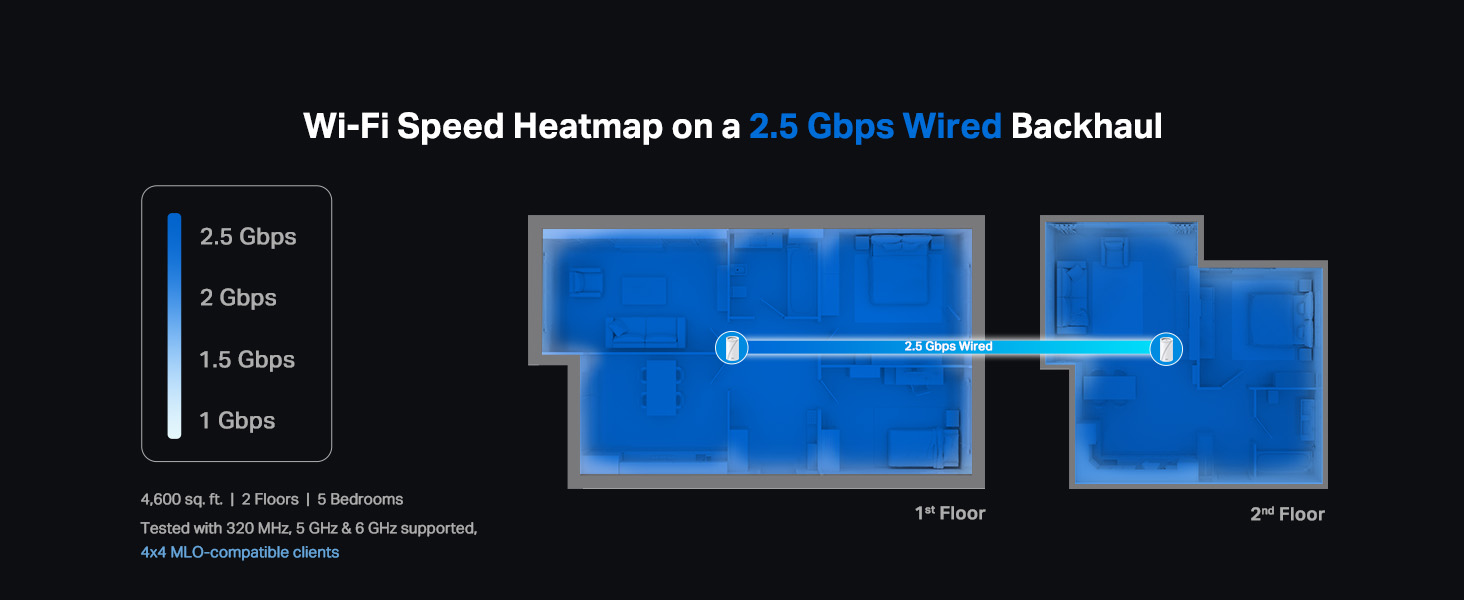
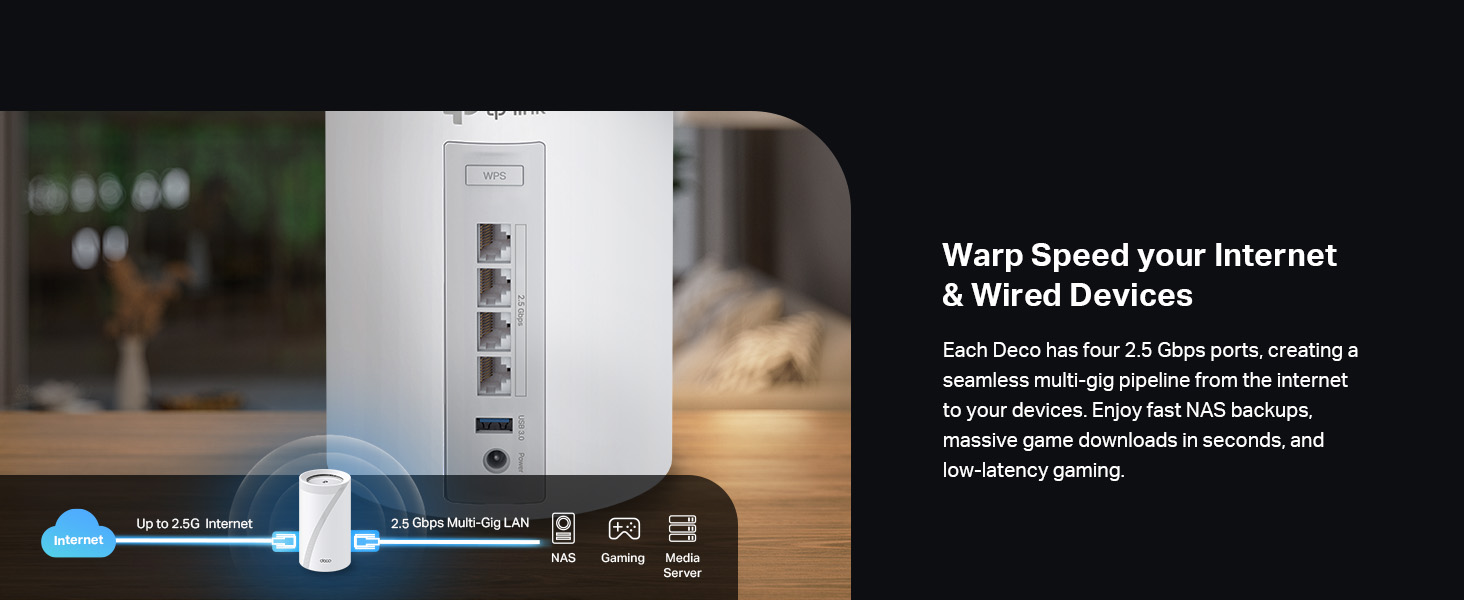
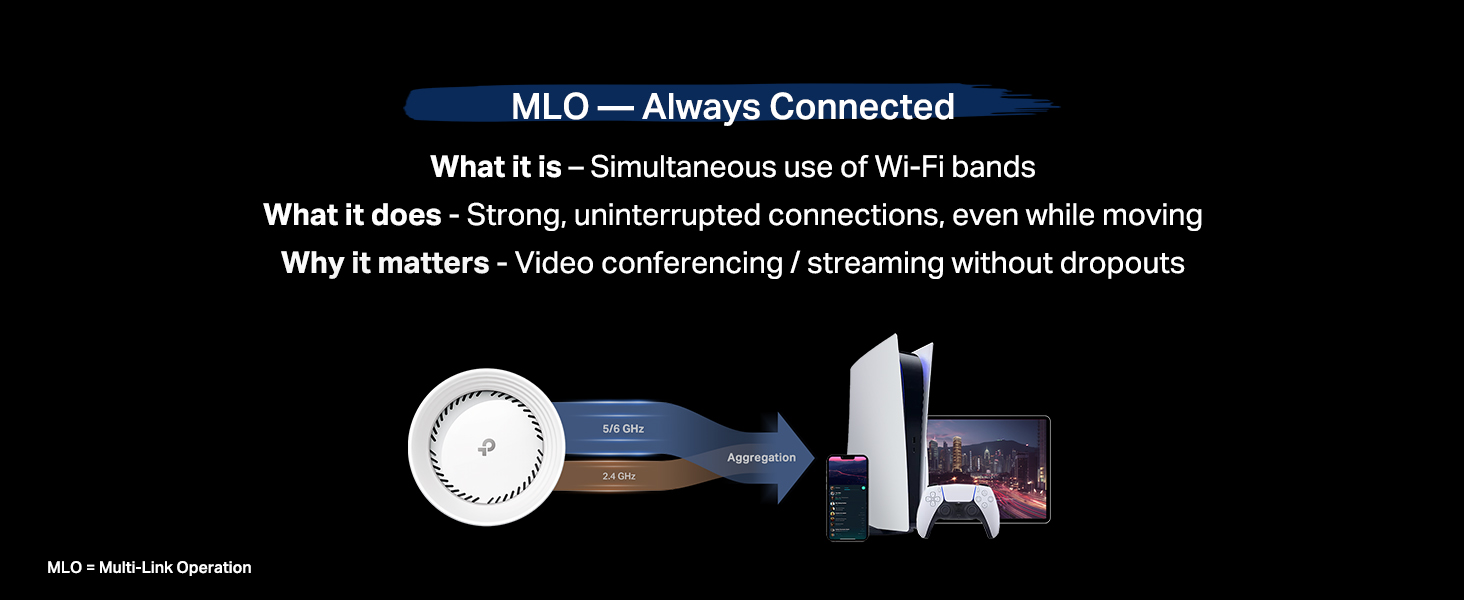
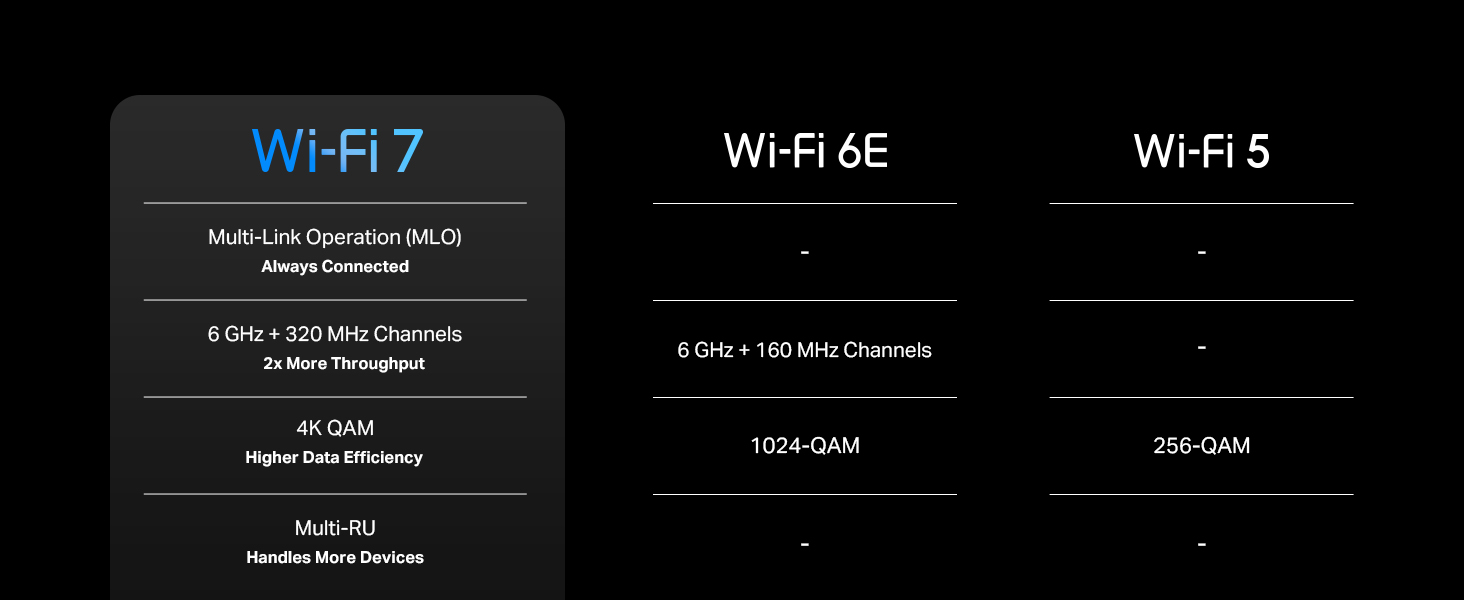
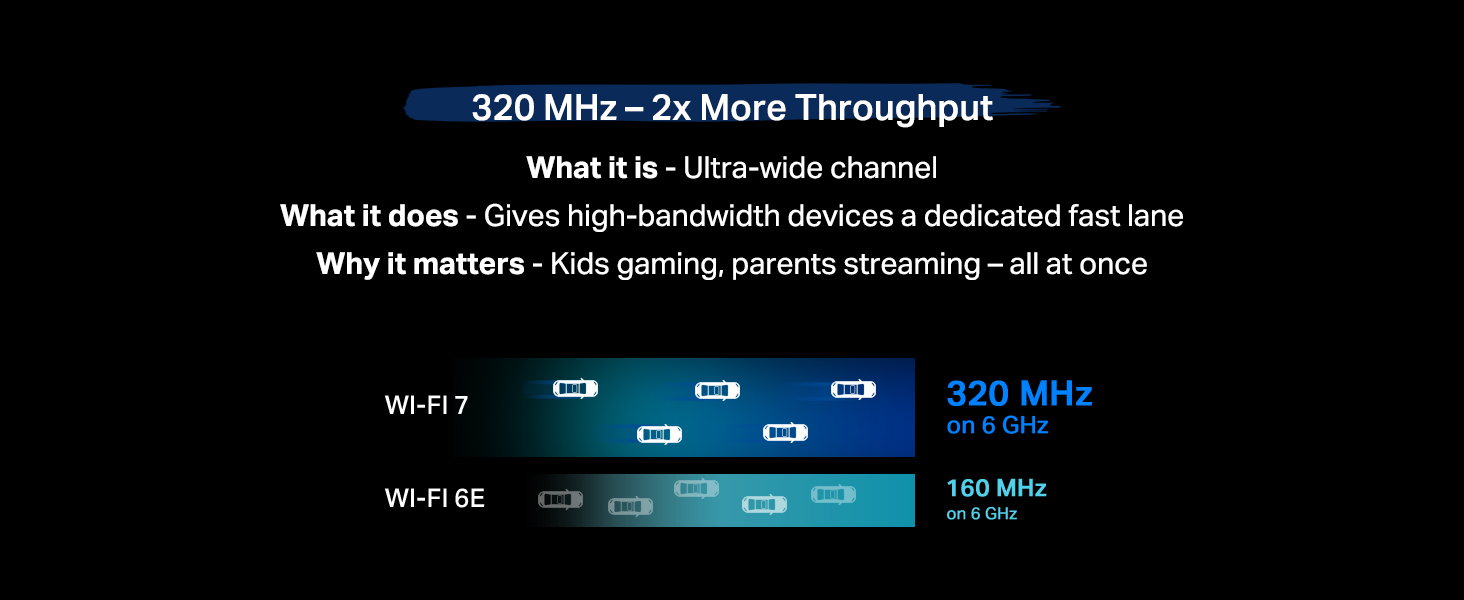
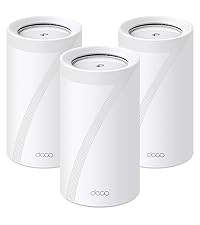
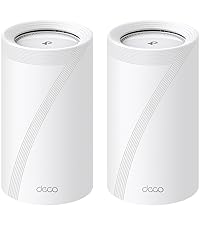
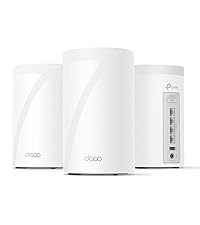
The TP-Link Deco 7 Pro BE63 is a cutting-edge tri-band WiFi 7 mesh system delivering combined speeds up to 10 Gbps. Its 3-pack setup covers up to 7,600 sq.ft., supports over 200 devices, and features four 2.5 Gbps Ethernet ports for wired backhaul. With AI-driven seamless roaming, advanced security via HomeShield, VPN client/server support, and voice control compatibility, it’s designed to future-proof your smart home with ultra-fast, reliable, and secure connectivity.








| ASIN | B0CN8QLS4K |
| Antenna Location | Gaming, Home |
| Antenna Type | Internal |
| Best Sellers Rank | #237 in Electronics ( See Top 100 in Electronics ) #3 in Whole Home & Mesh Wi-Fi Systems |
| Brand | TP-Link |
| Built-In Media | 1 RJ45 Ethernet cable, 3 Deco BE63 units, 3 Power adapters, Quick Installation Guide |
| Color | White |
| Compatible Devices | Smartphone |
| Connectivity Protocol | Wi-Fi |
| Connectivity Range | 7600 Square Feet |
| Connectivity Technology | Wi-Fi |
| Control Method | App, Voice |
| Controller Type | App Control |
| Coverage | 7,600 Sq.Ft |
| Customer Reviews | 4.2 4.2 out of 5 stars (1,579) |
| Data Transfer Rate | 10 Gigabits Per Second |
| Frequency | 6 GHz |
| Frequency Band Class | Tri-Band |
| Has Internet Connectivity | Yes |
| Is Modem Compatible | Yes |
| Item Dimensions L x W x H | 4.23"L x 4.23"W x 6.93"H |
| Item Weight | 5 Pounds |
| LAN Port Bandwidth | 2.5 Gbps |
| Manufacturer | TP-Link |
| Maximum Upstream Data Transfer Rate | 10 Gigabits Per Second |
| Mfr Part Number | Deco BE63(3-Pack) |
| Model Name | WiFi 7 Mesh System |
| Model Number | Deco BE63(3-Pack) |
| Number of Antennas | 4 |
| Number of Ports | 4 |
| Operating System | Omada |
| Other Special Features of the Product | Access Point Mode, Guest Mode, QoS, Remote Access, WPS |
| Security Protocol | WPA-PSK, WPA2-PSK, WPA3 |
| Smart Home Compatibility | Smart Home Compatible |
| UPC | 840030712685 |
| Unit Count | 1.0 Count |
| Warranty Description | 2 year manufacturer |
| Wi-Fi Generation | Wi-Fi 7 |
| Wireless Compability | 802.11.be, 802.11ac, 802.11ax, 802.11g, 802.11n |
B**S
I think it worth it!
The TP-Link Deco 7 Pro BE63 is an incredible upgrade to our home's Wi-Fi. With its seamless, high-performance delivery from start to finish, we've never experienced Wi-Fi quite like this. The app-based setup process for the Deco 7 Pro BE63 was ridiculously easy to follow and had me up and running in minutes, with virtually no technical knowledge at all. The app guides you through each process, making configuring your network extremely simple, even if you don't consider yourself tech-savvy. Once we were connected, the speed and coverage we experienced were truly impressive. We have fast, very reliable Wi-Fi available anywhere in the house, front to back, with minimal dead zones. One of my favorite features of the Deco 7 Pro BE63 is how easy it is to extend the network. Adding additional Deco units to extend coverage in the app is a piece of cake. Each time you add a unit, the app will detect the new unit and integrate it into your existing network with just a few clicks. In addition, the Deco 7 Pro BE63 is compatible with other Deco accessories and nodes, allowing for ease of expanding coverage or adding features such as parental controls or separating IoT devices. All things considered, the TP-Link Deco 7 Pro BE63 is a great combination of fast performance and user-friendly design, providing the ideal solution for those seeking fast speeds, extensive coverage, and a hassle-free setup and management experience. Highly Recommended!
R**K
Goodbye EERO!
Goodbye EERO! We have been EERO users since 2024 when our ISP (Frontier) sent us a “free” EERO 6 PRO for a $10 shipping fee. It was easy to setup and we got good, not great, performance. About 140 Mbps down and 50 Mbps up on a 500/500 system. Compared to the router it replaced we were happy. I run a home network with android phones/apple Ipads, windows computers ( 5 on W11, 1 on W10 ) , a Linux computer and 3 TVs . The EERO was easy to set up and easy to add additional nodes. Connections were never a problem with the EERO. The TVs would often buffer when we watched YouTube-TV. The android phone app used to control the EEROs has problems. The status screen, used to show the health of your EERO nodes, is terribly unreliable. Often it will show EERO nodes that are unplugged as online. We called EERO support and spent several hours debugging this problem. I had android 11 at the time but my son had android 16 and both showed the same error. EERO support wrote a ticket on this problem but we have noticed no improvement in the app since. In Feb 26, I noticed Frontier had been charging us $7/month for the “free” EERO. We called and they took it of the account and required that we ship the “free” EERO PRO 6 back to them – which we did. We were using EERO 6 non-pro nodes on our system for some time. The EERO PRO 6 ran so hot we were a little afraid of it. In mid March 26 we noticed Amazon had a EERO 7 PRO on sale for $199. We ordered that and connected it to our system. As always, it was super easy to add a new node with the EERO app. The EERO PRO 7 was getting 370 Mbps/170Mbps which seemed like a huge upgrade! We noticed in the status it was connecting on the 6Ghz network to our intel and AMD boxes. This was great! On the Linux host, it connected and did 350/320. Wow, awesome! The joy did not last long, however. Later in the day, on the intel computer I was seeing 120 / 57 again. I found it was back on the 5 GHz band. If I disconnected and reconnected. It reconnected and we were back on the 6Ghz band with great performance. Later in the day it had gone back to the 5 Ghz band along with disappointing performance. It appears the EERO are coded to go after the strongest signal even if a good signal on a super performance band is available. I read a review online of the TP-LINK DECO B3 10000. The review indicated you could set a per-device preference of the band to use for the connection. EERO does not have this! I felt this might be just what I needed. The router arrived later in the day thanks to prime! We installed the 3 node TP-LINK DECO B3 10000 in the same locations as 3 of our existing EERO nodes. The TP-LINK app is not as easy to use to install the system as the EERO app. After a couple of failed attempts we got it to install. Yea! Once you have the first node set up it is really easy to add the additional nodes. The app does let you customize the network to use for each device. Excellent! I checked the intel windows box again. It was hitting 430/420 on WiFi. Wow! Damn! We had not seen that performance before with EERO, ever! The other WiFi devices where showing good performance too. The LG/TCL TVs are no longer buffering on YouTube-TV. All of our phones were on the 6Ghz band. There was one big exception to this joy! The UBUNTU Linux 24.04 node wold not connect to the TP-LINK DECO. I suspect it was a problem with WPA3 protocol DECO uses! We tried all sorts of things but it would never work. Edit: We were able to show that it was related to WPA3 Simultaneous Authentication of Equals (SAE) or more commonly WPA Personal. We reenabled the eero 7 which uses wpa/wpa2 protocols for all bands. It connected. The TP-LINK DECO is set to only use WPA3 SAE for the 6 Ghz band. We set the preference for the device to connect any band in the DECO app as opposed to 6 Ghz. It connected immediately on the less efficient 5 Ghz band. End Edit: Wait, there are 4 Ethernet ports on the back of each TP-LINK DECO node. There is a network node ( EERO and TP-LINK) right by the Linux computer. Let me try that. It worked! The Linux box was hitting 480/470 with the Ethernet connection. The intel box, which is right next to the Linux box, hits over 500/500 when hooked up to the Ethernet cables from TP-LINK DECO. We have let it run for a couple days to see if there are gotchas. None so far. We have the winner. We are done with EERO. We are shipping the EERO PRO 7 back to Amazon tomorrow.
R**H
Best 2-pack wifi7 with 2.5gbps wirelessly
I used with Google Fiber 8gb edge, overkill is my style, imagine my shock when I see the equipment sucks from google, WiFi 6, random disconnects, and max WiFi speeds of 500mbps on wifi6 devices and 5hz devices even worse at maybe 100mbps, then you have to connect to each band manually, there is no network handling for automatic band handover! This system has wifi7, 2.5gb Ethernet ports, and on 6hz band is getting almost 2gbps, on 5hz 250+mbps, and I have yet to see it have to use 2.4hz because the 5/6hz bands have such good coverage in my 3000sq ft 2 story house. I have had zero disconnects, and no issues. I am very happy with this 2 pack Deco system and glad to know it can cover 5000 sq ft so when we move into our dream home we have this covered. I have had google home WiFi, nighthawk, syth lord, and others; this system takes it and gives me WiFi as fast as Ethernet. Latency is 5ms, ping is 2ms near perfect.
M**.
Love these things. I set these up as a mesh system for the ground floor, which doesn't have any router signal. Just connect one of them by Ethernet, then let the rest repeat off of that. You'll get great coverage for the entire ground floor. Also, setup is super easy as TP-Link has a great app for this. Thinking of buying another pack just to extend coverage even more.
A**A
Te permite crear una red de 2.5 a 5GHz, una de 6GHz y una MLO de 5 y 6GHz, además de crear una red para invitados, aislar dispositivos de tu IoT. Con 2 cubre perfectamente 200m² y atraviesa paredes sin tanto problema. Se acabaron mis problemas con la disponibilidad de mis dispositivos.
ع**د
ممتاز
C**O
En verdad el Deco BE63 distribuye una velocidad igual a la contratada por tu proveedor de servicios de Internet, es un equipo increíble, la instalación muy fácil.
E**R
Working fine but i cant connect my WIFI 7 devices to this, i mean our android phone is showing WIFI 6e and sometimes WIFI 6 but haven't seen WIFI 7 yet
ترست بايلوت
منذ أسبوعين
منذ شهرين