Some deliveries may take a little longer than usual due to regional shipping conditions.

قم بتنزيل التطبيق


معلومات عنا
حقوق الطبع والنشر © 2024 Desertcart Holdings Limited
قم بتنزيل التطبيق
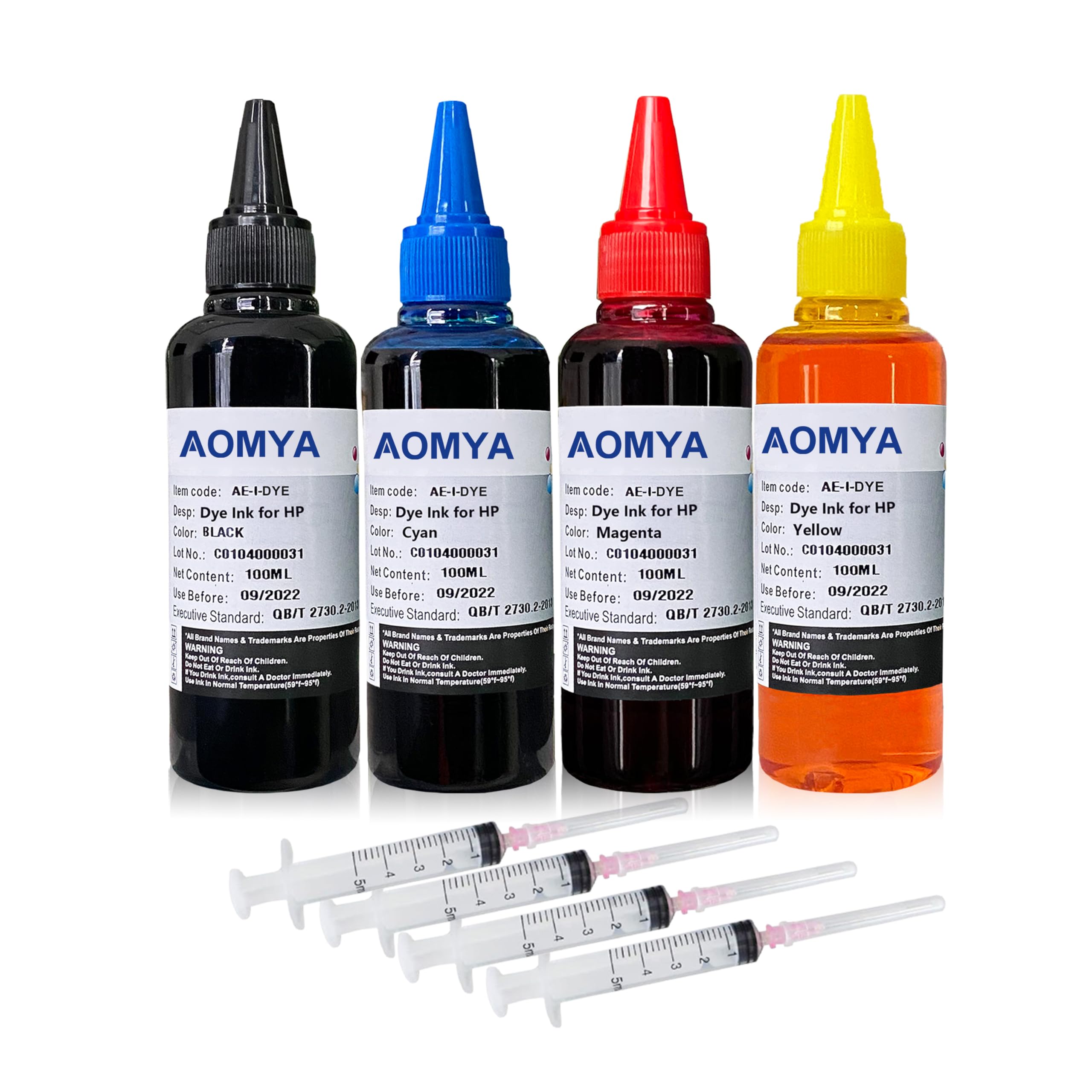
🖨️ Refill, Save, Impress – Print Like a Pro Without Breaking the Bank!
The Aomya Ink Refill Kit offers 400ml of premium dye-based ink in four vivid colors, compatible with over 20 HP inkjet cartridge models. Designed to deliver bright, true-to-life prints while preventing printhead clogging, this kit includes syringes for easy refilling and is backed by ISO-9001 certified customer support. Ideal for home offices, small businesses, and print shops looking to cut costs without sacrificing quality.




| ASIN | B077QVSKD5 |
| Best Sellers Rank | #12,510 in Office Products ( See Top 100 in Office Products ) #24 in Inkjet Printer Ink Refills & Kits |
| Brand | Aomya |
| Color | BK, C, M, Y |
| Customer Reviews | 4.1 4.1 out of 5 stars (4,313) |
| Date First Available | November 19, 2017 |
| Ink Color | multicolor |
| Is Discontinued By Manufacturer | No |
| Item Weight | 14.1 ounces |
| Item model number | SG_B077QVSKD5_US |
| Manufacturer | Aomya |
| Manufacturer Part Number | HDI-100ML-HP61-4C |
| Number of Items | 4 |
| Product Dimensions | 2.36 x 3.94 x 4.33 inches |
| Sheet Size | A4 |
T**D
1 year edit: Saves so much money! And surprisingly, time.
Edit after about 13 months: I am finally replacing my printer cartridges as the quality of printing has gone down. The prints are getting blurry and much fainter. For an extra year of ink at less cost than replacing one cartridge, I'm exceedingly satisfied! I will be refilling the new cartridges with this ink again. A once-a-year replacement is a great trade off for me. Edit after 10 months: I'm still endlessly satisfied with this product. I have used maybe a quarter of each colored ink and less than half of the black ink. I run a small business and print daily, sometimes many pages a day. Here are some tips: 1. Note which of each color goes in which hole and store that note with the refill bottles. 2. Note where in the printer the color and black cartridges go. Mine are side by side and it will mess your printing up if you put them in the wrong spots. 3. Run your printer's cleaning operation after you refill the ink. 4. Wipe the needle down after you draw up the ink, before you put it into the cartridge (this prevents bubbles, which wastes ink). 5. A paper towel with concentrated bleach toilet cleaner will remove the ink stains from hard surfaces. 6. 2-in-1 shampoo/conditioner will remove ink stains from your skin. Head & Shoulders original works best. 7. If your prints start looking streaky when you print a long document, print in smaller batches and let the print head "reset" (listen until it clunks) before you print the next batch. It's slower but much less frustrating and wasteful in the end. I usually print 5 pages in each batch. 8. I can usually put 4ml of each color ink and about 7ml of the black into my cartridges, even though the instructions say to use less. 9. I have had to to refill about every 3 months; usually the black runs out first. 10. I have saved well over $100 in the past 10 months and spent less time on printer refills as well. Original Review: Being able to refill my printer cartridges myself has been SUCH a game changer. I at first thought I was going to be sacrificing speed for lower costs, which was a worthwhile tradeoff for me. However, after a few times refilling the cartridges, I've been surprised to find that it's saving me time as well. I used to run out of ink, have to go to the office supply store (because I was always printing something urgent when the ink ran out, so online ordering was going to be too slow), find the right cartridge, drive back, and install the new ink. Now, I realize a cartridge is empty, get the box of refill inks down off the shelf in my home office, take it to the bathroom or outside, refill the ink (which takes less than 5 minutes), and reinstall the cartridge, which is WAY faster. Not to mention, I'm saving at least $25 each time I refill a cartridge, and am wasting less ink because I don't need to throw out the whole color cartridge just because I ran out of cyan. It's great! The cartridges my printer uses do not have holes in them, so I used a drill bit slightly bigger than the needle included in the kit to drill a hole in each chamber, which was very easy to do. I peel the stickers off almost all the way but not quite so that when I'm done refilling, all I have to do to cover the holes back up is make sure the area around them is free from ink and stick the stickers back down. As the cartridges are facing upright in my printer the stickers work fine as a seal and I haven't had any problem with leaking or drying out. I did have to override my printer's "out of ink" error message eventually, even though I refilled the ink before the cartridges were completely empty the first time. Some quick googling for my make and model of printer told me that holding down the stop button for 5 seconds would clear the message, and it worked like a charm. Absolutely worth the small amount of hassle.
J**A
Good.
Lifesaver. Easy to use, affordable, and works like a miracle. Had to clean my print heads before colors became clear, the ink itself is amazing and plenty of it.
A**P
Works but HP app throws error message.
This package provided no instructions within the box. Instructions were found on the amazon page however it is pretty clear how to use it. Stick the given syringe/needle into the ink, drop it onto the sponge of the 910XL. The ink does print however the HP app does throw an error message saying that it detected counterfit ink. Not sure long term if it will continue to work. 1 day later it still works. See picture for the error. Quality of the print is perfect. No issues there. Just not sure if it will continue to work so because of longevity question mark deducted 1 star.
J**I
Affordable
Affordable and Delivered in excellent condition,will update later
J**N
As worse as it gets
These are good only if you want to ruin your printer. Printer will have hard time to detect the cartridge and even if it does the ink will dry within a few days. You have to unclog it to try again. Not worth the time and effort.
J**R
Ok
No instructions whatsoever! Had to spend a lot of time looking at videos to figure out how to make this work. Extremely messy. If you've never done this before I would recommend buying a kit that comes with a stand to hold the cartridge
K**N
For the price it really is the best
I actually didn't want to buy this ink but the one I normally use was going to be a week wait to ship and this one came over night. This is my new go to ink for printing stickers now. The magenta pops so much more in everything and rivals some more expensive inks ive used in the past. If you want something affordable, vibrant, and quality that gets to you fast I cant recommend this ink enough.
C**E
HP Officejet Pro 8600 Worked Perfectly After Some Research
I watched a video on how to refill my cartridges before starting. The filling isn’t hard you just have to take your time. I used a cut up cardboard box to protect my counter. I also wore gloves and had a roll of paper towels handy and a warm cup of water. After filling each one, I separated the injector and put it in the cup of warm water. I used a paper towel with alcohol to clean the entry site on each cartridge. I let them sit for a bit and put them back in my printer. The printer would not recognize that they were full. It kept telling me to insert new cartridge's. I tried unplugging and turning on and off several times but it would not reset. I had to dig around on the internet on how I could bypass this. I found where you can reset the printer by hitting the back button 4 times and a menu will pop up which leads you to reset options. I included a video on how to do this. Once it reset, it advised me my ink was low but allowed me to continue with printing. I did some test pages and it looks perfect. I have not reconnected it to the internet as of yet, so I am unsure if it has the capability to recognize these catridges have been used once connected. Each cartridge has a little reader card on it that looks like a SIM card. I’m just happy that I was able to bypass it. I hope this helps someone else.
K**F
sprawdza sie w drukowaniu
A**Y
منتج متميز فائق الجودة معه السرنجات الخاصة بإعادة التعبئة لقد استخدمته مع طابعة كانون سلسلة ts3300 انصح به بشدة
L**R
I bought these printer ink refills, and they’ve been a great choice! The colors are vibrant, and the black ink is crisp and dark, just like the original cartridges. The refills were easy to install, and I haven’t had any issues with smudging or fading. Plus, they’re a much more affordable option than buying new cartridges. Overall, very satisfied with the quality and value!
A**O
Tutto è andato a buon fine. Complimenti e grazie . Cosi si evita spreco di plastica .
S**O
J'ai commandé ces petites bouteilles d encre sans conviction... Finalement je suis très contente de mon achat. Le kit est complet et c est très simple de recharger les cartouches d encre.
ترست بايلوت
منذ أسبوع
منذ 4 أيام