



Buy anything from 5,000+ international stores. One checkout price. No surprise fees. Join 2M+ shoppers on Desertcart.
Desertcart purchases this item on your behalf and handles shipping, customs, and support to Morocco.
🎮 Your PS5, untethered — game anywhere, anytime, no compromises.
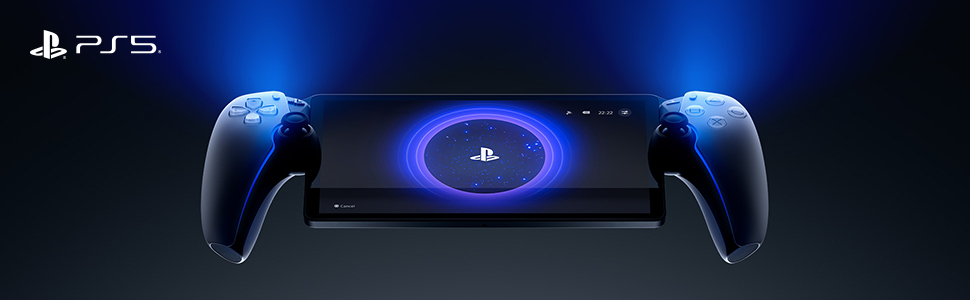
The PlayStation 5 Portal Remote Player is a sleek, portable 8-inch 1080p device designed for remote streaming of your PS5 and PS4 games over Wi-Fi. It supports up to 60fps gameplay, immersive Tempest 3D Audio, and integrates with PlayStation Plus Premium for instant access to a vast cloud game library. Perfect for professionals craving high-quality gaming on the go without being tied to a TV.


| ASIN | B0CJT5DJ16 |
| Best Sellers Rank | #130 in Video Games ( See Top 100 in Video Games ) #5 in PlayStation 5 Controllers |
| Brand Name | PlayStation |
| Color | White |
| Connectivity Technology | Wi-Fi |
| Customer Reviews | 4.5 4.5 out of 5 stars (6,515) |
| Global Trade Identification Number | 00711719579779 |
| Input Device | Joystick |
| Item Weight | 540 Grams |
| Manufacturer | Sony Interactive Entertainment |
| Manufacturer Part Number | CFI-Y1000 |
| Memory Storage Capacity | 2 GB |
| Model Name | PlayStation Portal Remote Player |
| Model Number | 1000041319 |
| Platform | PlayStation 5 |
| Resolution | 1080p |
| UPC | 711719579779 |
| Warranty Description | 1 year manufacturer |
| Wireless Communication Technology | Wi-Fi |
B**N
PlayStation Portal Remote Player - PlayStation 5
The PlayStation Portal Remote Player is an intriguing addition to the PlayStation 5 ecosystem, designed to enhance the gaming experience by offering remote play capabilities. Here’s a detailed review of this innovative device: ### Design and Build The PlayStation Portal features a sleek and modern design that mirrors the aesthetics of the PlayStation 5. It’s lightweight and ergonomically designed, making it comfortable to hold during extended gaming sessions. The build quality feels premium, with a sturdy construction that promises durability. ### Display and Performance The device boasts a vibrant 8-inch LCD screen with a resolution of 1080p, ensuring crisp and clear visuals. While it’s not OLED, the display still provides good color reproduction and brightness levels, making games look sharp and engaging. The performance is smooth, with minimal latency during gameplay, provided you have a stable and fast internet connection. ### Connectivity The PlayStation Portal relies on Wi-Fi for remote play, streaming games directly from your PS5. The setup process is straightforward, and once connected, it offers a seamless gaming experience. However, the quality of gameplay heavily depends on the strength and stability of your Wi-Fi network. In areas with poor connectivity, you might experience lag or lower video quality. ### Controls The device incorporates the same haptic feedback and adaptive triggers found in the DualSense controller, providing a tactile and immersive gaming experience. The controls are responsive and intuitive, ensuring that the transition from a standard controller to the remote player is smooth and natural. ### Battery Life The battery life of the PlayStation Portal is decent, offering around 4-5 hours of continuous play on a single charge. While this might not be enough for marathon gaming sessions, it’s sufficient for casual or on-the-go gaming. The device charges via USB-C, which is convenient and ensures relatively quick recharging times. ### Use Cases The PlayStation Portal is perfect for situations where you want to play your PS5 games away from your main console setup, such as in another room or even on the go. It’s also useful for households with shared TV usage, allowing you to continue your gaming sessions without hogging the main screen. ### Price and Value Priced at a premium, the PlayStation Portal is a niche device catering to dedicated PlayStation enthusiasts. While it adds convenience and flexibility to the gaming experience, the cost might be a deterrent for some, especially when compared to simply using existing devices like smartphones or tablets with a DualSense controller for remote play. ### Conclusion The PlayStation Portal Remote Player for the PlayStation 5 is a well-designed and functional device that enhances the versatility of the PS5 gaming experience. With its comfortable design, responsive controls, and decent display quality, it offers a solid remote play solution. However, its reliance on a strong Wi-Fi connection and relatively high price point might limit its appeal to only the most dedicated PlayStation fans. If you frequently find yourself wanting to play your PS5 games away from your main setup, the PlayStation Portal is a worthy investment.
M**Y
So glad I got this!
So I was very skeptical with this and got the Asus first. That didn’t work for the games I have on my PS5. I heard horrible things about this like it doesn’t work at all, it breaks easily, doesn’t play the games etc. Talked to my husband and his best friend and they said to get this. I am OBSESSED! I literally turned it on, connected it to my PS5 and started playing. My computer screen on my PS5 came on as I was playing the portal and it was mirroring which was awesome to see. It plays ALL the games I have. I was most worried about Battlefield 6. It played this like a pro! No hiccups, no lag, no nothing bad at all! The speakers could be louder but it’s all good! Got a case and kit for it to protect it. Had the PSP back in the day and this is just as great! Haven’t traveled with it yet. I wasn’t planning on it though because we typically pack up my husband’s Xbox and take it everywhere. Haha I got this due to my medical issues. Can’t get out of bed half the time so this has made gaming very enjoyable again. I had to stop playing for a couple months but not anymore! It’s definitely sturdy, sleek, comfortable, reliable, and very easy to use. Thank you SONY again! Never switching like I’ve always said!
X**S
Love Gaming Anywhere at Home or on the Road
The PS5 Portal is amazing for streaming PS5 games anywhere. Controls feel just like the console, the screen is crisp, and it’s super comfy to hold. It even works on the road as long as your PS5 is on! Only catch: you still need Wi-Fi and the console, but for flexible gaming, it’s awesome.
J**H
Excellent product
The PlayStation Portal has been very reliable and delivers excellent performance. It connects smoothly with the PlayStation and lets me play wherever I am, which is very convenient. It is very handy to use, with a solid grip that feels comfortable during long gaming sessions. The controls feel just like the regular PlayStation remote, making gameplay natural and easy. Overall, a great device for PlayStation users.
O**N
Awesome
Update: still awesome but now on a trip 2313 miles away from home. Worked great 5 of the 6 days I was here, but now one the last day (and two hours later, yes I’m obsessed with getting this bi**h to connect) it’s failed to connect. Assuming it’s the travel router..but dropping a star because I shouldn’t need one. Sony needs to add a browser to this thing so we can click the silly message on captive wifi and just get on the network. I didn’t buy this to utilize while at a vacation home with my family that has standard wifi. I bought it for travel, work travel, in which I live in hotels and airports..which, guess what, Sony, use mf’in CAPTIVE WIFI BRO! Just let the browser work for that one simple thing. Got darn vultures. I’m not going to write some wannabe tech dude review here, you all know what it does at this point if you don’t have one yet. What I can tell you is this for those on the fence, it is not able to utilize captive wifi (wifi that first makes you open your browser and enter credentials or watch a short video or whatever), so if you plan on using it at hotels or airports, etc., you’ll also have to buy a travel router to bypass that. On vacation hundreds of miles away on standard wifi it works perfectly so long as your home connection is strong and the wifi at the location you are at is decent. I really do love it as I used to pack my whole ass PlayStation for business trips for downtime, now I can fit it in my backpack! Pro tip for those of you that may play late at night and keep your PlayStation in a room your family may still be using while you’re gone. Keep PlayStation in rest mode (you have to anyways) but unplug the HDMI from the back of the TV so it won’t turn your tv/monitor on when you connect the Portal. Also, go into settings on your PS5 and turn off the dang startup beep so you don’t startle everyone in the house in the middle of the night because you had to get your gamer fix on. Lastly, turn down the console lights to low so your PS5 doesn’t light up a room no one is in and causes folks to come investigating something that isn’t actually a concern. Other than that, it’s awesome, nice big screen and the controller feels like the standard controller, just have to get used to your hands being significantly further apart. Really though, if you can’t decide and you love to game and have to travel, worth every penny and more.
A**R
I love this thing, but not for everyone.
I love the PS Portal. I didn't get it. I still don't. But I love it. Pros: - Can game anywhere in your home wifi network pretty well. Graphics look almost as good as the PS5. It has had a few drop outs while in the bathroom for some reason and it stutters. But generally only has happened a few times. - Works decently on phone hotspot. It's playable, granted it hiccups more than I'd like it too. And the graphics don't look as sharp as home network. - Feels like playing PS5 on the go, in bed, or lying on the couch. Almost the same graphical power and look- it doesn't look quite as good as tv but it's very close- especially coming from the antique switch. Cons: - No browser, so you have to use hotspot/wifi over connecting it directly while on restaurant/hotel wifi - No blu tooth audio, that's a big issue, but maybe due to latency? Wired headphones work great though. - No downloadable playable media. If it had this, this game system would be the king. - Hard to get (check out the app Hotstock. I found one in less than two days casually looking on the app). - Screen is quite reflective, so hard to play outside in the sun. - It sometimes drops wifi connection and it's laggy or slow during those moments, not great for multiplayer games where speed and accuracy is an asset. - It takes around 20-30 seconds to boot up. So if you're a grab and play for a few minute kind of person, huge disadvantage vs a switch, where I could pick it up and play immediately for 5-10 minutes. This is a bit more of a time commitment. - YOU HAVE TO keep your PS5 on rest mode or this won't function at all. If you have a home power outage while on a trip, you're carrying around a portal for nothing. Not only does it need to be on, but you need to be logged into your account on your machine. - My hands aren't quite as large so the controller is a little big in my hands compared to the smaller switch, so it's a little less comfortable, but doesn't bother me that much. - get a case, this thing is big and more delicate. The case makes it feel really solid. I got a clear case with a screen protector, it's nice. Reasons I got a Portal: I love handheld gaming - I've played my switch 90/10 to my ps5. My biggest drawback to using a switch or a steam deck, I like being able to play on the TV and on handheld- but the switch has huge graphical drawbacks, so I never hooked it up to the TV. It's really cool to have your games all be on one cohesive network of games and saves. The screen is really nice and looks about as nice as playing on my TV. Anyone that approaches this with an open-mind will love it. I'll probably keep my switch for trips and keep the portal at home for playing in bed or lying on the couch. I've enjoyed it- once they get a PS5 connected handheld that can download games and create a cloud saving- I'm completely in.
N**E
Connectivity Issues
Purchased for my husband over a year ago and the product never seemed to work properly. We have very high internet speed, all other devices work without issue but this handheld game will not stay connected to the internet long enough for him to enjoy a game. Waste of money
B**S
Buyer's Remorse
I'll preface with a disclaimer that I should've done more research into how much of the catalog is ACTUALLY playable, but I did not. Giving it a free "my bad" star as an accommodation for that. I'll also cut to the chase and say that, regardless, I feel like this product is sort of an underwhelming attempt for Sony to mimic some of Nintendo's success with the Switch via a handheld console. The amount of titles playable on the device is very limited, in my opinion. For example, Castlevania Symphony of the Night is one of my favorite games - with the Requeim collection only available right now on PS. You'd think that would be a lock to be playable on the Portal, but it's not on the list. Went through a few other of my "greatest hits" and was more disappointed than not in what I could actually stream from my library on the device without having to mirror from my PS5. The device in itself is fine. The PS5 controller design makes playing it feel natural and familiar, the screen is pretty solid quality for an LCD, and the sound is pretty good as well. The mechanics of the devices are fine, as far as I'm concerned. The biggest flaw or disappointment is really the fact that it's a $200 "controller-with-a-screen" meant to create a handheld format for PS games...and that experience is extremely limited by the amount of games you're ACTUALLY able to play on it - or it requires what I've experienced as extremely wonky connectivity and stability when streaming from a PS5 console. I feel like the $200 price point reflects the awareness by Sony that it's an inferior option to other handheld solutions on the market. The Steam Deck is definitely the most expensive while also arguably providing the most bang for your buck - Steam sales make games cheaper so it technically pays the difference in the long run, has an exponentially larger catalog that covers PS and Xbox games more often than not these days, you can easily dock to act as a Steam "console" or play handheld, and the device is pretty easy to understand, use, and even customize. The Nintendo Switch is more mid-range in price, limited in catalog to Nintendo IPs and licenses (duh), it popularized the dock/handheld concept, and it's extremely simple to use. In hindsight, I probably would've skipped the PS Portal entirely. It's cool to look at, has a smart design for a Playstation handheld, but the limited capabilities and disappointing performance make even the $200 price tag give me buyer's remorse.
E**A
Gran compra
Funciona mejor de lo que esperaba
C**N
Juste le problème le Wi-Fi
Je la trouve super bien PlayStation a fait un bon produit qui est pratique ils ont fait une mise à jour dessus et ça c'est bien plus besoin de ps5 on a accès directement à des jeux dessus le seul petit problème qu'il y a il faut avoir une bonne connexion Internet et il y a pas tout les jeux mais dans l'ensemble elle est légère qui pratique un peu loin de partout et ça c'est bien ne touche ils sont fluides l'écran et bien dans l'ensemble c'est une console je vous la recommande vraiment
M**S
Increible!
Viendo los precios de los mandos dualsence 88€ y asi encntre esto con una oferta y la compre por poco mas, no me arrepiento para nada, puedo jugar desde el trabajo o donde quiera, de viaje etc la verdad que tiene una pantalla que va de maravilla y hasta con el internet del movil va de maravilla si estoy fuera
M**.
Empfehlenswert
Funktioniert nur mit PS5 Account. Top Teil…
A**P
It's Genuine and Authentic Product
Chat with the seller and discuss all your queries before buying like I did. Its authentic product and works perfectly. There will be no warranty on this product though because you are buying from third party. Now when it comes to PS Portal it's an accessories not and handheld don't get confused or deluded by negative brain dead comments by illiterate users......its for time crunch on your games when you are not using PS5 and while you are travelling. Just connect your PS5 to ethernet with strong internet connection and your good to go. Perfect if you wanna play while you are away from your home and wanna play games of your console.
Trustpilot
1 month ago
2 months ago