We remain fully operational. Our teams are working around the clock to ensure your deliveries continue safely.

قم بتنزيل التطبيق


معلومات عنا
حقوق الطبع والنشر © 2024 Desertcart Holdings Limited
قم بتنزيل التطبيق
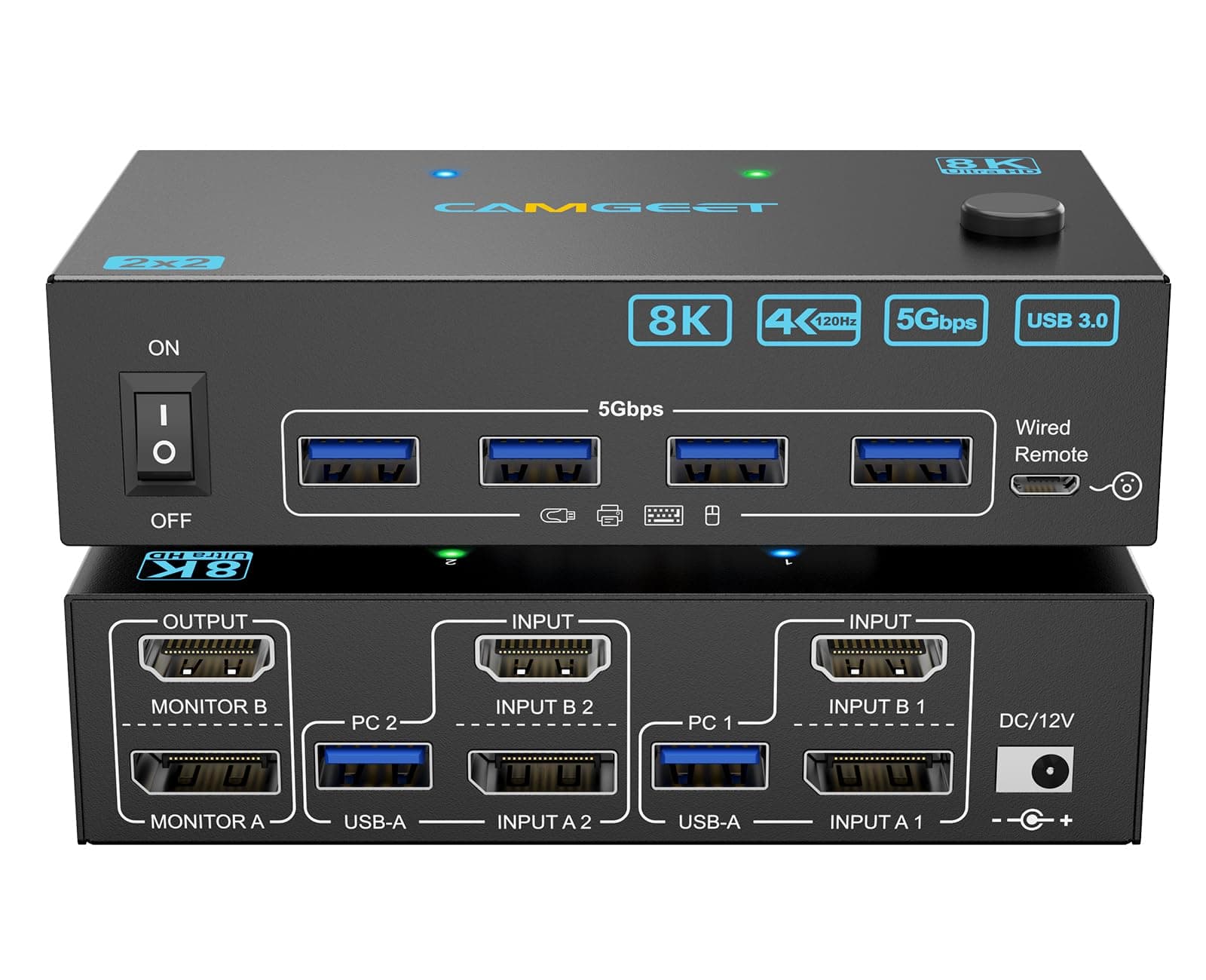

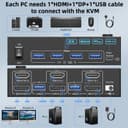
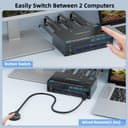
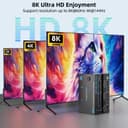
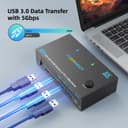
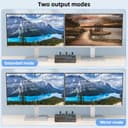
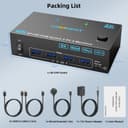
🚀 Elevate your workspace: Dual monitors, dual computers, zero hassle.
The Camgeet 4K@144Hz Dual Monitor KVM Switch empowers professionals to seamlessly control two computers with two ultra HD monitors, supporting resolutions up to 8K@60Hz. Featuring 4 USB 3.0 ports for high-speed peripheral connectivity and a wired remote for effortless switching, this compact metal device ensures stable power delivery and broad OS compatibility. Perfect for multitasking millennials craving efficiency and a clutter-free desk setup.

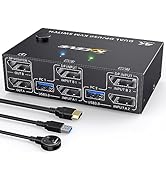


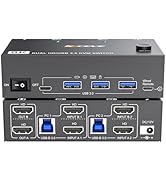


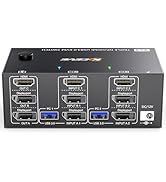


| ASIN | B0DBCH266M |
| Actuator Type | Push Button |
| Best Sellers Rank | #115 in KVM Switches |
| Brand Name | camgeet |
| Circuit Type | 2-way |
| Connectivity Protocol | HDMI, Displayport |
| Connector Type | Plug In |
| Contact Material | Metal |
| Contact Type | Normally Open |
| Control Method | Remote |
| Controller Type | Push Button |
| Current Rating | 2 Amps |
| Customer Reviews | 4.0 4.0 out of 5 stars (668) |
| Global Trade Identification Number | 02768524615800 |
| Included Components | Dual Monitor KVM Switch;2*USB Cable; Wired Remote;12V Power Adapter. |
| International Protection Rating | IP54 |
| Item Dimensions | 4.72 x 2.56 x 1.26 inches |
| Item Weight | 258 Grams |
| Manufacturer | camgeet |
| Material Type | Metal |
| Model | KVM Switch 2 Monitors 2 Computers 8202DH |
| Number of Positions | 2 |
| Operating Voltage | 5 Volts |
| Operation Mode | ON-OFF |
| Specification Met | CE |
| Switch Type | Push Button |
| UPC | 027685246158 |
| Unit Count | 1.0 Count |
| Upper Temperature Rating | 70 Degrees Celsius |
O**S
Perfect solution
I was looking for a way to handle a home desktop and work Laptop on a single switchable unit, interfacing with 2 monitors, a keyboard, and mouse. While the second screen does not work on the desktop (it wasn't going to) it worked really well with the laptop. Works great.
G**3
Where have you been?
Ok, this is gonna sound lame but it's a kvm switch... Bruh...where have u been for the past 4 years? It's compact, solid...works...what more can u ask for? Not sure what issues others have had. I have 1 cable pair going to a Dell power edge 720, using a HDMI to vga adapter, 1 cable pair to my work laptop, 1 pair to a Dell power edge 620, HDMI to vga adaptor, and my 4th pair as extra for my Alienware laptop... I used a wireless mouse dongle - works, a USB extension cable for console access to some switches, and key board. Plug and play...works from the start...couldn't be happier.
R**.
A few things I wish I knew before buying…
Works great at swiching, unless you have mechanical hard drives in the USB ports too. This causes a delay during the "transfer" between systems. SSD drives work fine, without much delay. Installed 4 SSD drives in a external unit that had a 3.1 connection and there was some delay, but not too bad. Knowing this, I would still recommend this unit. USB 2.0, 3.0 and 3.1 work too in any combination. The Green LED light that shows what system it is switched to is a bit bright IMOHO, regarding the look. Tested on Windows 10 & 11 (different desktop systems -different versions of operating systems too- were connected and tested).
T**M
This KVN causes the display signal to drop and USB Devices to Disconnect
This is a simple review: I had a Greathtek 4 to 1 HDMI (2.0) KVM to connect 3 total computers to one 1440P Viewsonic. According to my purchase history, that setup has worked fine for 2 1/2 years with no issues. Why change it? I wanted to upgrade to a high-refresh rate monitor at 120 Hz. I also wanted the ability to extract sound from the HDMI signal and send it to my speakers rather than a monitor. Finally, I wanted the USB 3.0 upgrade this would bring over the 2.0 the current one is limited to. Setup is simple: plug move the HDMI cables over from the old KVM 1:1, plug in power, plug in speakers, turn it on and press the input to see an perfectly-suitable picture. *ZERO* HDMI cables are included (most KVMs include 1, 2, as many inputs as they have, or as many inputs as they have plus however many outputs they have.) Working in IT during college, I installed maybe 40 KVMs. I've never seen one not include display cables. It does include 4 USB 3.0 cables, though. Okay, job done... and the picture just went out. Fantastic. Check the cables, everything is firmly in... oh, it's back. 2 more minutes of use... and it's black -> picture -> black annnd it's gone. Well, maybe it's installing a driver or something? Nah. It will picture cycle as long as you have something plugged in. Time to try another input. Same thing. Another computer... with a different graphics card type (Nvidia Quadro T600 vs 5060Ti 16GB)? Same thing. So, either 3 inputs are broken or two computers / the monitor that worked fine just randomly died. I keep hearing the USB disconnect and reconnect sound. Computers love it when you connect and disconnect 4 devices over and over. (They do not.) The devices: Logitech Unify receiver, mechanical keyboard (backlighting off), Laser Printer (off). It's not a power issue. For general troubleshooting, I did the obvious: reinstall the monitor driver, reinstall graphics card drivers, removing the monitor through Device Manager, etc. It's only an 8-bit monitor at 2560x1440 at 60Hz. This devices advertises 7680 x 4320 at 60Hz. I should be *well* within the limits. Curiosities from the included manual: it states that there might be power issues if you don't have 4 computers and connected and 4 USB 3.0 cables connected (presumably, one to each computer.) It would make sense to require a USB connection for power delivery (And to... make the keyboard and mouse work...), but... 4? Would all 4 PCs have to be on for it to work? Also, if it requires 4 USB 3.0 inputs for power, then what is the 12v power adapter for? (My old one required one USB 2.0 [half an amp standard or 2.5 watts] connection with no external power. This, according to the manual, requires a 12 watt dedicated power adapter plus 4x .9 amp at 5 volts or... 30? watts total? What?) I also saw that you can disable EDID (Extended Display Identification Data) by pressing and holding input 1 for 3 seconds until the light goes off. Still flashing and dropping out... I'm over it. Endless power cycles, driver reinstalls, etc. later I finally gave up and replaced it with the old KVM. 3 hours later... no signal drops. 2 days later... old one still works fine. Back to Amazon this thing goes. Finally, the site is asking me to review the look/design and value for money: It's small, black rectangular prism. It looks fine and feels like a quality product (provided it's off). It has a negative value for money as it wasted a ton of time for no benefit.
F**M
Excellent, well laid out and compact.
This is a great little device to connect four computers to your monitor, keyboard, and mouse. I also put the webcam on it as well so the webcam is always connected to the active computer. The HDMI and USB connection from each computer connects in the back as well as the output to the monitor and the power cord. Four USB inputs are on the front for your mouse and keyboard and in my case webcam. That leaves one that I often plug in flash drive so that I can transfer files from one computer to the other without unplugging the drive. There are individual push buttons and LEDs for switching between the four inputs. As well as a remote switch to cycle through them if you want to use it. Plus a power switch right on the front as well. Everything is very well laid out and very compact. My only issue is that on Windows 11 PCs only, sometimes when switching to that computer, there is no video. You can try switching to a different computer and back again, which often works. Or use the windows key, shift key, control key and the letter B to reset the video card in the PC. I give the kvm switch five stars nonetheless, because this is a Microsoft problem, not a problem with the product.
F**N
Great KVM switch
Works great as a desktop KVM. The on/off switch is also a niche benefit many switches are missing. Makes it easy to turn the whole desk (all attached devices) on/off with a single switch and Ive ended up using that functionality more often than the switch itself. Word of caution: be sure to check HDMI version compatibly on monitor and GPU. My monitor is stuck at 2.0, limit performance versus a display port version.
C**R
Complicated Setup but works great after I figured out what I did wrong
I have a dual monitor setup and I needed a KVM switch to seamlessly switch from my work pc to my personal pc. At first, I didn’t know what cables I needed so I watched a couple of videos online. My switch wasn’t working at first because I got a few HDMI to DP cables. After trouble shooting, the KVM will ONLY work if you have cables with the SAME ends (HDMI to HDMI & DP to DP). For those that said it does not work, see if you had the same issue as me. My set up is a little messy as it’s a lot of cables but it works. I highly recommend buying a USB hub or two to plug in your peripherals as your devices will overheat if plugged into the KVM directly. Haven’t had a major issue yet.
A**R
So far so good. Setup was pretty easy (bonus points for providing USB cables with the unit) and it operates as I would expect for a KVM. More bonus points for it acting as a USB hub instead of just supporting keyboards and mice. I noticed a couple of reviews mentioning problems around the 4 month mark. Fingers crossed I won't be reconsidering this review in a couple months.
S**H
Excellent piece of kit The only annoying thing is the leds because I can see the switch and the kvm wired remote the lights are opposite and the remote has the same colour green for both. It works really well just ocd kicks in see the picture
M**A
This KVM switch does exactly what I need. I can switch between two computers using just one monitor, keyboard, and mouse - super easy with the button or remote. The 4K quality is sharp, and the USB ports are fast for all my devices. Setup was quick and it works perfectly. Great product if you use two PCs
B**F
Funktioniert wie es funktionieren soll. Habe einen PC an der eine Seite angeschlossen und einen Laptop an der anderen Seite. Da der Laptop aber nur einen Monitorausgang hat, habe ich noch eine ICY BOX USB-C Docking Station dazwischen geschaltet. Läuft wie erwartet und gewünscht.
U**R
En el segundo mes utilizando el dispositivo, dejó de funcionar un puerto de puertos de entrada. Reconecté el dispositivo en otro puerto. Despues de unos 5 meses que lo he usado el puerto 4 de salida ya no funciona. Tuve que reconectar el cable correspondiente al puerto 2, ahora en el puerto 3. Considero que el termino dispositivo de "mala calidad" se queda corto. Casi catalogaria este dispsitivo, virtualmente como "una estafa". Es el dispositivo de mas baja calidad que he comprado en mi vida. He comprado dispositivos que no funcionan desde que llegan. Pero eso es menos peor porque puedo regresarlo. Pero este empezo a fallar cuando el tiempo para devolver el producto (30 dias) ya habia expirado.
ترست بايلوت
منذ 3 أسابيع
منذ شهر