

Buy anything from 5,000+ international stores. One checkout price. No surprise fees. Join 2M+ shoppers on Desertcart.
Desertcart purchases this item on your behalf and handles shipping, customs, and support to Morocco.
🎨 Stick with style — label your discs like a pro!
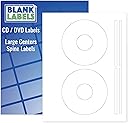
These premium white matte CD/DVD labels, proudly made in the USA, offer 50 disc labels and 100 spine labels on 25 sheets. Designed for perfect printer compatibility and permanent adhesion, they deliver smudge-free, professional results ideal for organizing and personalizing your media collection.


| ASIN | B00J602GAW |
| Best Sellers Rank | #16,195 in Office Products ( See Top 100 in Office Products ) #169 in Laser & Inkjet Printer Labels |
| Brand Name | Blank Labels |
| Color | White |
| Customer Reviews | 4.5 4.5 out of 5 stars (2,288) |
| Finish Type | White Finish |
| Item Shape | Round |
| Manufacturer | Blank Labels |
| Material Type | Paper |
| Number of Labels | 50 |
| Size | 25 Sheets |
| UPC | 634392387472 |
| Unit Count | 50 Count |
M**S
Great Labels - US Made & High Quality
The CD/DVD labels I purchased in fair quantity are ideal. While not flimsy, the labels are thin as befits the use. I have encountered similar labels that are literally too thick and rub in some disk drives. Very tacky adhesive. Combine these two elements and realize that the labels do not relocate easily if you make a mistake. Have now made a repeat order. Absolutely zero feed errors using automatic feed with effectively perfect registration. The MediaFace label creation software (you must download and install) works well with a shallow learning curve for basic use. I'm printing text as close to edges as possible and after using the simple alignment process for my printer every label on the sheet is perfectly positioned. These labels fit CDs very closely and the adhesive is extremely tacky. I consider them useless without some sort of positioning tool! They are inexpensive and relatively easy to find.
C**.
Unbelievable value!
This may be a bit of a premature review, since I've just ordered these and haven't actually used them yet, but after reading the high customer ratings here I figured I'd give them a try. In fact, I went the small amount of extra money and bought 200 of them. Compared to the equivalent Avery product, that's over quadruple the amount of labels, for a lower price. If they're as good as the reviews indicate, that's an unbelievable value. One thing I wanted to mention was, some folks seem to be concerned with the print quality not being very vivid on these labels. I've noticed this using other types of matte paper as well, since they always absorb a lot of ink. Hopefully, this simple solution will help you out: - Don't overlook your print options as a lot of people do, just accepting the defaults. - Be sure to select the correct type of paper ("Matte" in this case, of course). - Most importantly, use the "Best" print quality option, which will result in greater saturation to make up for matte paper absorbing more ink. So, don't blame the labels. Taking these steps which can be configured in just a few seconds will result in a huge print quality improvement. Also, I always feed these types of "thicker than normal" paper into my printer one sheet at a time. This avoids a double feed, where the printer will pull in two sheets at once and overlap the print across them, rendering them unusable. UPDATE 2018-04-05: Just tried these out, and they seem to be just as good as the Avery equivalent. Just a couple of observations, neither of which is a showstopper: - The matte paper is just a bit rougher but, using the print options I described above, the print quality was fine. - The center hole is a bit tight on the Avery applicator, but when the CD is pushed down they apply and center perfectly, so no issue there. As always with CD labels, the key is ensuring they're well-adhered once the disc is removed from the applicator. I simply lay a soft cloth on the table, place the CD label-up on it, and use another soft cloth on the label in a circular motion starting on the middle ring and continuing all the way to the outside of the disc. When this is done, I've never seen one peel up or bubble. I'll stand with my 5 stars rating, great overall quality, especially for the cost. * Note: I strive to write concise reviews with honest opinions to assist you as a potential buyer, and receive no monetary compensation for doing so. If you've found this information useful, I'd appreciate a click on the “Helpful” button below. Thanks!
J**H
A couple issues that can be easily lived with. Still the best "bang for the buck" on adhesive CD labels. See my template specs.
There are a couple issues with these labels: 1) The Avery 5824 template is NOT the right one for these labels. (And the template the seller sent me in response to a question doesn't fit correctly either...see image that I'm uploading.) 2) It's difficult to tell which side of these should be facing up in your printer. With that said...I will be buying more of these. They are a good quality label that, with just a little bit of tweaking in a Word template, work in both inkjet and laser printers, black & white or color. They stick on well and cover the entire printable area of the disk. The template the seller provided to me has the correct dimensions for the outer edge of the label, but the inner "cut out" isn't the same as the circle in the template, so if you crowd that inner circle, you'll lose some of your print when you peel the label off the backing. I used a ruler to tweak the document, then saved it as a Word template so I can go back and reuse it later. I suggest you do the same. I had a couple requests (and honestly, I should have thought of it myself earlier) so here is how I designed the template: Make sure you are using Letter paper and not A4 or any of the other sizes a lot of the Avery templates come it (i.e., I suggest starting from scratch). Use "Insert - Shapes - Basic Shapes" and select circle (with no fill) --- You'll need four circles. You'll be using "Drawing Tools" with "Position - More Layout Options" to size and position the circles. Circle 1: 4.5" diameter; Horizontal, Absolute position 1.95" to the right of Page; Vertical, Absolute position 0.49" below Page Circle 2: 1.62" diameter; Horizontal, Absolute position 3.39" to the right of Page; Vertical, Absolute position 1.93" below Page Circle 3: 4.5" diameter; Horizontal, Absolute position 1.96" to the right of Page; Vertical, Absolute position 6.01" below Page Circle 4: 1.62" diameter; Horizontal, Absolute position 3.39" to the right of Page; Vertical, Absolute position 7.47" below Page That layout perfectly aligns with the cutouts on the sheets I have...so I hope this will work properly for you. There is so much area on these sheets that isn't part of the labels, it would be nice for there to be a, "this side up" or "print this side" comment on the label side of the sheet. The cut lines are so fine and the front and back are exactly the same kind of paper, so you really have to check closely to make sure you're not printing on the back of the sheet. (Of course, if you do, you haven't ruined anything, just flip it over and send it through the printer again...but it's a nuisance.) Finally, I posted a question about the product and had an answer within an hour...I've also seen several comments to people on their reviews. I really like seeing a seller who takes the time to read and respond to the questions and comments.
T**N
I know these labels are on white sheets with no marker, so you have to be careful to bend them a little to see which side they have to be printed on, that said, I've been buying them for long time and they are of good quality an at a decent price, the brand name ones are ridiculously expensive, so these are a good substitute to label your cds and dvds, the hole in rhe center is a little big but you get used to how to center them with the applicator assuming you have one.
A**T
TRES SATISFAIT ET TRES BON SERVICE.MERCI
S**Y
The product works perfectly and is sold at a very competitive price.
ترست بايلوت
منذ أسبوع
منذ شهر