Buy anything from 5,000+ international stores. One checkout price. No surprise fees. Join 2M+ shoppers on Desertcart.
Desertcart purchases this item on your behalf and handles shipping, customs, and support to Morocco.
🚀 Elevate your Raspberry Pi vision with pro-grade clarity and wide-angle power!
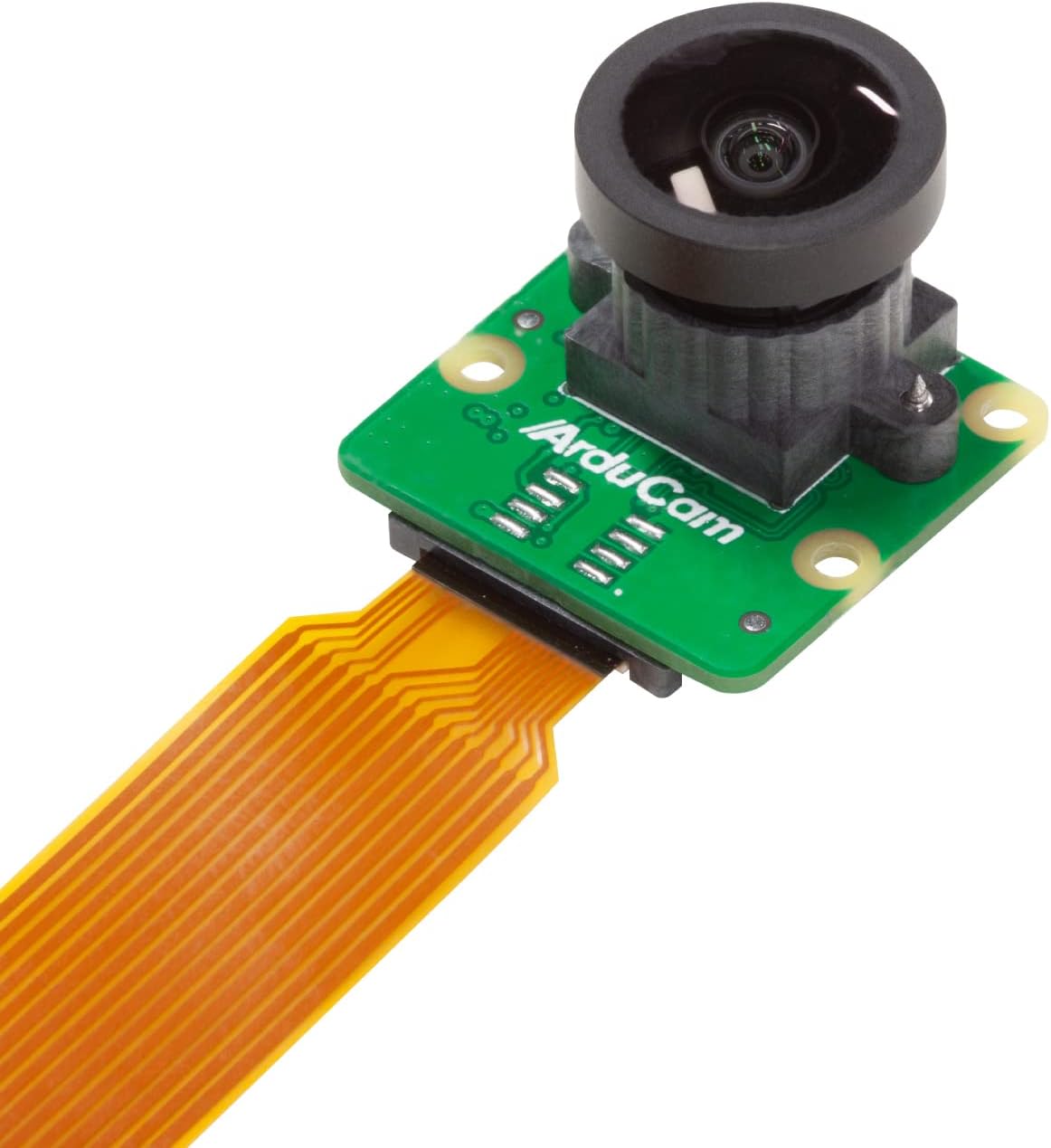
The Arducam Raspberry Pi Camera Module 3 Wide features a cutting-edge 12MP IMX708 HDR sensor paired with a 120° wide-angle M12 lens, delivering high-resolution 4608x2592 images and 1080p video. Compatible with all Raspberry Pi boards including the latest Pi 5, it supports manual focus for precise control and comes with a 15cm 15-22 pin FFC cable for seamless integration. Perfect for professionals and makers seeking superior image quality and versatile wide-angle capture in a compact form factor.


| ASIN | B0BZR6XL3Y |
| Antenna Location | DIY projects, robotics, computer vision, surveillance, and education/learning |
| Are Batteries Included | No |
| Best Sellers Rank | #506 in Single Board Computers (Computers & Accessories) |
| Brand | Arducam |
| Built-In Media | 1 x Arducam 12MP IMX708 120° Wide Angle camera module,1 x cable kit |
| Camcorder Type | Webcam |
| Color | Black |
| Compatible Devices | [Raspberry Pi Boards] |
| Compatible Processors | BCM2835, BCM2836, BCM2837, BCM2711 |
| Connectivity Technology | USB |
| Customer Reviews | 4.3 4.3 out of 5 stars (32) |
| Display Resolution Maximum | 1296p |
| Effective Still Resolution | 12 MP |
| Effective Video Resolution | 1080 Pixels |
| Exposure Control Type | Manual |
| Features | Low Light |
| File Format | MP4, AVI, MOV |
| Flash Memory Bus Interface Type | SD bus interface |
| Flash Memory Type | SD |
| Focus Type | Manual Focus |
| Form Factor | Module |
| Has Image Stabilization | No |
| Image Aspect Ratio | 16:9 |
| Lens Type | Wide Angle |
| Log Gamma Curve | HDR mode |
| Manufacturer | Arducam |
| Maximum Aperture | 1.2 f |
| Minimum Aperture | 1.2 Millimeters |
| Model Name | Arducam for Raspberry Pi Camera Module 3 |
| Model Number | IMX708 |
| Operating System | Raspbian |
| Photo Sensor Size | 1/3-inch |
| Screen Size | 2.8 |
| Sensor Type | CMOS |
| Shooting Modes | HDR |
| Style Name | Minimalist |
| Supported Audio Format | PCM, AAC |
| Supported Image Format | JPEG, [possibly] RAW |
| Video Capture Format | MP4 |
| Video Resolution | 1296p |
| Viewing Angle | 120 Degrees |
| Water Resistance Level | Not Water Resistant |
| White Balance Settings | Auto |
M**R
Fits RPi 5 and painless integration.
Nice camera but more than I needed. RPi 5 requires 2 narrow ends on ribbon cable with this can. It's provided but short at 250 mm length. Follow the configuration edits for RPi operation. Fairly painless "Bookworm " installation with the configuration edits. Works great with installation of XRDP in Bookworm for Remote Desktop connection to rpi from Windows 11 and video stream connection. Don't use auto login on RPi if you're going to Remote Desktop.
R**I
way better picture than I expected
I have been wanting to get an octoprint setup going on one of my 3D printers for a long time. I got this raspberry pi camera module 3 from Arducam for the project. I can't believe how small this board/lens is, and they pack it in an amazingly tiny box--only about 1.5 inches cube. I am pleasantly surprised with the picture quality. I guess I've seen so many dark grainy photos from others of their 3D prints that I wasn't expecting this to be so excellent, with vibrant color. The manual focus may not suit everyone's situations, but this is perfect for 3D printer monitoring, since there is a moving print head to trick any sensor. I tested this out on a raspberry pi 3B+. I did have to briefly battle the "no camera" issue, but that was a configuration change I needed to make in the raspberry pi to disable auto detection and set the camera module manually. That was clear enough in their on-line discussions. Once I did that, it worked great. I was resting the camera upside down and found the way to invert the images. I'm quite impressed with this incredibly tiny camera. I may need to get an extension cable depending on how I mount this on my printer setup. But this is great for what I'm hoping to do.
K**H
Hard to set up on the back end
I'm not saying this is good or bad but I had to issue setting this up for the purposes I needed
C**.
Massive Lens
The picture quality is bar none for a raspberry pi. The only challenge is the lens. If gives a good wide angle view that is very clear, but it’s so large it can be hard to fit into places. I think if you want to use this for a DIY security camera it will work perfect, for my use case of a 3D printer camera, I had a hard time finding an adequate place to mount it.
M**K
Perfect for monitoring 3D printers.
I have multiple 3D printers and I use a Raspberry Pi with cameras to monitor and control the printers. I have a couple of the Arducam for Raspberry Pi Camera Modules and they all work great. It will plug right into the Raspberry Pi and work natively. It is a manual focus camera which is what you want as an autofocus camera will constantly try to focus with a moving background. Using a manual focus, you can use a focal point where the print is located. With the wide HFOV, you can be closer to the print bed and still see the entire bed. Of course, it can be used for a large variety of applications and projects. As I have used them before, I can absolutely recommend the Arducam for Raspberry Pi Camera Module!
B**S
Arducam for Raspberry Pi Camera Module 3 Wide, 120°(D) IMX708 MF - neat camera, easy to use
For $37 it's pretty good value to get up and running with a camera. Note, as explained in the posting this one does not include a cable for the pi zero family. Also the web page has a lot of good info - the link is kind of buried but it is a bit.ly one. The site has steps and helpful examples.
D**C
High quality, low weight. great Rasperry pi camera. or best.
loved this camera….. I see, they redesigned the ribbon cable connector in the back of the camera… Despite ordering this same item before, a different item arrived, different by a couple of front chips and a ribbon cable. I now don’t have the cable to plug this into my raspberry pie 4.
A**E
Little connector makes it tough to put at any distance
Bought this for my Octoprint setup. While the camera itself is good, the small 22-pin connector on the camera means you're limited in longer cable options. I wasn't able to find one long enough that I could use it on my Octoprint setup. I would have been much happier with the standard 15-pin connector on the board.
ترست بايلوت
منذ شهرين
منذ شهر