
قم بتنزيل التطبيق


معلومات عنا
حقوق الطبع والنشر © 2024 Desertcart Holdings Limited
قم بتنزيل التطبيق


💼 Backup like a boss—2TB power, zero compromises.
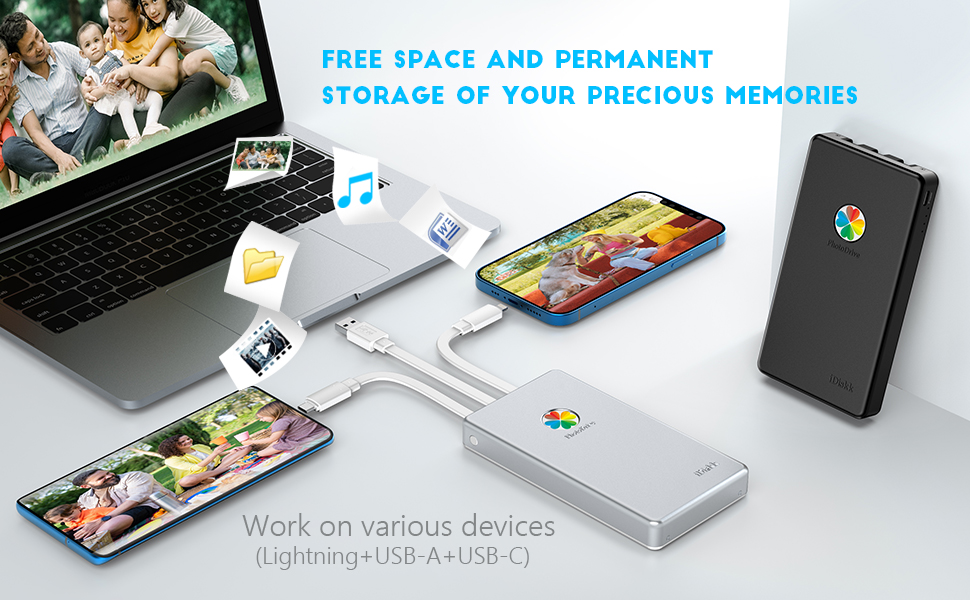
The iDiskk App-le Certified 2TB External Hard Drive is a portable, MFi-certified storage solution designed for seamless data backup and transfer across iPhone, iPad, Android, Mac, and PC devices. Featuring a robust 5000mAh built-in battery, one-tap auto backup, and advanced encryption technology, it ensures your photos, videos, and documents are securely stored and easily accessible anytime, anywhere.


| ASIN | B0BFWL3JCH |
| Are Batteries Included | Yes |
| Batteries | 1 Lithium Ion batteries required. (included) |
| Best Sellers Rank | #16,809 in Computers ( See Top 100 in Computers ) #99 in External Hard Drives |
| Brand | iDiskk |
| Color | Black |
| Customer Reviews | 4.2 4.2 out of 5 stars (463) |
| Date First Available | 22 October 2022 |
| Form Factor | Portable |
| Hard Disk Description | Mechanical Hard Disk |
| Hard Disk Rotational Speed | 5400.00 |
| Hard Drive Interface | USB 2.0/3.0 |
| Hard Drive Size | 2 TB |
| Hardware Platform | Mac, PC |
| Item Weight | 220 g |
| Item model number | iDiskk-PD01-2TB-Black |
| Lithium Battery Energy Content | 3.7 Watt Hours |
| Lithium Battery Packaging | Batteries contained in equipment |
| Lithium Battery Weight | 33 Grams |
| Manufacturer | iDiskk |
| Number Of Lithium Ion Cells | 1 |
| Power Source | Battery Powered |
| Product Dimensions | 14.5 x 7.8 x 1.82 cm; 220 g |
| Series | Photo Drive |
| Voltage | 5 Volts |
K**S
Good
B**G
Excellent , recommend to buy
Z**J
Download the iDiskk app, plug it in, wait for the device to show up in the app and tap “Backup” it’ll start backing up everything you’ve got. “Backup Contacts” is self explanatory. Yes! You can leave the app and do other things on your phone while you back everything up (Do not close the app fully ofc, just open another screen, let it run open in the background stack). I was watching Youtube, playing a couple of games on my phone, scrolling through social media and listening to music all while everything was being backed up and it didn’t mess with the speed of the backup or the health of the files. I just checked on it every now and again. Make sure your phone is charged enough to do all of this or you’ll have to stop the backup so you can charge your phone beyond 3% lol. I let my phone to 23% before I got impatient, it finished everything before I got to 20%, which is great considering everything else I was doing on my phone. If you need to stop the backup in the middle, follow the instructions in red that say to tap the “stop” button, wait 10 seconds (it’ll say backup successful) and then go back to the home page and tap “eject”. Obviously snatching the cord out without doing these steps could corrupt or delete of your files. If some of your files don’t get backed up make sure you have iCloud photo backup enabled in settings! That being said, it’s been great so far! I’ve put over 2K photos and videos on it from my phone, then thousands of additional images and documents from my old computer. I checked how much space I have left and I barely made a dent, it’s amazing! Despite its shape it’s not heavy, just wish it was thinner. The whole thing simple to use and it works quickly! Larger files (for me it was videos) will take longer, but you won’t be waiting hours for everything to upload. It doesn’t have 4 full TB for you to access btw, it’s really 3.63TB but considering how much stuff I threw on there and how much space I still have left, I say it’s more than worth it! I used my computer to make sure the files from my phone were still good before dumping them off of my phone and creating some much needed space. If you can spare the money, it’s 100% worth it to get one of these.
S**M
So complicated. Maybe it was defective!
D**A
Bought this photo drive and I just plugged into my computer, to play some of the backed up footage and just to realise that it is only playing only 2secs of all the the video clips that have been backed up. I took it for granted as I backup my phone using the iDiskk app and it goes through the process of backing up. Please check your backup and don’t take for granted.
ترست بايلوت
منذ شهرين
منذ 3 أسابيع