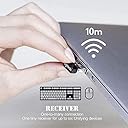
🔗 Unlock seamless control—one receiver, endless possibilities!
The Logitech Unifying Nano Receiver is a compact, 2.4 GHz wireless USB dongle that connects up to six compatible Logitech devices simultaneously. Designed for professionals who demand seamless multi-device switching, it offers broad OS compatibility and plug-and-play convenience in a sleek, ultra-small form factor. Ideal for enhancing productivity with reliable, lag-free connectivity at an accessible price point.
| ASIN | B00SYENY0M |
| Are Batteries Included | No |
| Best Sellers Rank | 58,591 in Computers & Accessories ( See Top 100 in Computers & Accessories ) 1,275 in Mice |
| Brand | Logitech |
| Colour | silver |
| Computer Memory Type | SDRAM |
| Customer Reviews | 4.1 4.1 out of 5 stars (3,778) |
| Date First Available | 9 Aug. 2011 |
| Guaranteed software updates until | unknown |
| Item Weight | 9 g |
| Item model number | FBA_993-000439 |
| Manufacturer | Logitech |
| Operating System | Linux, Windows 7, Windows XP |
| Power Source | Corded Electric |
| Processor Count | 1 |
| Product Dimensions | 2.79 x 24.64 x 16.51 cm; 9 g |
| RAM Size | 1 KB |
| Series | 993-000439 |
| Voltage | 5 Volts |
N**Y
Mixed feelings about it but does the job!
Bought it as I use a single MX Master 3 on two laptops and an iPad (which I use the mouse via BT) and I needed a 2nd transceiver. For me, it worked only when I uninstalled and installed the logi apps and paired it with this one first and then the original one. Does the job and I can switch the mouse easily between devices with just a click, although compared with the original (in terms of quality and feel), this one seems as being made by a third party company and not Logitech, but I might be wrong.
M**R
Great, would be good to have USB-C option
Works well, but about time they make a USB-C one
A**X
Gets a pass but not for gaming
I recently bought an MX master mouse and bought this for the purpose of switching between my work desktop in the office and my desktop at home. Its a good stand in especially if you want to move between desktops and is more reliable than a USB Bluetooth receiver. I originally used this dongle for my home desktop and used the original one at work but quickly swapped these over as the only time I noticed any disconnections or latency was when I was gaming. Other than that it is a very suitable replacement/alternative.
E**S
Replacement to my original 5/5
I bought this as I broke my last one through repeated abuse of being clipped against my bag and a wall, it still worked for a long time, even when the plastic cover came off. Super easy to set up, plug in, go online and download the plugin, sets itself up. If you're on a PC you may need a spare mouse. I was lucky as i could use my laptop pad but on a PC I feel it may be difficult to set up without the original.
D**R
Does not work then broke
I previously bought one of these from this seller and it paired fine my MX Master3 & M545 mice with my pc so I thought I'd buy another from them to use with a new new Surface Pro 7 tablet. It failed to detect those & a K360 keyboard despite many attempts. I tried it on my pc to see if the tablet was the problem but it failed to detect anything on that. I tried to remove it from my usb hub & the black top shattered in my fingers so I will obviously return it. I give up on logitech devices, I now have tried 3 different usb unifying receivers & some of my devices are pairable & some aren't which rather defeats the idea of having unifying receivers. I have heard that they have changed the usb technology so some older devices will no longer function with newer receivers & the older ones are no longer available yet they claim they are universal; perhaps that is a ploy to force customers to buy new products from them, obviously not a fault of this seller.
R**Y
Check compatibility
Be sure to check if your mouse uses Unifying or Bolt. Even then, think it's a bit steep to charge double digits for something so small and with such little functionality. Yes, the mouse/keyboard is the 'hub' for functionality, and this is merely the accessory to that utensil, but considering that, it's quite expensive for what it is.
R**S
Works fine
My brothers Logitech receiver for his keyboard and mouse stopped working so I thought I would buy this for him to try as it is fairly cheap. He told me it worked and he can now use his wireless Logitech equipment. He has had it a few weeks and hasn't mentioned any issues with it. In terms of how many devices you can have 'attached' to this, I have no idea as his keyboard has a mouse pad on it as well; so would be classed as one device.
G**M
Does what it's supposed to - just make sure you can install the required software.
I originally purchased this to use with my work laptop, so that I could connect both a wireless mouse and full sized keyboard whilst only using one USB port - that plan didn't work as you need to install the Logitech unify software and my work laptop basically blocks most third party installs (so the unifying receiver doesn't work, but the non-unifying receivers, which don't need a software install, are fine). I switched to using it on my own laptop with the software installed and it works perfectly. So, 5 stars if you can install the software, but stick to the non-unifying receivers if you can't install software on a work laptop (my fault for not checking first!)
S**I
Funcionó con mi mouse MX Anywhere 3. Sólo hay que descargar software en la página de logitech
D**.
They work well and are compatible with my devices.
J**H
Worked exactly as it should. Negative reviews saying it's not plug and play are only half right. You need to download a 4Mb connection manager to pair it with a new device. Once. Until you delete that pairing with that same software it's plug and play with that device for life. Supports six device pairings at once. The newest hardware revision I recieved was larger than the original, thankfully. I can actually get it out of the usb port now 👍
F**.
Il me fallait absolument un récepteur car j'avais perdu le dongle USB reçu avec ma souris Logitech MX Performance. J'étais hésitant avant l'achat en raison du prix qui me paraissait élevé comparé au prix de la souris (acheté en promotion). Mais j'ai été agréablement surpris lors de la réception de mon colis car il y avait non pas un mais sept récepteurs USB! Désormais, il est impossible de se retrouver sans souris si on a le malheur d'en perdre un. Le récepteur fonctionne et est directement reconnu par souris lorsqu'on l'insère dans le PC.
V**O
Dear Friends, I am happy to say that today i recieved this Unifying USB reciever for my K400 PLUS KEYBOARD with MOUSE. It works perfectly as before. Its pretty simple to start using the Unifying USB reciever. Go to Logitech website, download and install UNIFYING reciever software. Switch off your device (keyboard / mouse). verify by typing in your keyboard and you can see its working fine. Go for it now.. Better buy this USB reciever for this price and save your keyboard from being a piece of brick. I strongly recommend it.
ترست بايلوت
منذ 3 أسابيع
منذ أسبوع