We remain fully operational. Our teams are working around the clock to ensure your deliveries continue safely.

قم بتنزيل التطبيق


معلومات عنا
حقوق الطبع والنشر © 2024 Desertcart Holdings Limited
قم بتنزيل التطبيق



Buy anything from 5,000+ international stores. One checkout price. No surprise fees. Join 2M+ shoppers on Desertcart.
Desertcart purchases this item on your behalf and handles shipping, customs, and support to Morocco.
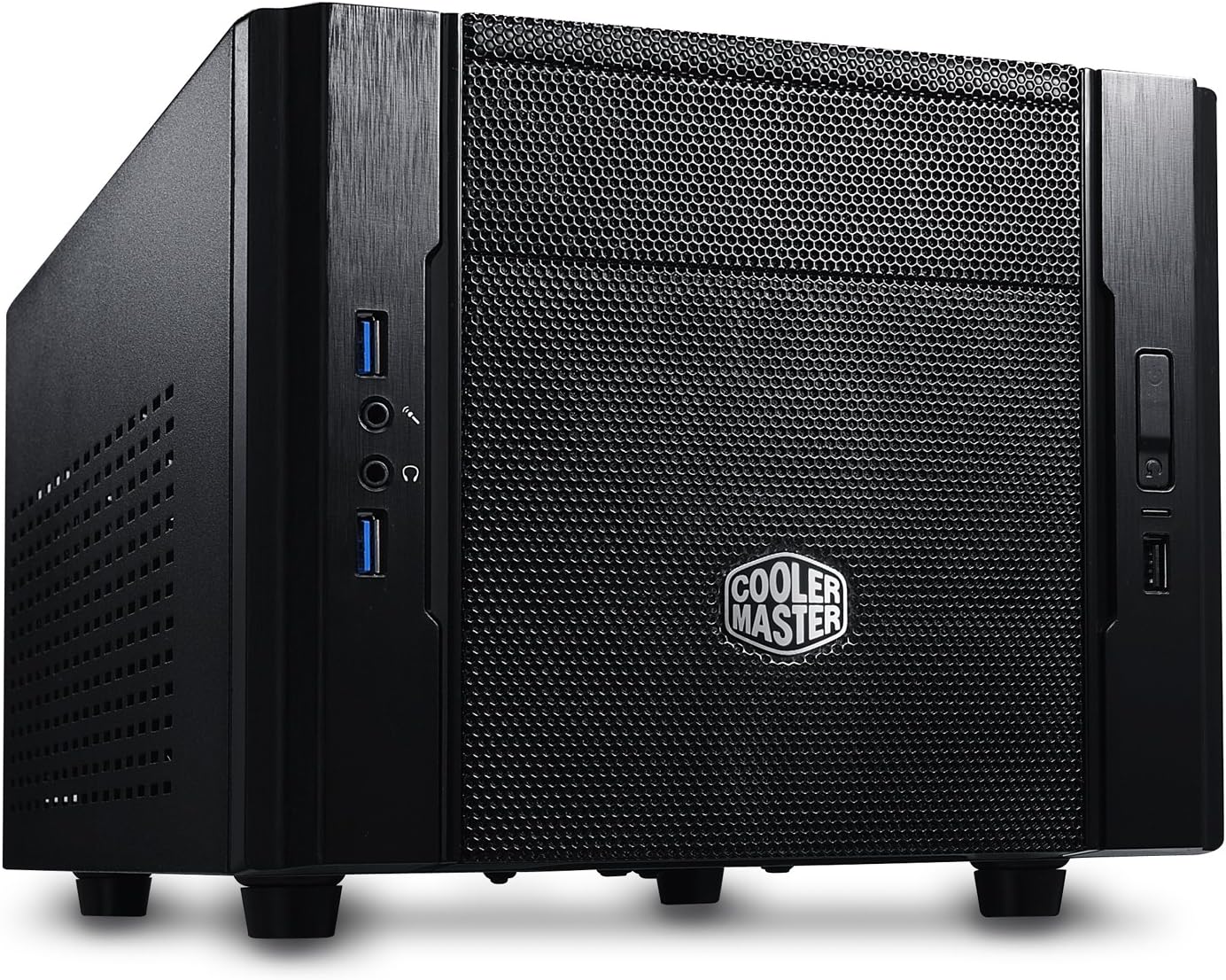
🖤 Small Case, Big Ambitions: Elite 130 packs a punch where it counts!
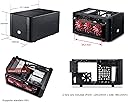
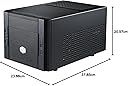
The Cooler Master Elite 130 is a sleek mini-ITX computer case designed for professionals who demand full-size power in a compact footprint. It supports standard ATX power supplies, high-end graphics cards up to 343mm, and offers versatile storage options including up to five drives. Featuring a mesh front panel and dual fans, it ensures superior airflow and cooling, while front USB 3.0 ports provide fast connectivity. Ideal for space-conscious builders who refuse to compromise on performance or style.
| ASIN | B00DJ6A88G |
| Are Batteries Included | No |
| Brand | Cooler Master |
| Colour | Elite 130 |
| Customer Reviews | 4.2 4.2 out of 5 stars (965) |
| Date First Available | 21 Jun. 2013 |
| Form Factor | sff |
| Guaranteed software updates until | unknown |
| Item Weight | 3 kg |
| Item model number | RC-130-KKN1 |
| Manufacturer | Cooler Master Europe B.V. |
| Number of USB 2.0 Ports | 1 |
| Number of USB 3.0 Ports | 3 |
| Product Dimensions | 20.57 x 23.88 x 37.85 cm; 3 kg |
| Series | RC-130-KKN1 |
| Wattage | 300 |
G**S
Excellent HTPC case
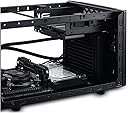
I bought this case in order to build a media centre PC and am very pleased with the result. The finish of the case is better than I expected, with no sharp edges either inside or out. There is space inside for a full sized ATX power supply, but overclockers out there should be aware that the positioning of the cage means that it overhangs the motherboard, so depending on where the CPU socket is located there is only about an inch of clearance between the top of the CPU cooler and the bottom of the power supply cage. Choose your aftermarket cooler with care! Front panel connections are good for a case of this price with one USB3 and three USB2 ports, as well as the usual microphone and headphone sockets. There is also a 5.25" bay with a lockable door if you are not intending to use it. Two case fans are included, a 120mm at the front and a smaller 60mm (ish) on the side. Both are reasonably quiet especially when turned down with motherboard software or an app like speedfan. There is space to mount another 120mm fan inside behind the HDD bays which blows over the motherboard tray, and cooler master kindly include some quick fitting plugs that do away with the need for screws and tools. For a small case building this PC was quick and easy, to the point that I took the opportunity to teach the missus and had her put it together. Having said that her little fingers probably made it a little easier! It has three 3.5" drive bays with quick release brackets, and an adapter that can sacrifice one of them for a pair of 2.5" SSD's or laptop drives. As I am not using the 5.25" bay I have added an additional 3.5" drive by suspending it in the bay with some of the missus's adjustable rubber bra straps. This also has the benefit of isolating vibrations and noise from the drive making it quieter. Thick rubber bands can also be used but I didn't have any to hand, hence the bra straps! There is room for a full sized twin slot graphics card, although as I don't have a modular PSU most of this has been taken up with excess cabling in order to get good airflow over the motherboard. System build:AMD A10-5800 PSU with built in HD7660D graphics, 4GB PC2133 Ram, 500W OCZ extreme PSU, 3 3.5" HDD's & 1 2.5" SSD. Runs windows 8 with Mediaportal front end. TL;DR A good quality low cost case with plenty of room for HDD's and full sized twin slot graphics card.
M**O
Great value - but challenging to build with
I bought this case for a HTPC build because it's small, has all the required front ports, supported up to 4 3.5inch drives and is at a really good price. I did, however, find it quite a challenge to build with (particularly as a first time buyer). Now, this is a lot to do with the combination of components that I chose and not just to do with the case itself BUT, when you install your mobo you'll see that the power supply slots in directly on top of it, so it should be the last thing that you put in because it completely obscures more than half of the motherboard underneath it. So i would highly recommend taking a look at the layout of a few different MOBOs and picking ones where the power supply can be plugged in on the left hand side, as this case has a fan along the right side. In my case, the power to the MOBO and all the Sata ports were all beside eachother so all cables had to pass out from the very small gap between the casefan and the power brick. The Build quality felt good, there's thankfully a lot of ventilation and it does have two fans ***note for other first time builders*** not all MOBO's support two fans so if you want to take advantage of both case fans check the specs of your MOBO. I would definitely recommend this case to anyone, but just be careful what other components you're using. P.s. a modular PSU is a MUST!
M**N
A lovely case - but the cabling will be messy
I'll be honest. At one point I was going to send this case back. Not that I didn't like the case as it was exactly the sort of thing I was looking for. Small, compact and surprisingly roomy (although space not used to the best, me thinks). No, the reason being I couldn't get all of my components in *neatly*. Cabling is a nightmare. Anyway, I wanted to do a Mini ITX build consisting of an i7 (stock cooled), a 64Gb SSD and two 2Tb mechanical hard drives to replace my current ATX i5 second gen. When the case arrived, I did a dummy build using the SSD and PSU - and two old hard drives and the SSD - before ordering the motherboard and CPU. This was to see how elegant (or not) the cabling would be within relatively small confines. My thinking was, if the build wasn't practical, I'd send the case back and get a bigger one. I didn't want to do this as I desired a *small* unit - otherwise I may as well have stuck with my current set up and simply replaced a few components. Although the PSU was modular, I still ended up using all of the cables so a bit of a waste of time, really. If you are simply going to have a single drive and/or an SSD then use modular. Otherwise you may as well get a normal PSU. The two built-in fans use the old 4-pin molex type connectors which is a shame as they have a smaller connection on them which then goes into the molex making the wiring messy. Remember there are two of these sets of wires. I guess this is the way it has to be as there are no power supplies for the smaller types. The first build issue I found was the SSD. The best place for this is under the optical bay where there are some mounting points. However, if you place the SSD the correct way, the screws will not go into the SSD. It's as if the holes are slightly off-centre. I don't know if this is a fault with the case or the SSD. You could simply use tape or a cable tie or, as I did, place it upside down. This means that you have to invert the cables into the SSD. Not necessarily a problem - but since the main hard drive sits on the floor below the optical drive - the power cable won't quite reach as you have to twist it. The other hard drive sits vertically on the side wall so I ended up using two power cables when one could have sufficed. What this meant was that it was impossible to get cabling neat. A shame as adding a proper hard drive cage under the optical drive would have been ideal. Perhaps airflow was a problem if they did this? Anyway, when you do the build proper, cables are everywhere and cable clutter is almost inevitable unless your build is simple. The other issue for you overclockers out there is that you can't use a large CPU fan. The CPU sits right under the PSU and there simply isn't enough room. Mind you, there are coolers out there which are low-profile. I have the ARTIC Alpine 11 REV. 2 on order. I just hope it'll fit. However, the stock cooler does a reasonable job as it should. The main components in my case are: ASUS Z97i-PLUS Intel Core i7-4790K Corsair CMY8GX3M2A2400C11R Vengeance Pro Series 8GB (2x4GB) SanDisk SDSSDHII-120G-G25 120GB 2.5 inch Ultra II SATA III Internal Solid State Drive Be Quiet Pure Power L8 530W PSU 2TB mechanical Drive x2 1 x Optical Drive Asus Nvidia GeForce GTX 760 2GB GDDR5 DirectCU II Mini Graphics Card ( I recommend the 'mini' which saves a bit of space over the full-size version). Overall, the unit is reasonably quiet and sound not intrusive. There is a slight murmur coming from one of the fans but I can live with it. I suspect that the case is designed with water cooling in mind due to the lack of space available for a full-size CPU fan. Anyway, I'm glad I stuck with the case. Yes, the wiring is messy and the inside of the case is nothing I'm proud of - but it works and works well, Also, the case takes a DVD drive (not all of them do). Would I recommend the case? Absolutely! It's small, cheap and looks great. Unless you want loads of PCI components, Mini ITX is the future!
P**9
Vraiment un super boitier pour construire un mini PC bureautique et multimédia avec SSD, HDD et graveur. Il y a de la place pour tout loger sans que tout soit trop confiné. Du coup, le ventilateur de façade aère bien les éléments et la carte mère, et l'ensemble ne chauffe pas et fonctionne dans un quasi silence. Quasi parce que le ventilateur de façade est un trois pins, donc régulation de la vitesse en DC. J'aurais préféré un 4 pins pour une régulation PWM qui aurait permis de mieux ajuster sa vitesse de rotation et rendre ainsi l'ensemble plus silencieux. A, noter deux USB 3.0 et un USB 2.0 en façade, c'est royal ! La qualité du boitier est excellente pour le prix (pas de bord coupant) et le look final est plutôt sympa.
A**I
Spedizione Amazon perfetta, come sempre. Case mini-itx perfetto per avere un sistema gaming high-end molto compatto. Io ho dentro un i7 4790k dissipato a liquido con un Corsair Hydro H80i v2, una Strix 980ti, 2 ssd, 2 banchi di ram ad alto profilo e ci sta tutto alla grande anche se gli spazi sono proprio misurati per cui va fatta molta attenzione a pianificare bene il tutto prima del montaggio. Nonostante sia così piccolo i flussi d' aria suono buoni ed io sto dentro un range di temperature accettabilissimo per tutti i componenti. Il filtro anti polvere anteriore fa il suo dovere ed il tutto è molto semplice da smontare, rimontare ecc. Un consiglio, anche se si può utilizzare un qualsiasi alimentatore standard andate su uno che sia massimo 150x140x86mm altrimenti vi troverete malissimo per la profondità dentro il case, io per questo ho preso un Cooler Master v750 completamente modulare. Nn ho trovato difetti costruttivi ne mi posso lamentare del funzionamento delle porte usb o dei tasti di accensione e reset. Unico neo: anche se il case è indicato come compatibile con un AIO a liquido con ventola da 120mm fate tantissima attenzione alle dimensioni del radiatore che andrete a montare e soprattutto al diametro dei tubi di scambio del liquido, perché si è vero che il Corsair che ho preso io ci sta benissimo una volta montato ma per montarlo ho sudato 14 camicie.
C**E
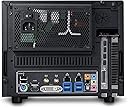
Let me start off by saying this is a great case for the money. For $50 you get a great small-form-factor case which will easily fit into smaller nooks and crannies of your home theater setup. I've seen it as low as $35 with mail-in rebate, so it can purchased very cheaply. Specs: It comes with two fans a front intake 120mm fan and an 80mm exhaust. The case's dimensions are as follows (W x H x D) 9.4 x 8.2 x 15.7 inch. The whole thing is slightly bigger than a normal sized show box, which is impressive, as it fits a full size power supply and supports uber-long video cards like the AMD 7990. I really like that the video card in this chassis points the GPU fan to directly exhaust out of the case. The GPU exhaust is great because it directly shoots out hot air from the video card straight out of the case. The case comes with two USB 3.0 ports, a USB 2.0 port and front audio and mic inputs. It's pretty amazing that it offers all these I/O Panel ports at such a low price point. CoolerMaster has brought consumers a ton of value by doing this! Motherboard Support: This case only supports Mini-ITX boards, so you'll need to make sure you order a smaller motherboard for it before you decide to use it in your next computer build. Advice: If you are thinking of purchasing this case do yourself a favor and buy a modular power supply. Honestly, you will thank me later. I used an old normal non-modular power supply I had laying around and I had one heck of a time doing cable management in this thing. It is possible to do a build with a non-modular PSU, but if you're new to building PCs seriously get a modular one for this case it will make your life a whole lot easier when putting together your rig. Anyways, if you have the budget to purchase a small case this is a great option for you! It only supports Mini-ITX boards, but it has a great I/O panel and a size that will fit in almost any home theater setup or desktop space. At $50 I still think it is a steal and should be looked at as the best budget SFF case on the market!
M**.
Excellent case for thermal profile and for a midrange GPU. Will not fit much more than a GTX1660 OC however, such is the mini-ITX world.
J**M
Das Gehäuse verwende ich für mein neues NAS-System. Die fertigen NAS-Systeme haben in der Regel nicht die Leistung, die ich haben will. Oder aber sie sind sehr teuer. Oder sie brauchen mir zuviel Strom, oder sie sind laut. Irgendwas ist immer, daher bleibt aus meiner Sicht nur der Eigenbau. Warum diese Gehäuse? --------------------------- - Es ist klein genug um noch als NAS-Gehäuse durchgehen zu können - Es ist groß genug für ein ITX-Board und mindestens vier Festplatten - Es hat viele Lüftungsschlitze an allen Seiten, perfekt für passive Kühlung - Es hat einen großen Front-Lüfter, der ist sehr leise wenn er langsam läuft - Ich mag auch das schnörkellose Backsteindesign ;-) - Es ist superkostengünstig Fazit: Ein perfektes Gehäuse für ein eigenes NAS bei passiver Kühlung Zusatz: Was baue ich da rein? (alles hier bei amazon besorgt) ------------------------------------------------------------- - Mainboard: ASRock 90-MXB6N0-A0UAYZ Mainboard schwarz (ASRock J4105-ITX) - Speicher: 2 x PHS-memory 8GB RAM Speicher für ASRock J5005-ITX DDR4 SO DIMM 2400MHz - Netzteil: PicoPSU-90 12V DC-DC ATX mini-ITX 0-90W Netzteil power supply Salcar 72W Netzteil (12V 6A),Ladegerät, Transformator,Trafo für LED Strip Streifen SMD 5050/3528/5630 - Kabelsatz: deleyCON SATA Kabel Set 4X SATA III Kabel mit Stecker gerade + Strom Adapter Kabel - SSD HDD - Boot-Festplatte: Samsung MZ-75E500B/EU 850 EVO interne SSD 500GB (6,4 cm (2,5 Zoll), SATA III) schwarz - Datenfestplatten: 2 x WD Red 8 TB Ohne Festplatten liege ich preislich bei 311 Euro, das ist im Vergleich mit fertigen NAS-Geräten dieser Leistungsklasse ganz hervorragend. Kommen noch die Festplatten drauf, meine sind hochwertig und recht groß und kosten insgesamt fast 570 Euro . Das geht natürlich auch günstiger. Man könnte auch ohne extra Boot-Platte und mit einer oder zwei 4 TB Platten arbeiten, die kosten im Moment hier bei amazon so um 55 Euro pro Stück . Im günstigsten Fall hat man somit ein pfeilschnelles NAS für ca. 370 Euro. Natürlich darf man den Stundenlohn für die Heidenarbeit beim Installieren des Betriebssystems auf keinen Fall mitrechen! Das läuft alles unter Spaß! ;-) Ich wollte eigentlich das ASRock J5005-ITX verwenden, das ist aber im Moment nicht für einen vernünftigen Preis zu bekommen. Das ASRock J4105-ITX ist nur etwa 10% langsamer und dafür im Standby noch ein wenig sparsamer. Die Leistung reicht aber dicke aus. Die 16 GB Speicher sollen laut Board-Spezifikation gar nicht gehen, da ist bei 8 GB Schluss. Diese Werte sind aber veraltet, mit dem aktuellen BIOS sollen sogar 2 x 16 GB möglich sein. Als OS verwende ich CentOS 7, das setze ich auch beruflich ein. Ich verzichte bewusst auf vorgefertigte NAS-Software, ich möchte nur genau das auf dem System haben, was ich benötige. Besonderheiten: ------------------- - Ich will keine aktive Kühlung, und das funktioniert sehr gut. Keine Komponente wird mehr als lauwarm - Ich will Ruhe, das funktioniert auch. Es gibt keine Lüfter, die Systemplatte ist eine SSD und die Datenplatten laufen nur an, wenn sie wirklich gebraucht werden - Ich will gelegentlich eine virtuelle Maschine laufen lassen, das klappt mit dem Speicherausbau und dem Prozessor auch. Das ist zwar keine Rakete, aber für Standardanwendungen langt es allemal - Ich will Energie sparen, im Betrieb brauche ich unter 10 Watt und im Standby unter 2 Watt. Das ist doch mal schön, oder?
ترست بايلوت
منذ يوم واحد
منذ شهر