Buy anything from 5,000+ international stores. One checkout price. No surprise fees. Join 2M+ shoppers on Desertcart.
Desertcart purchases this item on your behalf and handles shipping, customs, and support to Morocco.
🚀 Take your headless servers from zero to hero—anywhere, anytime.
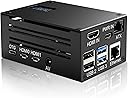
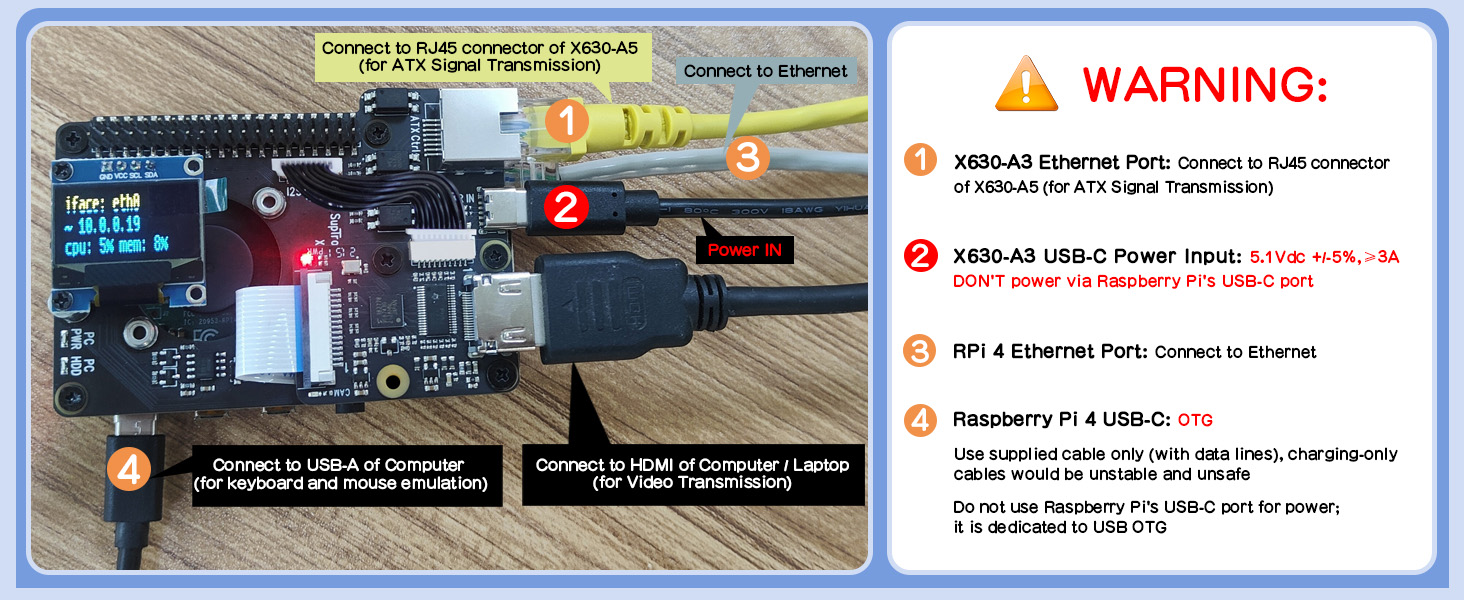
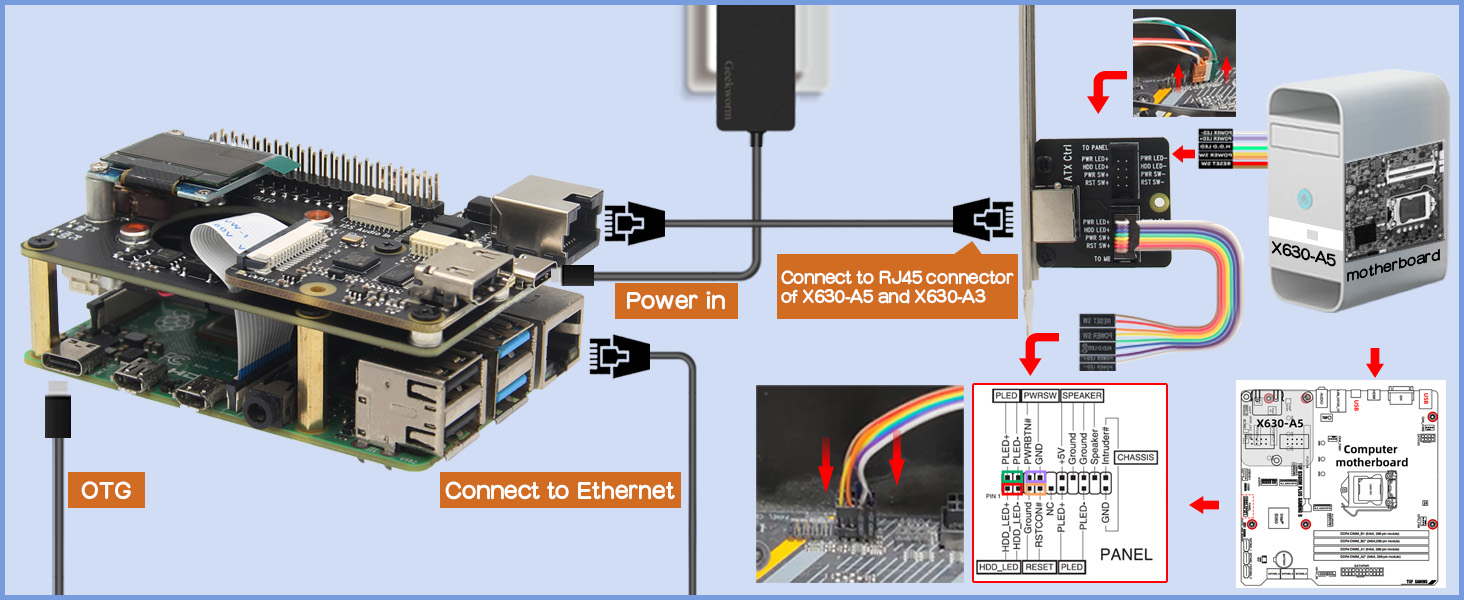
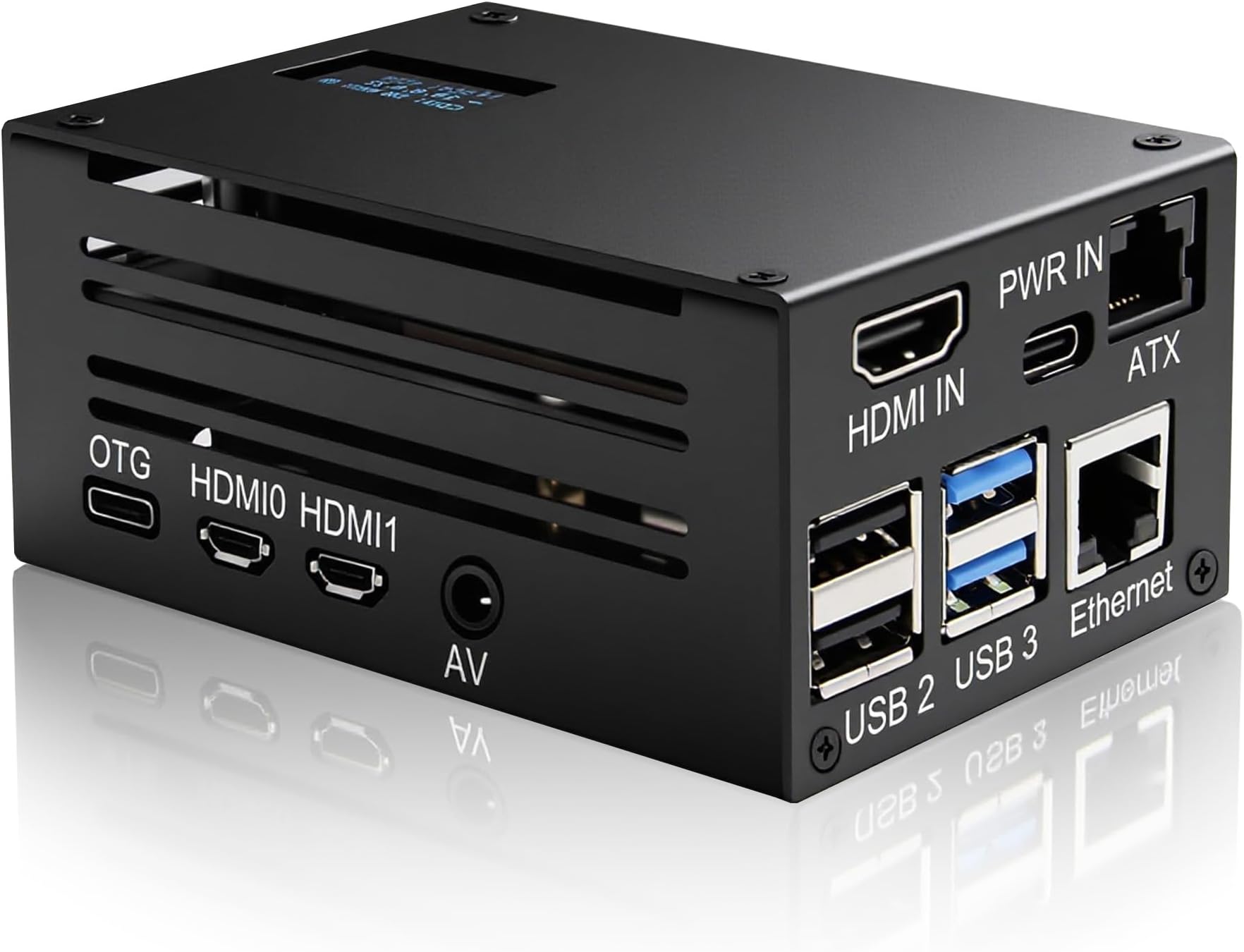
The Geekworm KVM-A3 is a Raspberry Pi 4-exclusive IP KVM kit delivering full remote server management via a browser-based HTML5 interface. It offers BIOS-level access, virtual media deployment, and full keyboard/mouse control, powered by a dedicated USB-C supply and cooled by a dual fan and heatsink system for 24/7 industrial-grade reliability. Perfect for headless servers, it supports 1080p HDMI capture and ATX control, making remote troubleshooting and management effortless and secure.


| ASIN | B0B5QVFYMB |
| Antenna Location | Remote Server Management, Raspberry Pi Projects |
| Best Sellers Rank | 15,560 in Computers & Accessories ( See Top 100 in Computers & Accessories ) 47 in KVM Switches |
| Brand Name | Geekworm |
| Case Type | Raspberry Pi |
| Colour | Black/White |
| Compatible Devices | Raspberry Pi 4 |
| Cooling Method | Combined (Fan and Heatsink) |
| Country of Origin | China |
| Customer Reviews | 4.6 4.6 out of 5 stars (156) |
| Enclosure Material | Aluminium |
| Fan Size | 7 Millimetres |
| Hard Disk Form Factor | 2.5 Inches |
| Internal Bays Quantity | 1 |
| Item Dimensions D x W x H | 6.5D x 9.3W x 4.3H centimetres |
| Item Weight | 319 Grams |
| Manufacturer | Geekworm |
| Model Name | KVM-A3 |
| Number of Fans | 1 |
| Other Special Features of the Product | Web-based remote access and control |
| Power Supply Maximum Output | 15 Watts |
| Power Supply Mounting Type | Bottom Mount |
| Product Warranty | Support return for repair during the warranty period |
| Supported Motherboard | Mini ITX |
| Total USB 2.0 Ports | 2 |
| Total USB Ports | 2 |
R**A
A very good KVM - Follow the instruction leaflet - possibly with a magnifying glass
Actually very good. Have now got 2 of these installed and no issues whatsover. Works with Raspberry PI 4. Just follow the instructions fully if you are building from scratch. The only niggle is that there is a very thin flex/ribbon cable that feeds from the RPi to the KVM "HAT". It feeds through a slot on the HAT but the slot is not aligned correctly with the connectors on both boards and so the flex/ribbon cable is at an angle when it goes through the slot. This puts a little "stress" on the cable but doesnt appear to be too much to force the cable out of the connectors or to damage the cable itself. So - for the manufacturer of the KVM HAT - Make the slot a little wider. Other than that, works well. Instructions to install are reasonably good. 2FA on the web browser interface works well with Twillo/Authy 3rd party authenticator. Used to connect directly to PFSense firewall. There is mention of the need for an OTG splitter but I found that I didnt need this and connected the OTG directly (USB C) to a USB port on the firewall + a USB C cable to the power. No issues at all. The PiKVM requires a HDMI cable and so if you only have a vga outlet (as with my Firewalls, you need a VGA - HDMI converter - again, an extra from Amazon. Installation leaflet a bit small but readable - may need a magnifying glass. Prebuilt OS downloaded from website.
S**Z
Very polished
This is a great product, very well polished, anybody who has worked with enterprise-grade solutions will notice this is not only way better but also much cheaper than IP KVM products from companies like Raritan. The assembly was easy, despite the instructions video available is a bit outdated, just remember to install the battery before the LCD and don't forget the HDMI audio cable before closing the case, but these shouldn't be a show stopper anyway. You cannot use this for gaming (maybe to boot a gaming PC remotely for game streaming?) but compared to onboard solutions like Dell iDrac, HP iLO or Asus ASMB, the picture quality, resolution and latency is great. One specific issue I had with my home server is that it wouldn't boot when the OTG cable is connected, somehow the power it pulls from the USB port might be causing issues (despite there is a dedicated power supply port), the solution was to put a £3 USB-C power/data splitter between the server and the PiKVM. I won't knock off any points for this as it's probably a problem with my server motherboard, which was never intended for any great USB compatibility nor does it support the kind of power used by the type-C port of the Raspberry Pi 4. Being based in an open-source project the documentation and support are great, everything worked as expected on the first try. There is a Linux Kernel limitation when emulating an optical drive (called USB Gadget), ISO files can only be under 2.2Gb or will be truncated, the solution to capture an USB image is a bit convoluted and could be improved but it's not Geekworm's fault.
R**S
Fantastic Value and Easy Setup!
The Geekworm KVM-A3 Kit for Raspberry Pi 4 is an outstanding addition to my setup! It was incredibly simple to set up and worked seamlessly right out of the box. When paired with an Ezcoo HDMI KVM Switch, it delivers the same functionality you'd expect from a high-end, enterprise-grade KVM at a fraction of the price! This combination has truly elevated my workspace without breaking the bank. Highly recommend for anyone looking for an efficient, budget-friendly KVM solution!
T**T
Very nice project, but some minor letdowns.
Easy to assemble and very functional when set up correctly. Screen displays all have a fault where they show up with iffy color bar. The fan is only 2 pin so constantly on, and the official one has another (special) useful usb port. Be ready to have to enable the real time clock different to how the official project works, and audio doesn't seem to work the official way at all. Would I buy it knowing all this? YES. I regularly access systems remotely and have paired this with a 4 port KVM with serial control, added an HDMI in to 2 hdmi out box and bought quality cables. This works far better than expensive KVM over IP boxes, the software is actively maintained, it's all open source so far more secure too. Had the odd little glitch, but I'm still very impressed (more with the software). I hope there author of the SW gets something back from geekworm though, as he seriously should. The four stars is due to poor website with lack of easy to find instructions, which are scattered around relentlessly, and they should also point out the differences between this and official project. Still nice though!
H**Y
Works well
This is a pretty good PiKVM 3 kit, despite quite obviously being pure Chineseium. It's a little fiddly to assemble (use bright lights so you don't lose the tiny black screws!) but once it's done, it's nice and sturdy. The actual PiKVM software itself is a joy to use, and runs nicely on a Pi 4. This unit is handy to have in my box of weird and useful bits for when I need a network KVM. Very happy with it.
R**S
effective KVM solution
Transforms your Raspberry Pi 4 into an effective KVM solution, Simple setup with clear documentation; a solid tool for DIY network projects.
S**D
Excellent PiKVM v3 box
This makes an excellent KVM. It's fully compatible with PiKVM v3 image, and OLED screen and PWM fan work perfectly. Did not find fan noisy, despite other reviews. Perhaps they addresses that in latest hardware revision.
Q**4
Perfect ... as advertised
T**O
All the equipment came as described, sealed and of great quality. The attention to detail is great, since they provide anti slip rubber pads and a foam protector to put around the OLED screen, plus a set of heatsinks. Highly Recommend.
G**G
Super kit pour monter un PiKVM (OS v3) pour pas cher (comparé aux box toutes faites). Vous devez juste ajouter un raspberry pi 4 (+ alimentation) qui n'est pas fourni dans le kit et un câble HDMI pour connecter l'écran de la machine à contrôler à votre piKVM. Tout le reste y est. Il vous suffit de monter les composants du kit sur votre raspberry pi 4 (la notice est compréhensible, et vous trouverez des tutos sur YouTube qui expliquent en détail comment faire), de mettre le tout dans le boîtier fourni et vous avez une box PiKVM prête à l'emploi. Il y a même une carte à installer dans la machine à contrôler si vous souhaitez pouvoir l'allumer à distance et voir l'état de la LED HDD Je n'ai pas encore pris le temps de faire cette dernière étape mais le reste fonctionne à merveille. Je cherchais un kit PiKVM DIY sans devoir faire de soudure et celui-ci est parfait. C'est le genre de produit qui fait le succès des raspberry Pi.
S**E
This small device was very easy to put together using the video provided on the geekworm website. All the parts seem to be of high quality. No parts were missing. PiKVM was easy to install. Everything works as described. The device runs reliably and quietly.
S**N
If looking for a DIY KVM solution then look no further than this. Simply drop in a Raspberry Pi 4, write a PiKVM image to the SD card, complete the rest of the straight-forward assembly, apply power and wait for the unit's IP address to show on the included display, connect to that IP address and enjoy your new KVM! The open-source software needed is downloadable from the PiKVM website so no worries about future updates.
C**D
Bought for my new NAS build, tested well on my desktop letting me remotely control everything including the power/reset ... brilliant.
Trustpilot
2 weeks ago
3 weeks ago