Desertcart purchases this item on your behalf and handles shipping, customs, and support to Morocco.
🚀 Elevate your workspace with seamless 4K extension and zero lag — because your setup deserves the future now!
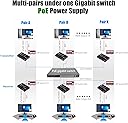
The Basicolor 4K PoE HDMI KVM Extender delivers lossless 4K@30Hz video up to 328 feet over Cat5e/6 cables, featuring ultra-low latency under 50ms. It supports full USB 2.0 peripheral extension with four ports, multi-channel HDMI audio formats, and Power over Ethernet (802.3AF) for simplified installation and enhanced system stability. Ideal for professional-grade applications including broadcast, medical imaging, and industrial automation.


| Actuator Type | Usbswitch |
| Asin | B081W94ZNF |
| Brand Name | Basicolor |
| Circuit Type | 1-way |
| Colour | Purple |
| Compatible Devices | Charging Adapter, Smartphone |
| Connectivity Protocol | Ethernet |
| Connector Type | HDMI, RJ45 |
| Contact Material | Metal |
| Contact Type | Normally Open |
| Control Method | Touch |
| Control Type | remote |
| Controller Type | Push Button |
| Current Rating | 1 Amps |
| Customer Reviews | 3.7 3.7 out of 5 stars (47) 3.7 out of 5 stars |
| Included Components | HDMI KVM USB Extender TX&RX, 2x5V/1A Power Adapter, 1xUSB2.0 Cable, User Manual |
| International Protection Rating | IP40 |
| Item Dimensions | 12 x 8 x 2 Centimeters |
| Item Weight | 499 g |
| Manufacturer | ARX TECH |
| Material Type | Metal |
| Model Number | ARX 5631 |
| Mounting Type | Rack Mount |
| Number Of Items | 1 |
| Number Of Positions | 1 |
| Operating Voltage | 120 Volts |
| Operation Mode | ON-OFF |
| Part Number | ARX 5631 |
| Specification Met | CE |
| Switch Type | Push Button |
| Terminal | Blade |
| Unit Count | 1.0 Count |
| Wattage | 5 Watts |
User
It totally WORKS! Use dedicated ethernet cables.
Used this to remote the 4K monitor on my Lorex NVR with 4K HDMI output. Initially had issues trying to get the boxes to connect to each other when I ran them through a PoE switch on their own VLAN. After trying a few times via the switch, I directly connected them to each other with a single CAT6 cable and using the supplied power adapters and they quickly linked up.I then moved them back to the PoE switch on an isolated VLAN and they were able to link up just fine. Has been reliable for the last few weeks with no hiccups.PRO TIP- You really should put these on their own dedicated ethernet cables to each box. Do not share the cable bandwidth with other computers, etc. Why? Because these boxes are using about 800 Mbps of bandwidth at 4K 30FPS. 1080p doesn't drop the bandwidth much (uses 650-700 Mbps).-----UPDATE 10/20/2022-----This is a followup from my original review on 1/8/2021. Happy to report this 4K HDMI extender is still going with no issues so far. Both sender and receiver are connected to a PoE gigabit switch (wall warts not being used). Used in 4K30 mode with a mouse for a camera NVR.
User
Good concept but poor implimentation, documentation and high price for an extender with issues
I really regret purchasing this system and even more regret not fully testing before the return period was up. That part was my fault.My use case: I have two head3dless servers in a computer rack that I needed to have keyboard and video connectivity when changing bios settings, repairing OS, upgrades, etc. Having some experience with KVM extenders in general, I am a little leery of trying ones I have had no experience with but needed one over IP so decided to give this one a try.The POSITIVE: The receiver and sender did see each other quickly and connected without a problem. I am (was) using this KVM extender through a Cisco POE switch on a dedicated VLAN (with POE for power) which all worked fine as well.The NEGATIVE: As mentioned 99% of my need for this system is only to see the BIOS screen, POST info and Linux and DOS based boot (USB) drives to run diagnostics/ upgrades, etc. And this is where I have had a miserable experience.The first server I tried it on was a Ryzen based system (with a GeForce GT 710 1GB dedicated only to this video requirement) and running Proxmox. On this system, I could not get ANY intelligible video (just video noise) at any time- POST, BIOS, etc.The second system (also Ryzen with the same video card running Proxmox Backup OS) is almost as frustrating! The screen will NOT stop blinking on and off no matter what I try! I have rebooted many times, reset the extender many times, tried other configurations, in BIOS, DOS, Linux but still it keeps blinking. Sometimes it loses the keyboard but always keeps f-ing blinking so much it is hard to do anything, much less how crazy annoying it gets.And it doesn't help that the documentation is so ridiculously basic and so little detail that it is no help with troubleshooting any issues!I'm not sure how it works with a "standard" video signal but BEWARE if you are trying to use it like I am.
User
Works as intended.
I use tons of these. However IF you’re bouncing them through a networking switch. Make sure the switch can handle them.
User
Least amount latency HDBit (One to Many) HDMI extender
I've tried pretty much every HDMI extender on amazon within the same price range for a one to many configuration over a managed switch (also being used for networking). This hdmi extender was running with almost no noticeable delay in my use case with very great quality video/audio (was running a PS4 in a separate room while having the controller direct conect to the PS4). The downside is I'm not sure what this device is doing but it can easily cause a broadcast storm on your network if your using those same switches for pass actual data. I ended up working around it by separating out the traffic into a separate vlan AND setting specifically removing that vlan on any trunk that did not need access to the vlan. Yes, this is best practice in a production network but this my home network and I wasn't expecting to setup switch trunk allow statements on my home network. Now I'm running ubinquiti switches so maybe its something to way they do switching vs others maybe cisco switches or real layer 3 switches would be able to handle the traffic better as I think it's something related to CPU utilization. Additionally, was not able to have a switch downstream of the main switch using a trunk as the picture would drop out.In conclusion for my use case using the same switch for data and remote hdmi I was able to get it to work eventually with some work (and it works better then pretty much any of the other ones I've tested for this use case). That being said, I have to image using a switch only for HDMI (which is the normal use case) would probably be amazing.
User
Just works
I was hesitant, but it works flawlessly out of the box. Have not experienced network issues because of it but I could see how it’s possible because they do seem produce a ton of traffic. I did nothing but plug them in, no resetting, configuring. I wish the receivers were a little cheaper and I’d get a few more. Also I can not attest to 4K as I am using with 1080p equipment only. Image quality is excellent, audio lag I don’t know as we are only using the image.
Trustpilot
2 weeks ago
3 weeks ago