We remain fully operational. Our teams are working around the clock to ensure your deliveries continue safely.
قم بتنزيل التطبيق


معلومات عنا
حقوق الطبع والنشر © 2024 Desertcart Holdings Limited
قم بتنزيل التطبيق
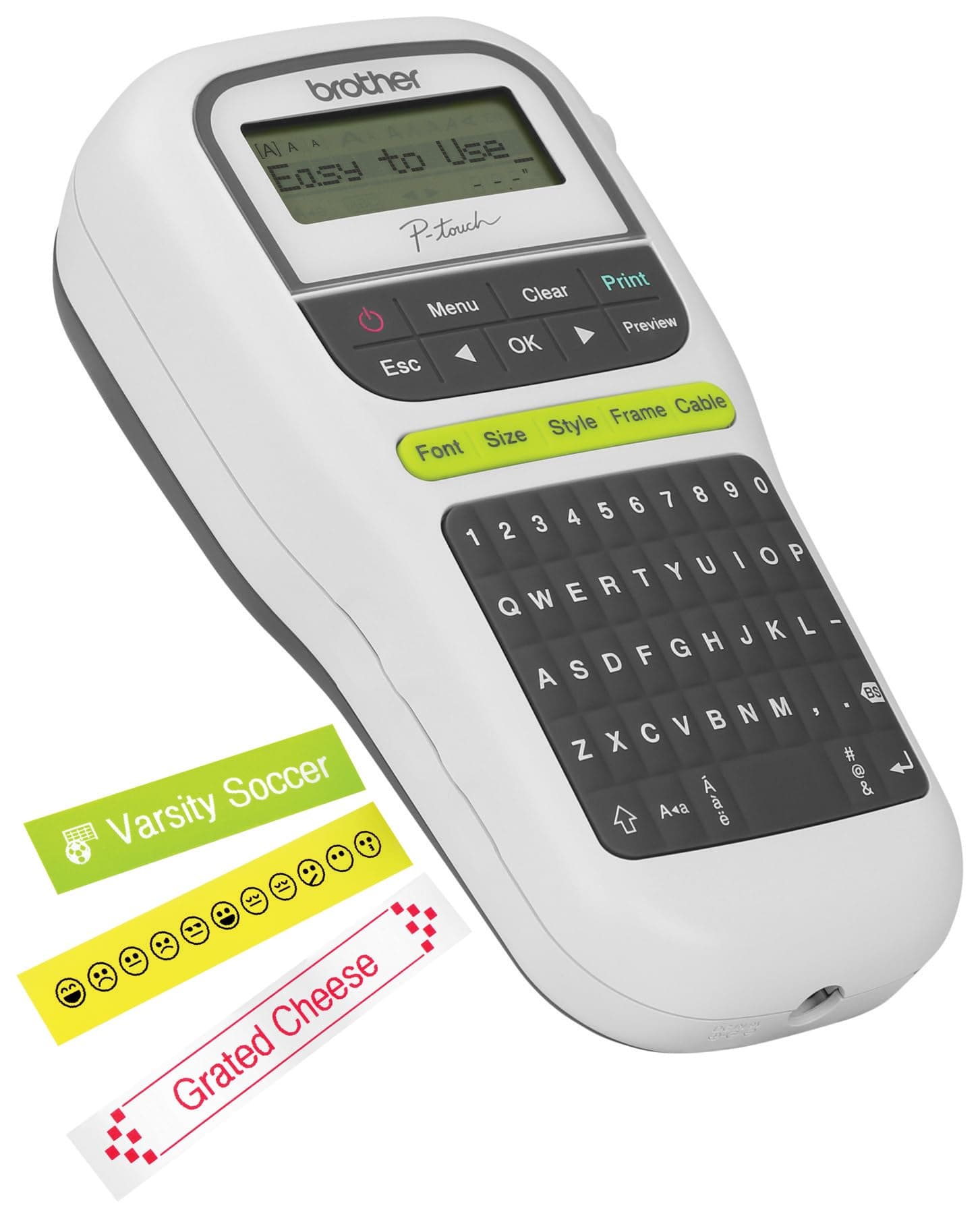

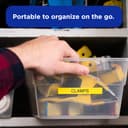
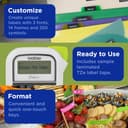
🖋️ Label like a pro, organize like a boss!
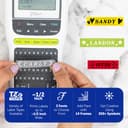
The Brother P-Touch PTH110 is a lightweight, portable thermal label maker featuring a QWERTY keyboard and built-in memory for up to 15 labels. It prints durable, laminated labels up to 12mm wide with multiple fonts, frames, and over 250 symbols. Powered by 6 AAA batteries or optional AC adapter, it’s perfect for home, office, and on-the-go organization with easy-to-use one-touch keys and a clear graphical display.


| ASIN | B01J3WQ360 |
| Additional Printer Functions | Print Only |
| B&W Pages per Minute | 2 |
| Best Sellers Rank | #2,311 in Office Products ( See Top 100 in Office Products ) #14 in Other Office Equipment |
| Brand | Brother |
| Built-In Media | PTH110 label maker, User guide, black on white TZe starter tape 0.47" (12mm) x 13.1' (4m) |
| Color | Gray/White |
| Color Depth | 1 bpp |
| Color Pages per Minute | 2 |
| Compatible Cartridge | [BRANDED_TAPES_AND_POSSIBLY_OTHERS] |
| Compatible Devices | PC |
| Connectivity Technology | USB |
| Control Method | Touch |
| Controller Type | Push Button |
| Customer Reviews | 4.6 out of 5 stars 13,591 Reviews |
| Display Type | LCD |
| Dual-sided printing | No |
| Duplex | Simplex |
| Global Trade Identification Number | 00012502643890 |
| Hardware Interface | Ethernet |
| Ink Color | Gray/White |
| Item Dimensions D x W x H | 4.3"D x 8"W x 2.2"H |
| Item Type Name | Electronic Label Maker |
| Item Weight | 16 ounces |
| Manufacturer | Brother Printer |
| Maximum Copy Resolution Black and White | 203 dpi |
| Maximum Copy Resolution Color | 300 dpi |
| Maximum Copy Speed Black and White | 2 ppm |
| Maximum Media Size | Label |
| Maximum Print Resolution Black and White | 180 dpi |
| Maximum Sheet Capacity | 1 |
| Maximum print Resolution Color | 300 dpi |
| Model Name | PTH110 |
| Model Number | PTH110 |
| Model Series | PTH |
| Other Special Features of the Product | Energy Star |
| Output sheet capacity | 9 |
| Paper Size | 3 |
| Print media | Labels |
| Printer Connectivity Type | USB |
| Printer Output Type | Monochrome |
| Printer Type | Thermal |
| Printing Technology | Thermal |
| Resolution | 300 x 300 |
| Scanner Type | Portable |
| Special Feature | Energy Star |
| Specific Uses For Product | office organization, cable management, harsh environment labeling |
| Total Usb Ports | 1 |
| UPC | 012502667544 012502643890 |
| Unit Count | 1.0 Count |
| Warranty Description | 1 Year |
| Warranty Type | limited warranty |
K**E
Great label maker please read my honest review about this little hand-held label maker
I'm so glad that I purchased this label maker. Let me tell you why? Because everytime I put my winter and summer clothes away I vacuum pack them and put them in the plastic totes and I have to open up all my plastic totes to see what clothes are inside and it drives me crazy. I DON'T want to use a permanent marker to write on the top of the lid. So now I use the label maker to stick it on the lid. If I need the plastic tote for something else to store in, all I have to do is put a new label over the top of it and you can't do that with a permanent marker because then you'll have scripple all over it and plus it looks tacky too. The label makes it more neater than a permanent marker. I even label my tools so no one takes them by mistake. I even put labels on the bottom of my tupperware so when I take my tupperware with food in it to a house party at least I'll know I'll get it back. I even put it on my dvd movies if someone borrows my dvd movies I know I'll get back because my name is on my dvd movies. I even used the label maker to put it on my nephew's lunch box for school so my sister-inlaw doesn't have to write his name in permanent marker. I'm telling you you'll find ways to use this label maker. I even use it when I'm making up a picture poster board for a funeral or a wedding. Plus I'm going to use it when I wrap Christmas gifts on the wrapping paper for the name tags instead of using or buying tags for the wrapping paper. I love this machine it's so darn easy to use. Even an elderly person can use it or for that matter any age. Plus the carridge tapes are very cheap and not that expensive. Thank goodness. Plus I loved it when it came with the sample tape cartridge that was a bonus to me because I didn't want to buy the tape cartridge at first until I made darn sure that the label maker worked to begin with. If it didn't work then I would have to send it back and that's a hassle. But I'm glad it worked in my favor and now I'll be buying more tape cartridges for it. You won't be disappointed go out and order one and plus it's reasonably cheap not like the expensive ones that I saw. The price fit the bill for me since I'm on a little budget and I didn't have to break the bank. So please everyone out there buy this for yourselves and for the kids of any age in your family. I'm going to be ordering more for my teenage niece and my 5 year old nephew so he can make a scrapbook since he likes making and drawing things this will be perfect for him. For my niece she can label all her stuff that she has to arts and crafts and her school stuff as well. I want to personally thank amazon for selling this label maker. I'm your number one customer if I can't find it in the stores or somewhere online I know I can count on amazon because they always have everything on hand when I need it. Plus it's free shipping thanks to the prime membership and that's what I love the free shipping and sometimes no sales tax which is a big plus for everyone in the world including me. Thanks again amazon.
D**R
Great quality and function
This label maker is so easy to use. Different fonts and color labels help make organizing easy. Definitely recommend.
C**W
... the Dymo LM160 If you are shopping for a good budget label maker
Comparison between the Brother PTH110 vs the Dymo LM160 If you are shopping for a good budget label maker, you might be having a tough time deciding between these 2 models (like I was). I recently purchased this model, and also had an opportunity to try the Dymo as well, and I feel this one takes the cake. I conducted a few tests to determine print quality and durability you can see in the photos. The white label is printed from the Brother, and the clear label was printed with the Dymo (I did not have access to white dymo labels). Basic print quality for a standard font appears roughly the same on each. The pictures with the labels on the jar were taken after a cycle through the dishwasher, in which both labels held up great without issues. Brother advertises its labels as being laminated, and this does indeed seem to drastically increase durability as can be seen in my sandpaper test. The picture with the letter D on a piece of wood were taken after giving 30 light strokes to each using 600 grit sandpaper. You can see the clear winner in this case is the Brother. Some other things to point out. Other reviewers claimed the brother wasted tape with extra large margins, however they must have been unaware that the margins are adjustable, with a default of 1 inch, but you can easily make it 1/4 inch. Sometimes however with the small margins, one side will be slightly larger, and include a cut mark, and you must manually cut it to size in that situation. Also it shines with a greater level of options with fonts, brackets, styles, symbols etc. You can actually look up the pdf instructions on each manufacturers site (or in my links I will post below) to see more about what types of fonts, brackets, symbols each has, but in short the brother has many more options, and you can make labels that look far more stylish than what the Dymo can do. You can see the picture of the silicone label with the fancy bracket, outline lettering, and a drop shadow. I was surprised to find that the drop shadow even worked with things like the symbols, so if you put a heart in there for example, it will have the drop shadow as well. The menus were quite intuitive and easy to use. Most settings were pretty easy to find, and I only referred to the instructions a couple of times. Overall I am very happy. If you want an even better one (supposedly, I have not personally used it) you can step up to the Brother PT-D210, which has more fonts/symbols/etc but quite frankly, for me at least this one meets my needs well Links to instructions for comparison [...] [...]
K**S
Functional and reasonable price
It is easy to use, functional and the quality of the print is exceptional. Its size makes it easy to carry around. In the package it came with film but i do wish it came with more as it ran out after a few uses. Overall, the price is reasonable and is good for when you need to label on-the-go.
A**Z
Must-Have Tool for Organization!
This label maker is a game changer! It’s incredibly easy to use and perfect for getting organized at home, work, or in the classroom. The labels print clearly and stick well on various surfaces. Whether you’re labeling bins, folders, cables, or supplies, this device makes the process quick and satisfying. The compact size also makes it easy to store or carry. Highly recommend for anyone looking to streamline their space with clear, professional-looking labels!
P**L
Love it
I recommend this label printer. A lot of reviewers have complained that the labels are always too long. I'll give a quick breakdown of how to fix that issue, and highlights of the printer. Fixing label length: The basic problem is that there's a gap between the print head, the cutting device, and the slot where the label exits. The machine needs to spit out about an inch of tape to make sure that it clears the cutter, and that you can grab it. You will want to use the MENU button on the printer and scroll to set the "Margin" to "Chain". When you print something in Chain mode, the machine will first eject an inch of tape so you can grab it, then your print with extremely narrow margins, and then prompt you with "FEED OK?". If you want to do more prints in the chain, hit ESC. If you're done printing, hit OK to eject the final print for cutting. You will now need to use scissors to separate the prints in the chain, and trim the edges. Obviously this is a little unintuitive and the machine could use some more friendly options, but this works and is the mode many people are looking for. Overall: Setup only requires 6xAAA batteries or an AC charger (not included). You can then peel off the back of the device and pop in a tape cassette, then your preferred power source. A default label, with black-on-white printing, is included. Printing is fast and relatively simple. The keyboard is a bit gummy, and the font options are a little same-y in my opinion, but for a basic printer it's everything you need. I got a pack of narrow, clear labels for identifying various light switches in my house. I like font 3 in bold for visibility. Once printed, I haven't had a single smudge or problem adhering a label. I even did some labels for spiral-bound cookbooks so I could read the titles on the shelf, and vigorously rubbing the labels to adhere them to the curved surfaces worked perfectly every time. Overall recommended. If the user interface was a bit better, and if the keyboard was a little less gummy, I'd give this unit more love. As is, it seems solid, and with a little help from some scissors it's been doing what I need it to.
M**Z
Good product
Works great. Lots of options to label
B**K
Get organized!
Arrived quickly. Well packed damage free. I collect die cast vehicles and was looking for a way to label the storage cases I keep them in. I have used a similar Brother brand labeler before at work so I had confidence in the brand. This is a nice little machine that gets the job done. Take a little time to read the directions to get to know the different features. It comes with a roll of laminated tape. The tape surface is shiny and protected unlike a regular paper label that can get dirty. So far I haven't had any issues. The qwerty keyboard makes it easy to use. All in all I am very pleased with this purchase.
ترست بايلوت
منذ شهرين
منذ 5 أيام