We remain fully operational. Our teams are working around the clock to ensure your deliveries continue safely.

قم بتنزيل التطبيق


معلومات عنا
حقوق الطبع والنشر © 2024 Desertcart Holdings Limited
قم بتنزيل التطبيق
Buy anything from 5,000+ international stores. One checkout price. No surprise fees. Join 2M+ shoppers on Desertcart.
Desertcart purchases this item on your behalf and handles shipping, customs, and support to Morocco.
⚡ Feel the pulse of innovation with every vibration!
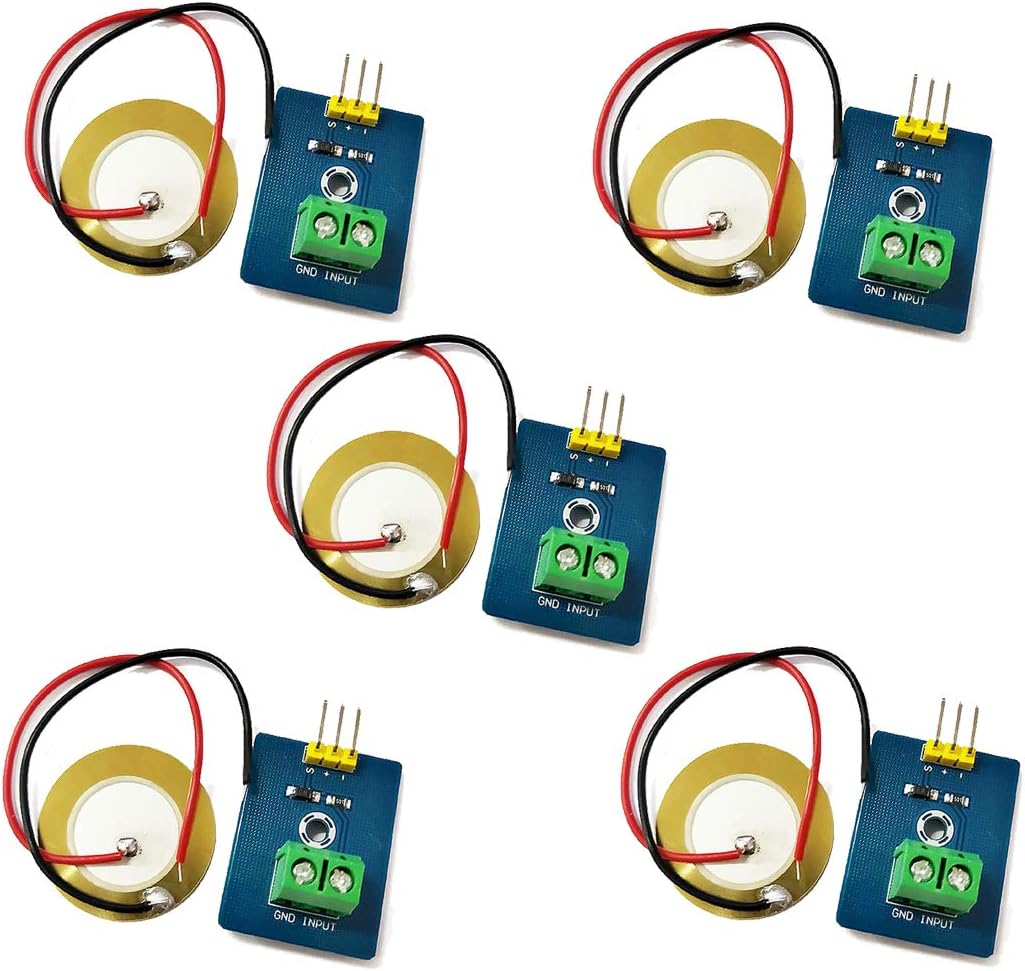
The HiLetgo 5pcs Piezoelectric Sensor Kit features analog ceramic vibration sensors designed for precise detection of mechanical vibrations. Operating at 3.3V or 5V with ultra-low current consumption (<1mA), these compact 30x23mm modules include built-in voltage spike protection to prevent damage to your microcontroller, making them ideal for Arduino DIY projects like electronic drums and interactive devices.
| ASIN | B07Q9J5C4G |
| Item model number | 3-01-1504 |
| Manufacturer | HiLetgo |
| Product Dimensions | 3 x 3 x 2.3 cm; 31 g |
P**W
This is a 2 wire connection, not three as implied by the board picture/description. The board (+) is not connected. The board a 1M resistor between Signal and Gnd. The Zener has it's Cathode connected to Signal (S) and Anode connected to Gnd
M**C
I bought these for a drum light kit I'm building... and I read from the internet that piezos are capable of putting out a lot of voltage in spikes if hit hard enough, up to 90v! That's way more than the 5v that an arduino can handle. This is essentially a Zener diode with a 1Mohm resistor inline, so that if the voltage gets too much, the circuit will shut down instead of frying your stuff. So far they seem to be working well, even though my project has not yet come to fruition.
D**O
These worked exactly as I needed. With this and an ADC I was able to get these to detect impacts exactly as I needed, and also 5 of them for this price was reasonable.
S**S
It’s pretty much impossible to attach the very small piezo wires to that large connector. I ruined one connector trying to tighten it. Cannot tell if the device works.
S**E
A good piezo vibration sensor that returns the intensity. In the video I have this sensor connected to an Arduino UNO with a RGB LED as the vibration indicator. The Arduino repeatedly reads the piezo sensor for a vibration greater than 0. If the vibration is intense enough, the current LED color intensity is altered to match that vibration intensity before moving to the next color. Otherwise the Arduino stays on the same color. I used a pollination wand as the vibration input. Also, connecting the sensor was simple enough.
ترست بايلوت
منذ شهر
منذ شهر