
قم بتنزيل التطبيق


معلومات عنا
حقوق الطبع والنشر © 2024 Desertcart Holdings Limited
قم بتنزيل التطبيق
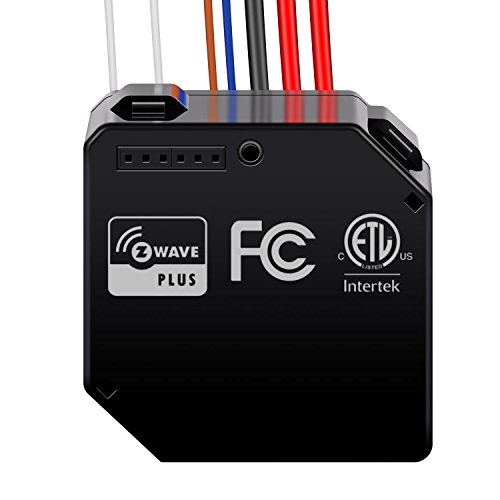
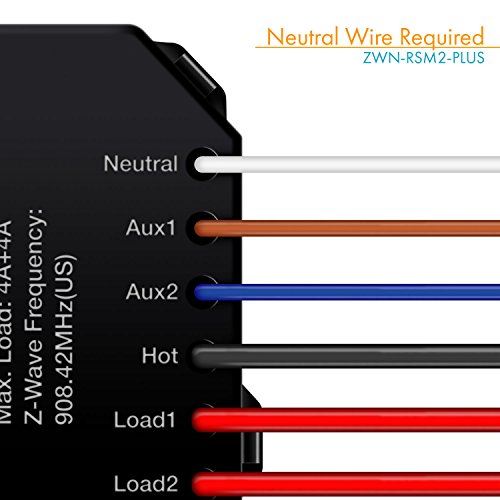
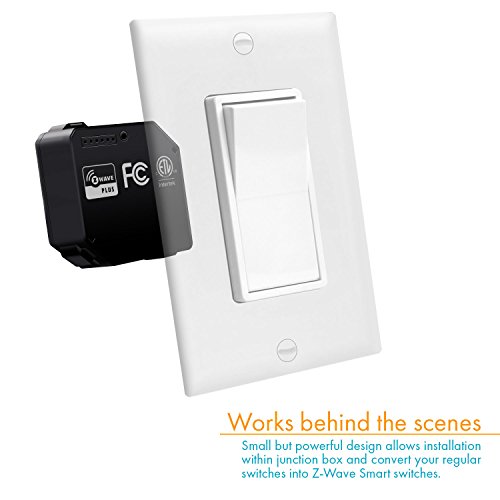
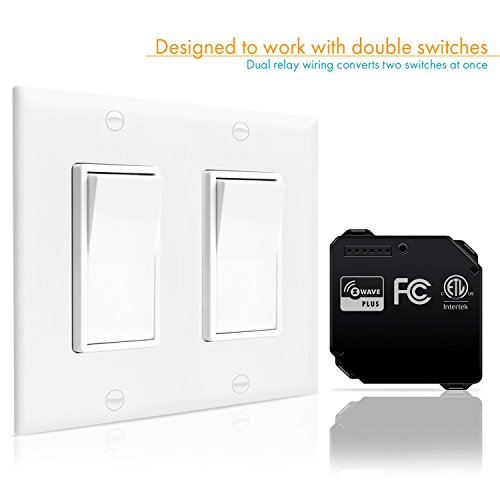
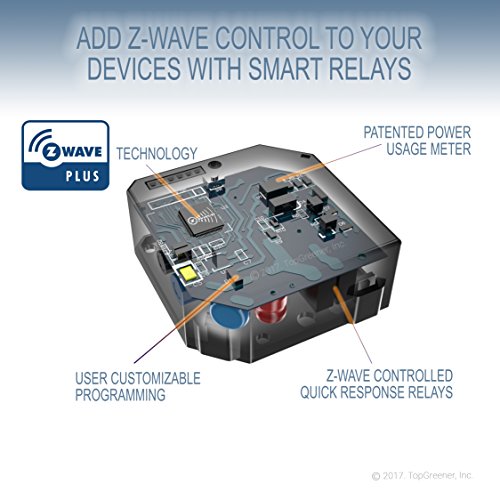
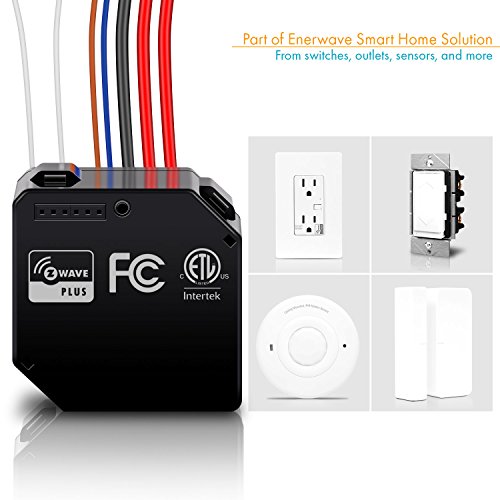
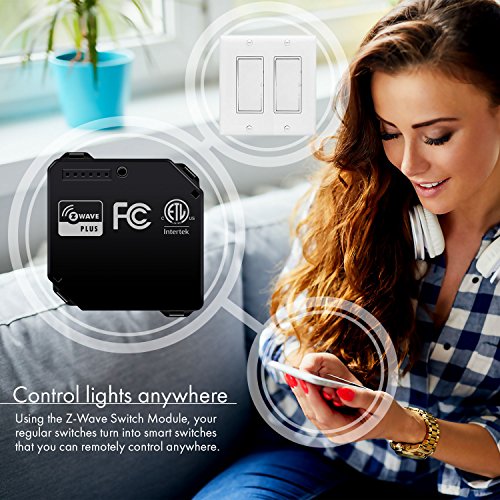
Z-Wave Plus ZWN-RSM2 utilizes the latest advancements in home automation Z-Wave technology that provides longer battery life, faster operation, better RF coverage and easier installation. ZWN-RSM2 is installed and "hidden" behind an ON/OFF switch to enable the load (light/fan) to be wirelessly turned ON/OFF on your mobile device Z-Wave APP from any distance. Any Z-Wave enabled item can be added to the network, making your home electronics fully compatible. Z-Wave unifies your home electronics into an integrated wireless network and helps them talk to each other. This ZWN-RSM2 module is a Z-Wave enabled device and works with most Z-Wave hubs. Once the ZWN-RSM2 module is installed and setup with in your wall, it will re-transmit the RF signal from one device to another until the intended device is reached. The ZWN-RSM2 Dual Relay Switch Module is a component of lighting control system, it cannot be used separately but should turn an existing switch into a Z-Wave switch. This ensures that the signal is received by its intended destination by routing the signal around obstacles and radio dead spots. This unit acts as a signal repeater which can extend the range of your Z-Wave network up to 150ft. (Open Air) A Z-Wave hub is required to control this device. Requires device type handler for SmartThings (provided). *NOTE: Honeywell Panel doesn't support two-relay wiring, make sure hub has multi-channel support*
E**D
Alexa, Turn on the living room fan!!!
I used this to automate a ceiling fan/light via my Smartthings Z Wave Hub. I took me about 6 hours over 3 days to figure how to program it but the Smartthings community and the Github website were both of enormous help. I programmed it, got it associated to the Hub, and discovered by my Amazon Echo yesterday then installed it in the fan today. Said the magic words "Alexa turn on the Living Room Fan" and I'm doing a happy dance cause it worked. I don't have speed control but I always use it on high and I can use the pull chain if I want to change speed. I then sat down and ordered one more to do another fan. I had also ordered an Aeotec DSC-17103 dual relay and I like this Enerwave a lot better, it appears to be better built and I have read some reviews that indicate the contact screws used on the Aeotec won't take 14 gauge wire and strip out easily. This Enerwave design is a lot better. I am going to program the Aotec next and I'll review that when I'm done.
C**N
Some Help for SmartThings users.
This review is for the dual relay.SmartThings CAN give you control of each switch separately, but there are some extra steps involved. They're not bad at all if you're the kind of person that's seriously looking into buying this, but they're hard to find. Also, for me at least, even though you can control each switch separately when looking at the "Thing" in SmartThings, routines will only let you do all-off or all-on. I'm frustrated that SmartThings doesn't handle it perfectly, but it wasn't advertised to work with SmartThings, so...eh. I may try to fiddle with the code some later, but right now this is what I've got.So... it does what it's supposed to, but the instruction manual provided in the packet is terrible and misleading, and there's a little bit of finagling involved. Other reviewers have posted better ones, and the Enerwave website has a different, slightly better instruction manual on the product page for this relay on their site: enerwaveautomation.com/wp-content/uploads/products/zwnrsm2/ZWN-RSM2-Plus-0208160044-01.pdfFirst, SHUT OFF POWER TO THE CIRCUIT (I keep running into instructions for wiring that tell you to shut off power after they tell you to connect wires). Then, follow the wiring instructions as best you can. Here's an image created by another reviewer that was pretty helpful in clarifying what was going on: [...]I had to buy some extra wire (14 gauge solid, though your house might have something slightly different) and wire nuts to get it all wired up, since you're required to connect some wires that were previously connected to the switch. Doesn't bother me too much as I'm probably going to be doing more stuff like this in the near future. As a side note, I was dealing with three cables in a 1-gang box and I was still able to make this fit, although it was not easy.Once you get everything wired up and back in the box, turn the power back on and make sure the light (or whatever you're controlling) works at the switch. If so, pull up your SmartThings app and search for "Things". Then, while it's searching, flip the switch quickly 3 times (in practice sometimes I had to flip it more than that... or the app just wasn't responding as quickly as I liked). Set that bad boy up in the app. You should now have control over it as a single switch.To get control over it as two switches, you need to follow the instructions in Enerwave's SmartThings integration manual. Integration manual: enerwaveautomation.com/wp-content/uploads/products/zwnrsm2/ZWN-RSM2-SmartThing-Integration-Manual-1.pdfIt's not long. It involved logging into the SmartThings portal website and pasting in some code. Two small problems with the manual: First, when it says "My Device Type", it should say "My Device Handlers". Second, in the integration manual the code has some line breaks in the middle of comments and the SmartThings portal reads the second half of the comment on the new lines as code and throws errors. If you're not a coder, you might still be able to sort this out. The portal will tell you what line the error is on. If the line has an opening quote but not a closing quote, delete the line break at the end of the line so that all the words in that quote are on the same line. If the line has two slashes like this: // , again, delete the line break so that all the words from the next line are on the same line.After I did all this, I see the switch with an off/on button next to it in my list of Things, but clicking on the thing shows you two separate switches. It appears you can get the icon to change on one of them so you can differentiate, but that's it.I hope this helps somebody out there. I was only able to get this far because of other reviewers
D**R
Fails in < 24 hours and slow to respond to commands.
I bought this to use in the tight switch boxes where the builder's electrician used the switch box as a junction box. The Z-wave and Zigbee are so deep there wasn't room to use them.Don't waste the investment on this poorly designed product. Product didn't even make it 24 hours before the relay didn't have enough power to turn off the connected lights. Add in that it took 22 times to get the product to be detected by my hub and normally took 1-2 minute before responding to commands, I wouldn't suggest anyone use this unless you are going to put in a dedicated junction box and easy access to replace it every few days.If not for the clear screen printing on the switch and straight forward install steps I would have given is 0 stars if I could.
B**.
Buyers Remorse: Run Neutral Wire and Use in Wall Z-wave Plus Switch
Do yourself a favor... Run the neutral wire and avoid purchasing this and patch the wall if necessary. This is a very tight fit even with the smallest of regular switches. Works well for applications that do not require a switch. If you have OCD people in Family this will drive them off the edge of the cliff (‘on’ and ‘off’ labeling with switch status does not match actual status) Also had issues connecting to hub. Use plastic box and not metal. Make sure antenna has good position outside of box. RSM2 needs multichannel capability and switching relay only activated aux 1. Check the amperage required by ceiling fan and or a bank of lights. RSM2 is 4amps per channel and RSM1 is 10amps. Relays are flaky when operating with switch and do not like fast switching and get confused. Switch status does not sync well with SmartThings but this could be because of antenna positioning. Does act as a repeater. Another issue is the gauge of the wires do not match. Neutral and Switch wire are a much thinner thickness (did not measure). I landed up returning. RSM1 might be better option for operating ceiling fan if you can get antenna out of metal assembly or metal box and again you need the neutral wire.
J**E
Wink integration is easy and straightforward though
I just finished up the installation of my 3rd one of these, with the first unit running strong for close to 2 years. As many have said the wiring diagram leaves much to be desired. The schematic for a 3-way application is non-existent in the included instructions. Wink integration is easy and straightforward though. I've included a specific wiring example for two 3-way light circuits that tie between housed in two gang boxes. Hope it helps someone.
S**.
Automated pool system
I installed this with a Wink Hub, and wired it up inside of my electrical breaker panel to control my pool pump & pool light using 20A RIB relays as the load switching device.
W**E
Have other brand relays that work great and with Samsung SmartThings Hub
Has never worked consistently since day one. Have other brand relays that work great and with Samsung SmartThings Hub.
C**C
I like it, but the pairing-mode shortcut (turning a switch ...
I like it, but the pairing-mode shortcut (turning a switch on/off 3 times) seems to be set off even if I use different switches.
S**E
One Star
Only one relay worked!
B**D
Would not recommend purchasing.
Ordered Mar 2017, failed May 2018. Would not recommend purchasing.
M**E
Device failed. Not the first one to fail.
Device failed. Not the first one to fail.
R**R
Get it for Headache.
Lot of stuttering and Switch State broadcast is by default off so your smart things will not know whether its on or off.The cost i spent makes not to destroy it.
D**J
Awesome switch!
Great switch and everything works great! Integrated it with smartthings hub and runs my fan and light! Makes my dumb switch a smart switch!
I**A
does not work correctly physically
Bought two of these devices, and the z-wave remote component works without problems, the real problem is when you use it physically.
G**D
This only last 9 months then it died.
This only last 9 months then it died. It was great while it lasted to control 2 separate lights (driveway lights and a dedicated garage light).
ترست بايلوت
منذ أسبوع
منذ 5 أيام