Desertcart purchases this item on your behalf and handles shipping, customs, and support to Morocco.
🌐 Mesh Your Home, Master Your Network!
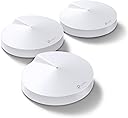
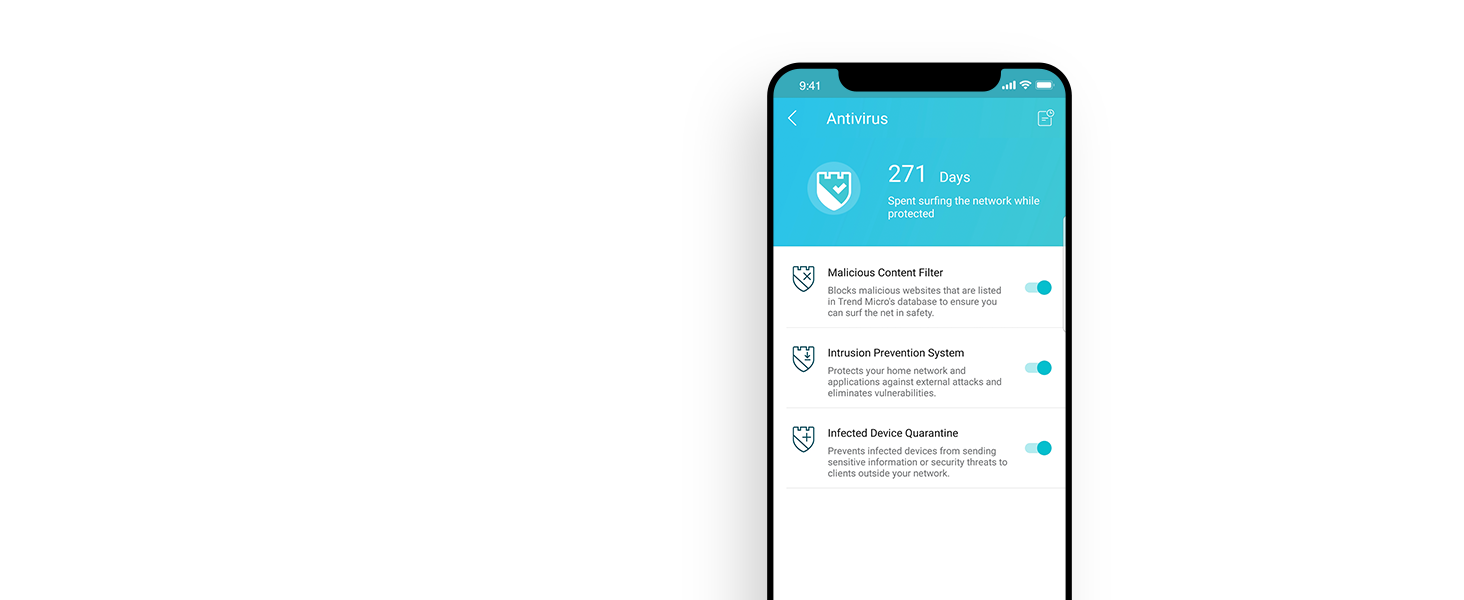
The TP-Link Deco M5 Mesh WiFi System delivers robust, seamless Wi-Fi coverage up to 5,500 sq.ft. with support for over 100 devices. Featuring smart adaptive routing and a free lifetime subscription to TP-Link HomeCare security suite, it ensures fast, secure, and stable connectivity throughout your home. Easy app-based setup and Alexa integration make it the ultimate upgrade from traditional routers and extenders.


| ASIN | B06WVCB862 |
| Antenna Location | Home |
| Antenna Type | Fixed |
| Best Sellers Rank | #2,489 in Computers ( See Top 100 in Computers ) #38 in Routers |
| Brand | TP-Link |
| Built-In Media | 3 x Deco M5 units |
| Color | 3 Pack |
| Compatible Devices | Android 4.4 or later iOS 9.0 or later |
| Compatible devices | Android 4.4 or later iOS 9.0 or later |
| Connectivity Protocol | wi-fi |
| Connectivity Technology | Ethernet, Wi-Fi |
| Control Method | App |
| Controller Type | amazon_alexa |
| Coverage | up to 1500 sq. ft. Coverage |
| Customer Reviews | 4.6 out of 5 stars 26,162 Reviews |
| Data Transfer Rate | 1300 Megabits Per Second |
| Frequency | 5 |
| Frequency Band Class | Dual-Band |
| Frequency band class | Dual-Band |
| Global Trade Identification Number | 00845973080839 |
| Has Internet Connectivity | Yes |
| Has Security Updates | Yes |
| Is Modem Compatible | No |
| Item Dimensions L x W x H | 12L x 12W x 3.4H centimeters |
| Item Type Name | Deco M5 Whole-Home Wi-Fi System |
| Item Weight | 600 Grams |
| LAN Port Bandwidth | 1000 Mbps |
| Manufacturer | TP-Link |
| Maximum Upstream Data Transfer Rate | 1300 Megabits Per Second |
| Mfr Part Number | Deco M5 |
| Model Name | Deco M5(3-pack) |
| Model Number | Deco M5(3-pack) |
| Model name | Deco M5(3-pack) |
| Number of Antennas | 4 |
| Number of Items | 1 |
| Number of Packs | 3 |
| Number of Ports | 6 |
| Operating System | ZyNOS |
| Other Special Features of the Product | Homecare Support |
| Router Firewall Security Level | Max |
| Router Network Type | wireless |
| Security Protocol | WPA-PSK;WPA2-PSK |
| Special features | Homecare Support |
| UPC | 845973080839 |
| Unit Count | 3.00 Count |
| Voltage | 100240 Volts |
| Wi-Fi Generation | Wi-Fi 5 |
| Wireless Compability | 802.11a/b/g/n/ac |
| Wireless communication standard | 802.11a/b/g/n/ac |
K**H
Easy to install and use
Easy to install and use. Getting good network in all rooms.
A**R
Original product
Very practical / efficient for multiple floors
S**K
it really works!!
In one room we got 1 bar on our wifi and now it is full bars - i was sceptical but it really works.. excellent product
W**E
Great product - well worth the investment
I have 6 of these units covering my 500m2 house. Works brilliantly!
S**A
It’s ok
Internet is decent from the main. A bit slow from other extensions. It doesn’t communicate with smart devices such as those xiaomi or other. There are better mesh systems for the price.
A**I
Great
Great product Easy to use
K**I
موسع انتر نت deco
بصراحه رائع جدا وصل الطلب حسب التاريخ المحدد
K**N
Everything About The Deco's Are Great
Easy to setup: Download the app and follow the instructions on your phone. Excellent feature set inside the app. Parental controls, Port Forwarding, and comes with a 2 year anti-virus. However, it does NOT have all the advanced features of a standard router - this is not a problem for me and won't be for most people out there. If you're so inclined, you can still control the advanced settings at your home Internet router. No wiring requirements beyond plugging each unit in and attaching an Ethernet CAT5 cable from your Internet router to 1 of the units. The other units will connect wirelessly. If you have ethernet backhaul throughout your home - that will work too. But it isn't necessary if your home wiring is as bad as mine. Speed and coverage is excellent. Every inch of my home has coverage (about 2,300 square feet over 3 levels) with no noticeable connection lag. Some of my plaster walls are difficult to transmit through and this system overcomes that no problem. Your devices are unaware of which unit they are talking to, the Deco's will take care of all that for you. You just set up one network SSID and connect your devices to it. NO connecting to an EXT network or switching around your wifi network to extended areas. It's completely seamless. I have about 20 devices connected at any given time. No issues whatsoever. I really love this system! On price and quality, it's a 5 star from me. Highly recommended to anyone that wants to cover their home in wifi.
F**F
Excelente produto
Excelente produto! Sinal bem amplo no repetidor
S**L
Great product ...highly recommended
This is a great device. I used Singtel and had so many issues with the WiFi. However with TP Link deco the connections don't break and mpr ver I get better speed. Throughly recommend for anybody having WiFi issues in Singapore and tryin to get a mesh. Btw I spend a lot on buying silly extenders which never worked.
C**M
Gives DSL Increased Speed, More Signal, No Drops! WORTH IT!
This thing has fixed so many issues with our current internet experience. We Live in an area where our only option for Internet is DSL. And it’s not VDSL. It’s the regular, run-of-the-mill, plain Jane, archaic DSL. You know, the stuff that Neanderthals used when they would email each other thousands of years ago. Unfortunately, they are developing the once-rural farmland around us putting many houses in close proximity to us and bringing them up on the same ISP. Our Internet was never great, but it has slowly gotten worse with every new house that goes up. I am in IT and I work for one of the largest healthcare institutions in my state. As such, having consistent and reliable Internet was an absolute must for me. Our entertainment is all “streamed“ in nature. My kids use their phones and gaming systems to communicate with their friends. My husband enjoys his news and entertainment on his phone. But all of these things were getting more frustrating with every passing day. My Internet connection would drop on average about five times an hour during my working day. The ability to stream from Disney+ had all but dried up. We could hardly make it through an episode of Andy Griffith without our signal buffering over half the time. We were exhausting all the data in our cell phone package because our home Internet could not handle reaching the other side of the house in spite of having an extender halfway. I spent hours on the phone with Century Link trying to get “a quicker connection“ and tried various fixes with no success. Century Link sent us new modems to try, supposedly “flipped the switch” to give us a higher speed, but nothing ever made a darn bit of difference. So-I did some desperate research and discovered the concept of “home mesh” and figured I’d give it a try. Holy smokes this set up has made a HUGE difference. No more dropped signals! We can stream just fine all over the entire house; the kids are able to game and we can watch a movie at the same time. It has literally changed our Internet! During my research I found out that an extender basically gives you a totally separate network that you have to bounce back-and-forth between with your originating router network. If you use Sonos or another app that is network-dependent in tandem with an extender, you know that this is a huge pain to deal with! In order to get the app to work correctly on the speakers, you have to be on the same network. This home mesh setup totally resolves that. You stay on the exact same network throughout your entire home. I bought the 5500 square-foot/3 piece set for my 2800 square-foot house. Yes, I’m sure it was overkill, but we have 14 acres and the ability to get Wi-Fi outside is huge. Also, one big hindrance on our previous set up was the fact that we live in a brick home; but this set up flawlessly reaches through the very clunky floorplan of our house (built in the 1960s—>lots of walls!). We have the Century Link-provided C1100Z modem/wireless router manufactured sometime before 2010. In order to make this work I had to do a little bit of home networking: I had to turn off the “wireless router“ portion of the modem and use it strictly as just a modem. Then I hardwired the C1100Z into one of the Decos (doesn’t matter which) and I was off and running. Yes, you do have to use an app to set it up. It’s not hard, though. I did have to reach out to my ISPs technical support to find out what kind of connection I have (static IP/dynamic IP/PPPoE/etc), but it was still super easy. You pick the name of your network, you pick the password, you can even create a “guest network“ for your own home. I highly highly recommend this thing. Especially to someone with the archaic DSL set up like we have. It can be endlessly frustrating to deal with a crappy network and crappy connection. I was convinced that we just did not have any other options other than just dealing with it. But I was totally wrong. Ditch the extender, convert your modem/router to strictly a modem, and buy these things. You will not regret it!
Trustpilot
1 month ago
2 weeks ago