Buy anything from 5,000+ international stores. One checkout price. No surprise fees. Join 2M+ shoppers on Desertcart.
Desertcart purchases this item on your behalf and handles shipping, customs, and support to Morocco.
⌨️ Elevate your Mac setup—type smarter, not harder!
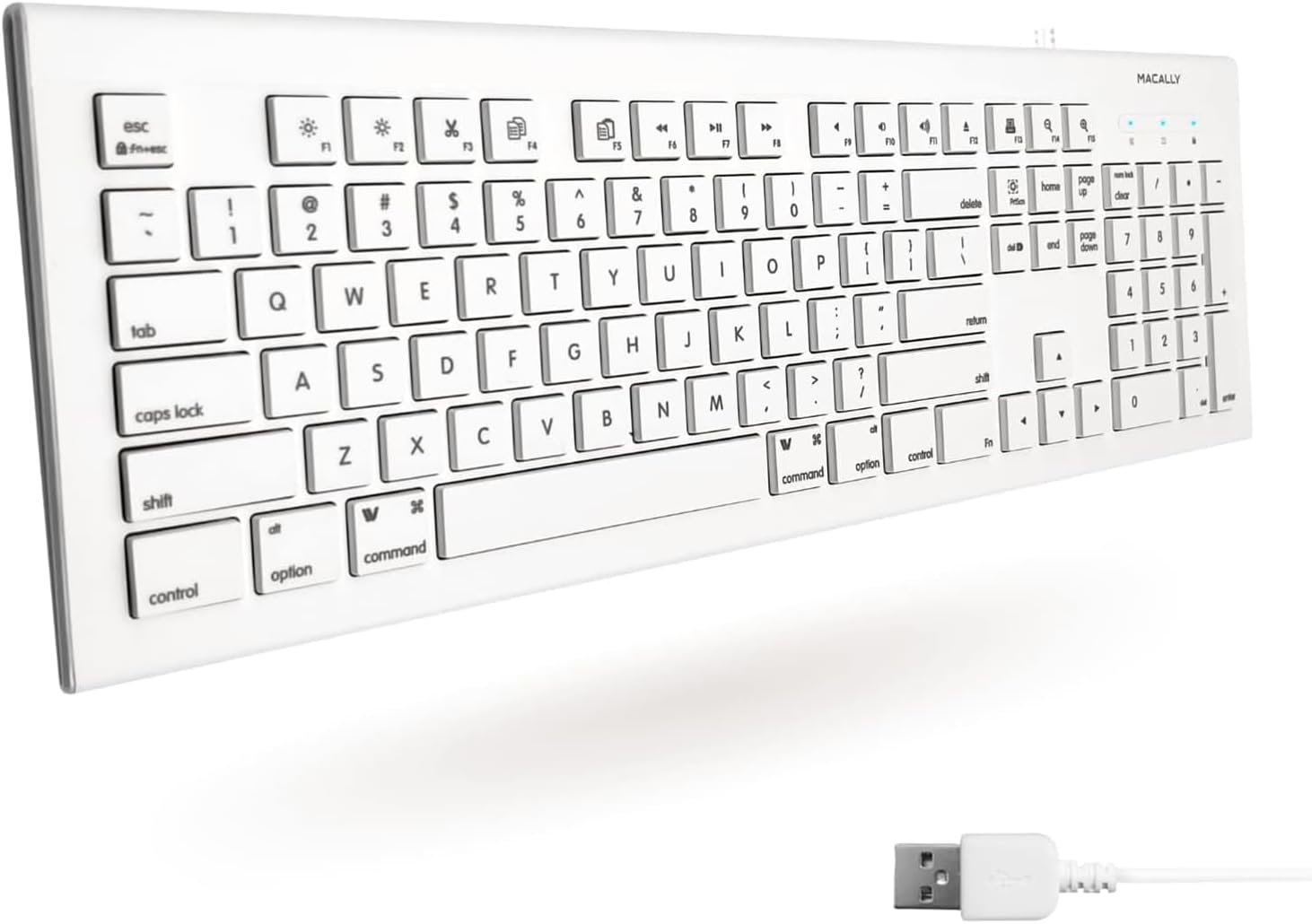
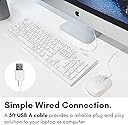
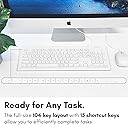
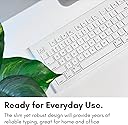
The Macally Full Size USB Wired Keyboard is a reliable, budget-friendly alternative designed for Mac and PC users. Featuring a full 104-key layout with numeric keypad, 15 Apple-specific shortcut keys, and a plug-and-play USB connection, it delivers efficient navigation and quiet typing in a sleek, low-profile design. Perfect for professionals seeking a cost-effective upgrade without compromising functionality.


| ASIN | B00A7Z0WQ0 |
| Additional Features | Compatible Apple Keyboard with Numeric Keypad, Hotkeys and Media Keys, Mac Keyboard, Macbook Keyboard, Macbook Pro Keyboard, Macbook Air Keyboard, iMac Keyboard |
| Antenna Location | Business, Education, Everyday Use, Home, Multimedia, Office, Personal, Student |
| Best Sellers Rank | #372 in Computer Keyboards |
| Brand | Macally |
| Button Quantity | 104 |
| Color | White |
| Compatible Devices | Laptop, PC |
| Compatible Operating System Family | ChromeOS, Linux, MacOS, Windows |
| Compatible Tablet Computer Models | AAUB P30 |
| Connectivity Technology | Wired |
| Customer Reviews | 4.3 out of 5 stars 5,159 Reviews |
| Enclosure Material | Acrylonitrile Butadiene Styrene |
| Global Trade Identification Number | 00701107491394 |
| Hand Orientation | Ambidextrous |
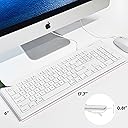
| Item Dimensions L x W x H | 17.7"L x 6"W x 0.81"H |
| Item Type Name | USB-A Keyboard US Layout for MKEYE Mac and PC |
| Item Weight | 1.35 Pounds |
| Keyboard Backlighting Color Support | Single Color |
| Keyboard Description | QWERTY |
| Keyboard Layout | QWERTY |
| Language | English |
| Manufacturer | Macally |
| Mfr Part Number | 701107491394 |
| Model Name | 701107491394 |
| Model Number | MKEYE |
| Number of Keys | 104 |
| Power Source | USB |
| Recommended Uses For Product | Business, Education, Everyday Use, Home, Multimedia, Office, Personal, Student |
| Special Feature | Compatible Apple Keyboard with Numeric Keypad, Hotkeys and Media Keys, Mac Keyboard, Macbook Keyboard, Macbook Pro Keyboard, Macbook Air Keyboard, iMac Keyboard Special Feature Compatible Apple Keyboard with Numeric Keypad, Hotkeys and Media Keys, Mac Keyboard, Macbook Keyboard, Macbook Pro Keyboard, Macbook Air Keyboard, iMac Keyboard See more |
| Style Name | Wired USB |
| Switch Type | Tactile |
| Theme | Computing |
| UPC | 801947293384 892652340517 701107491394 770993287015 |
| Unit Count | 1.0 Count |
| Warranty Description | 1 year |
K**E
Cheap solution to dead laptop keyboard!
There are so few true bargains on Amazon - this, though, is one of them. We've got an older Macbook that has been working well, but was recently replaced and this one handed down to the kids. Needless to say, there was an 'accident' with a can of soda on the keyboard, and half the keys were destroyed. There is no way the value of the computer would've been worth replacing the keyboard (which had always been problematic in this particular mac), so I figured adios. Well, at least one last try before adios, which was the purchase of this keyboard. It's cheap, so how could we go wrong? The keyboard is full sized (as in very full sized) and hangs over the edge of the Macbook, which is a 15 incher. Plugged it into the USB port, had a pop-up menu that recognized the keyboard, and viola...instant new keyboard for old mac computer! We don't need a mouse since the touch pad still works fine. I'm typing on it right now, in fact, and the keys are light. They don't feel cheap at all; in fact, it's a lot more pleasant to type on this vs. the laptop's original keyboard (that particular keyboard for the model of Macbook has been a huge pain and was replaced once before.) There are very few things you can buy for $15 that solve a problem as well as this keyboard. The kayboard is nice, but sure, it's not lovely to look at, hanging over the edge of the laptop. But so what? It works great! And the kids like sitting back with the keyboard in their laps (it's got a nice length to it) and doing video games. This was an inexpensive solution that will enable us to get at least another year out of an old laptop. I couldn't be more pleased!
D**1
Worked Great
This keyboard worked for all functions on my Mac desktop. Other keyboards I tried did not including a replacement Mac keyboard.
A**Y
It is a bit Cheap . . .
If you don't look too closely at this keyboard it looks reasonably like an official Mac keyboard to take a chance. It has a similar style to the aluminum keyboards that you say "What the Hey!" and perhaps buy it. It is less than 20 dollars, after all! And you would be half right. As other reviews said this is a cheap keyboard. It feels and sounds cheap. It is very noisy when typing. It doesn't bother me that much, but hey! Maybe it would bother you. It doesn't bother me. It is reasonably enough like the aluminum keyboards that you will feel at home. It is a lot cheaper in construction than those aluminum models, but it is comfortable to use. I am typing up this review with the keyboard right now. The keys are all where you expect them to be and it doesn't feel too small or too big. The special keys do work at the top of the keyboard. Although several of them are very different from a official keyboard. They seem to provide little purpose. Which is annoying because all the FN buttons have a special function on it. So that means if you need to use any button from F1 to F15, you'll be pushing the FN button first. Num lock doesn't appear to work but the keypad works anyway. It is a mac style keyboard, so that's cool. That means that Option and Command buttons are in the places that you need them to be and at the right size. That was one of the most important reasons why I bought this keyboard - was so that I had that set up like that. My only real complaint is the fact that it is missing USB ports. True Mac keyboards all have them (save the bluetooth ones) and I expected it here. Don't. They are not here. So, I ended up buying a USB hub to extend the ports on my mac. Since I no longer have a port to plug my mouse into. That really annoys me, but it is not enough for me to return the sucker. Overall, I like the size, shape, and placement of the buttons. It is comfortable to use. Even if it is loud. Yeah it's cheap, but considering the price of a new "wired" Mac Keyboard - I'll stick with this one. That is until it breaks!
T**K
So far it's sturdy and works well with my Mac and the key letters are not rubbing off.
A basic but so far reliable keyboard where the keys are printed on well enough that they haven't begun to rub off like another keyboard that claimed it had keys that won't wear off the letters/numbers/symbols but did within the first year. This is much more reliable so far and the brighter white color will be useful if the keys eventually ever did wear down as then I could easily mark them with a pen and then seal that over with some kind of stickers to mark the keys if needed. The keys are responsive and the layout seems well suited for a Mac computer too. Very good.
H**E
A "it has to work" person--
I just bought the third one of this model keyboard. A few years ago I bought an early IKEYSLIM version, which is really the same thing with different cosmetics, and used it on the secondary computer for about a year, pulled that computer from use, set the keyboard aside, and six months later loaned it to a friend who used it on her Windows machine. In the meanwhile I had a series of malfunctions on a five year old Apple keyboard, pulled it and used another well loved but very discontinued and unsupported keyboard for a month or so, and immediately got this MKEYE keyboard. The old and unsupported keyboard croaked (USB contact issue) and since the keyboard was in the "emergency backup" slot, put the MKEYE onto the machine. Worked like a charm, so I ordered number three. It arrived, is still in the box, but number one was given back to me as the girl I loaned it too was going laptop only and traveling. All it is boils down to a good working keyboard from a company that has a good warranty-- that I have never used, because they work. Okay, I am biased, I go Mac because it works better, and while I would have prefered the long number keypad Apple keyboard, it was both more money and out of stock. Since it was to be an emergency backup, I felt this was good keyboard, and with three on hand at the moment will wait until there is a really good deal on the Apple. This has the advantage of working, being inexpensive, and while you have to type a bit harder-- thus slower-- it does the job right, and that is what I want. And I do not do any gaming, so I have no idea what the ramifications of that use might be. Having a backup keyboard on the shelf is my way of coping with reality, and while not the world's prettiest or most fun keyboard, four minutes to pull out the box, plug it in, have the machine recognize it, and go back to work-- it is bargain. .
B**D
Loved it; you just have to figure how to use it.
It has its flaws if you have an iMac - for example the Num-lock and calculator does not work on Macs; but the numbers work in Excel for Mac. There are a good many shortcut keys also. I really love the forward delete button. I also really love the snap-shot key where you click on it and you see numbers. Move the mouse (with numbers) to the upper left hand of the portion what you want to take a snap-shot of. Click and hold it down and drag across the top of the area you want to copy and then drag it down to the end of the copy. You must keep your finger down all this time. When you release your finger from the mouse, you will have an Icon on the desktop (a snap-shot of the area you highlighted). Double click on the Icon and you will have a snap-shot in the upper left hand corner of your screen to preview. You can save and rename the Icon on the desktop, just like any other Icon. There are no instructions on how to do this with the machine; that is why I am including it here. Internet sites can be deleted with the x (F1). The sound and mute keys are used a lot. The Fn key is used to access the lower part of all these shortcuts. For example on the Mac, the last two shortcut keys on the right are good only when you use the Fn with them to dim or brighten the screen. I have had no successes with them as a zoom key. With the iMac Magic mouse, you can sometimes zoom larger by tapping the mouse and your screen will start to get bigger and then it will start all over again. For Mac owners this is a wonderful keyboard. As all Mac owners know, every action can be taken in many different ways - this keyboard just gives you another choice. And as for the price; you cannot beat it.
S**T
Could have been a contender - keys in weird order & minor hardware issues
Good parts of the keyboard: - $14 is quite a good price for a basic keyboard. At that price, it's fine that it's just a USB connection. - It does have Mac keys on it (albeit not in the right order anymore). - Fullsize num-pad - Normal size arrow keys (many mac keyboards will make Up/Down arrow keys only half height since vertical navigation is only half as important ;)). - It has media keys so you can control music right from the keyboard. Huge timesaver & a relatively hard feature to find on an entry-level Mac keyboard. The problems with this keyboard are: - The keys don't always fire an event, you really have to type hard (I'm already a hard typer so that's saying a lot). You will often have to hit a key twice (seems to mostly be the case with the function keys on top). This is fairly rare though, so it's not awful. - The caps-lock and num-lock lights do not light up. The caps-lock key actually works to toggle it, you just don't get to see the light. The num-lock button doesn't actually serve any purpose on this keyboard as far as I can tell because with the light off, the number-pad is supposed to work like arrows and that is not the case on this keyboard. - The whole reason to use a "Mac" keyboard is the different special keys... but if you look closely, they're not in the same order as a Macbook or "Magic Keyboard". I don't know if Apple has recently changed the order, but the current (2017) Macbook Pro and Magic Keyboard are: "fn", "control", "alt/option", "command" [SPACE BAR] "command", "alt/option". This keyboard is "control", "alt/option", "command [SPACE BAR] "command", "alt/option", "control", "fn" so this isn't that much closer than just a normal Windows keyboard (Windows key functions like "command"). If the keys on the bottom were in the right order to match current Macbook/Magic-Keyboards, I'd overlook all of the other drawbacks in a heartbeat. The way it is, I get all of the drawbacks above and I don't get the benefit of the keys matching what I use at the office, so I'll keep looking for a different keyboard. Seriously disappointed... I wanted a cheap keyboard for a Macbook (this is almost as inexpensive as a basic Windows or Linux keyboard). While the USB connection needs an additional adapter to connect to the new USB-C ports on the Macbook Pro (thanks Apple ;)), that was manageable. Wish this could have worked. Thanks for the effort Macally!
M**E
It works with my MAC
I've tried a couple of other keyboards that are not made by Apple and claim to work with a Mac. They always have problems. This one ACTUALLY WORKS! I plugged it in and the typing keys and number keys all worked perfectly. It comes with a prompt when my MAC found it as a new device, that asked me to do a couple of things (hold down the COMMAND key with a specified number key to make some of the functions work correctly). I have not had a single problem with it, and have removed it from my MAC to travel and then reconnected (not having to always put it in the same port) and it's worked flawlessly. I do like the feeling of typing where I have to actually push the keys down instead of a slight tap. I'm a touch typist and work on typing words most of the day. I'm not a gamer so cannot speak to that. My only complaint is that it is noisier than using a membrane keyboard. But the feedback to my typing is worth that little bit of noise. If there is someone in the room working alongside me, they might find it problematic. However, 99% of the time I am alone in my office. Good price, good value, and does everything I need.
J**G
Good product
Very nice keyboard. Plug and play
M**L
Amazingly well made product!!!
Arrived so fast! Its the first keyboard I have bought in years having used a laptop for years and the first thing I realised about the keyboard itself is how tactile and well made the keys are. They are a lot more meatier than I thought and It feels like every key I press down responds with quality and with great response. Works great with Mac applications and is very very useful having the shortcut keys at the top. Very very impressed!
P**N
Value For Money
Nice keyboard I have ever used. Keys are soundless. Love this.
S**T
tastiera
ottimo prodotto
E**O
Todo lo que esperaba
El teclado está en inglés, pero realmente es fácil acostumbrarse a usarlo, mientras el idioma de la computadora sea español el teclado va a actuar como tal, por cuestión de precio contra calidad, es todo lo que esperaba, el cable no es lo mejor pero funciona perfectamente. Lo más útil no solo es que es un teclado completo (tiene las teclas de numero del lado derecho), sino que tambien tiene teclas de acceso directo para cortar, pegar, captura de pantalla, play/pausa, etc. Las teclas son muy suaves y ergonomicas, realmente no se puede pedir más por el precio, pero no lo necesita. Macally 103 Key Full-Size USB Keyboard with Short-Cut Keys for Mac (MKEYE) Macally 103 Key Full-Size USB Keyboard with Short-Cut Keys for Mac (MKEYE)
Trustpilot
2 weeks ago
2 days ago