We remain fully operational. Our teams are working around the clock to ensure your deliveries continue safely.

قم بتنزيل التطبيق


معلومات عنا
حقوق الطبع والنشر © 2024 Desertcart Holdings Limited
قم بتنزيل التطبيق


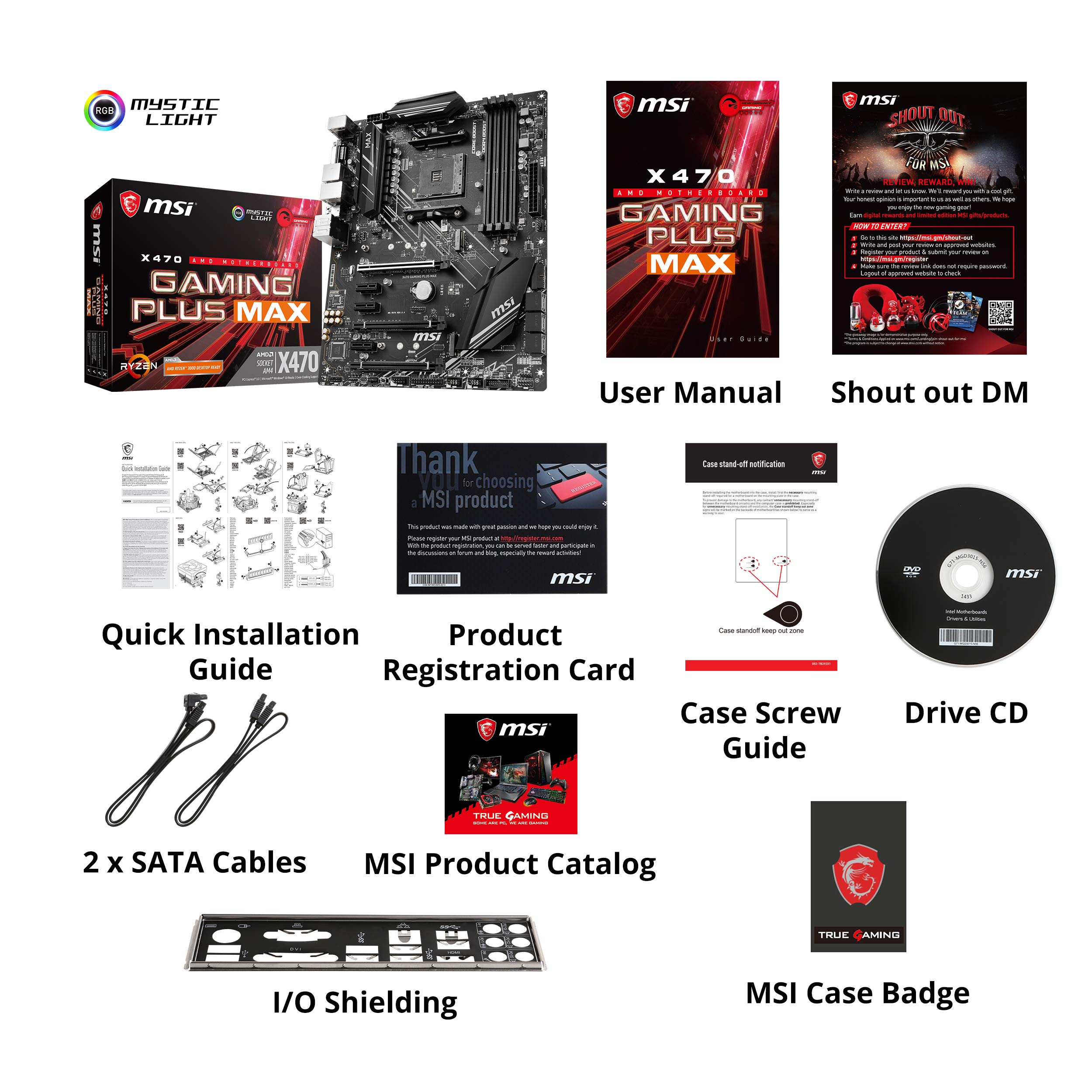
🎮 Elevate Your Game with MSI's X470 Gaming Plus Max!
The MSI Performance Gaming X470 Gaming Plus Max motherboard is engineered for gamers, supporting a wide range of AMD Ryzen processors and featuring advanced technologies like Turbo M.2 and Mystic Light for a customizable and high-performance gaming experience.




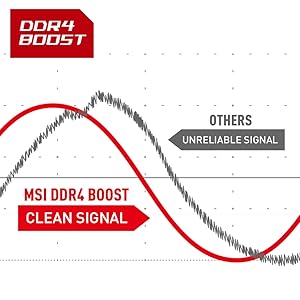
| ASIN | B07Y468HV3 |
| Best Sellers Rank | #1,077 in Computer Motherboards |
| Brand | msi |
| Customer Reviews | 4.6 4.6 out of 5 stars (3,240) |
| Date First Available | September 3, 2019 |
| Is Discontinued By Manufacturer | No |
| Item Dimensions LxWxH | 12 x 9.6 x 2 inches |
| Item Weight | 3.15 pounds |
| Item model number | X470 GAMING PLUS MAX |
| Manufacturer | MSI |
| Memory Speed | 2133 MHz |
| Processor | 2133 MHz athlon |
| Product Dimensions | 12 x 9.6 x 2 inches |
| RAM | DDR4 |
| Series | X470GPLMAX |
| Wireless Type | Bluetooth |
P**P
Looking for AMD Virtualization settings in the firmware? It exists. Read on.
Let me begin by saying this mainboard has impressed and delighted me. I would not get another one for any reason. You should probably get this too. But MSI? Are you reading this? First, thank you for taking the care to build an excellent product and making it look good. Sincerely. Lovely job overall and I am very, very grateful for it. That having been said. . . . If you want a bit of constructive criticism, I've got some. Don't worry: it's quite minor. In an otherwise just-about flawless board with stunningly good firmware, I am dumbfounded and utterly perplexed by the following: 1) AMD virtualization extensions are considered an "overclocking setting". I expected this in the advanced option section, or maybe security (thought that would have been weird too.) But overclocking? Did that entire menu begin existence as the "Way too complicated for the casual user" menu? Because that would make sense. I'm not aware of virtualization extensions being in any way useful to an overclocker. Maybe I'm naieve? One could expect to find virtualization extensions in the CPU settings menu. It's not there. It's an overclocking setting. Huh. So -- with an otherwise flawless menu system with a degree of control I'm frankly astounded and delighted by, this utterly stumps me. It could well be one of the only less-than-perfect decisions made in the design of the firmware for this board. The other one is: 2) The AMD virtualization extensions were labeled: "SVM" without any real clarification in the menu. Using the search function for "Virtual" did not find "SVM". There was not any apparent documentation or hints to lead to this option. Search in firmware is a luxury and a very, very good idea. If I could humbly make a crituque, I'd suggest making sure that "Virtualization", "Virtual", "AMD-V", and similar terms all point to SVM. Please. Adding to this, Google will only help if you mention the mainboard model / chipset, manufacturer, and desired function together. And that because people have posted related information on forums. SVM, if you google it, is an AI / machine learning algorithm. Sure, there is "VM" in there, but I was looking for "AMD-V" like VirtualBox or VMWare call it. So, SVM is supposed to stand for "Secure Virtual Machine." That's fine. And I should have thought of that. But if one is already not expecting to find this in the overclocking settings menu, then seeing this zip past on the screen will not excite recognition immediately. It took me a little while and one good google querry to figure this out. And I feel like I should have figured this out without even that. It took all of, what, 10 minutes from me going to knowing I had a problem to being delighted again. So, really, that is not a reason not to get this mainboard. It is absolutely wonderful, from layout to performance to stability to configuration -- at least so far. The workmanship is excellent and it is priced very competitively. I love it. Let's be clear: this motherboard has made me happier than any other I've ever owned. Except for the above very small, easily resolved things, I so far think this thing is perfect. I'm writing about this because: A) somebody might read this and realize they really DO NOT NEED TO RETURN A PERFECTLY GOOD MAINBOARD, and B) With all the very, very good decisions made and the overall terrific job done on this product, this one strange placement of this option is rather amusing. But yes, if you're wondering: with SVM enabled, this thing does the job admirably. The performance is flawless as far as I have found so far. This board may be gamer-centric -- especially in marketing -- but general productivity and programming are supported just as well. If you want a solid, quality platform to process just about anything, the value and flexibility this board offers is most welcome. Get this board. You won't regret it. Just remember to Google wisely if you can't find what you're looking for in setup.
D**D
Great budget gaming board for Ryzen 2 processors.
I purchased this after the announcement of the Ryzen 3 processors, Ryzen 2 2700 dropping in price almost $100.00, and doing some research into different boards that appear to support the 2nd and 3rd generation. I was sold on it when I saw dual m.2 slots for adding faster drives to the case without taking up space. The same software and features that they include on the higher spec boards, and a plethora of USB slots so I can use it for my Oculus Rift. The specs on this board are comparable to the $200.00+ boards sold by other companies. I went with MSI in this case as I own a VR series titan pro gaming laptop that the one time I sent it in they repaired quickly and got it right back to me. (Graphics card fan had a whine to it that got progressively worse as time went on.) So MSI is my typical goto for computer parts. Pros: Relatively low cost to purchase. Gets you into a gaming level system with a great processor with future Ryzen 3 support in bios inferred. If you have dual channel memory it tells you if you have it in non optimized slots. Built in overclocking ability built in UEFI, allowing beginners and pro's to squeeze every Mhz out of your processor and memory. RGB LED lights on board, plus red lights showing memory. Several headers to hook up board to case LED strips. Dual m.2 sockets. Water cooling settings for pumps on several fan headers. Adjustable in bios and software in windows. Easy easy setup. Install it in case, add processor, cooling device, memory and hook up cables. add m.2 drives if applicable. boot into UEFI and see what is available. Lots of USB ports and connectors to hook up front USB in case. Support for Ryzen processors with Vega graphics via the HDMI port and DVI on back panel. Cons: The update software downloads newer versions of everything but didn't install until I chose download and install, then it worked fine. The only down side is that most boards use the same controller for SATA and m.2. So, if you use the 1st m.2 socket it disables SATA 1. If you add the second it disables SATA 6. not a big deal as prices drop for the drives. You can get a 1tb m.2 drive for $100-130 if you do not mind the last generation which is fast enough for most people. Final thoughts: I have owned this for less than a week, and basically hooked up my Oculus Rift to play Elite Dangerous and assorted other games in VR. IT feels like it does as well if not better than my gaming laptop and there are more things to tweak in this motherboard than I know what to do with. IF you want a great featured motherboard to pair with your Ryzen then this motherboard is for you.
M**L
This product is probably at run-out at time of review, but it works fine for my 3rd Gen Ryzen. I'd have no problems with buying again. The only issue that I may have is that the RGB is not ARGB so it doesn't communicate with my case. Everything else is working fine.
F**O
La estoy usando con: Un procesador Ryzen 5 2400G. Dos módulos de memoria RAM (8 gigas cada uno) a 2666 MHz. Un disco duro de estado sólido NVMe de 250 GB. Una fuente de poder 600W. Windows 10, versión 1903, May 2019 Update Ventajas 1. La computadora enciende muy rápido (unos segundos y ya se puede ocupar). 2. Es muy estable, aún trabajando con varios programas a la misma vez. 3. La calidad de imagen en pantalla es muy buena para reproducir videos en HD, incluso sin que le metiera una tarjeta de video adicional (el Ryzen 5 2400G ya incluye gráficos). No la he probado con video juegos, pero para videos, películas en HD y en general, para trabajar, la imagen es muy buena. 4. Tiene varios conectores SATA (seis en total) para conectarle varios discos duros o unidades de estado sólido. 5. El sonido es de alta calidad, además de tener muy buen volumen. Desventajas No le he encontrado hasta ahorita. Sugerencias Lo único que si sugiero es que hay que actualizar los controladores de la tarjeta manualmente, descargándolos desde el sitio oficial de MSI, ya que los que vienen en el disco incluido con la tarjeta madre no funcionan muy bien con la última actualización de Windows 10 (versión 1903, May 2019 update). Comento esto ya que cuando se actualizó la computadora a dicha versión del sistema operativo la pantalla empezó a parpadear y a sacar un mensaje de "Modo no compatible, ajustar resolución", sobre todo después de regresar del estado de suspensión, de apagado de pantalla y regresar a imagen, o cuando ponía un video en pantalla completa y cerraba el reproductor, esta situación se presentaba promedio de tres a cuatro veces por día. Pero esto se solucionó por completo después de que le actualizara los controladores en el sitio oficial de MSI, y hasta ahorita no ha vuelto a fallar después de varios días de probarlo, aún con un uso más intensivo. Conclusión. Recomiendo esta tarjeta madre ampliamente, ya que las prestaciones son increíbles, y la situación del parpadeo de pantalla se soluciona fácilmente descargando los controladores apropiados desde el sitio Web del fabricante.
P**.
Excellent
S**M
جودة عالية اللوحة قوية وتعمل بشكل ممتاز مع AMD ومتوافقة مع اغلب القطع
J**C
I purchased this as a mate to the new AMD Ryzen 2700x processor that I purchased. This is an absolutely beautiful motherboard. While some people may be turned off by the red, you can adjust (through software) the RGB lighting to the right of the memory slots. Not to mention, there are two hookups for LED strip lighting that you can control through MSI's software. The coolest feature of this is to set the lighting to CPU temperature mode, which allows you to visually see if your PC is heating up, without the need for performance heavy overlays. This motherboard also sports more fan hookups than you can shake a stick at. On top of your CPU cooler, there is a slot to control your pump fan (if you liquid cool), as well as 4 slots for additional fan's (that you can control as well). This board also features an insane amount of USB 3.1 ports. There are 4 Gen1 ports on the back, as well as 2 Gen2 ports (perfect for VR). However, they also added the option for two USB 3.0+ connections for the front panel as well. I don't think I've ever had so many USB ports in my life! Performance wise, this motherboard pairs unbelievably well with the second generation Ryzen processors. The BIOS is beautiful and easy to navigate, however I did have one issue. After booting for the first time, I couldn't get beyond the BIOS, as the system wouldn't select any of my hard drives to boot from (nor could I select any as well). Save yourself some trouble, and immediately press F6 when you boot into the BIOS for the first time. This will setup y our BIOS for Optimal settings (basic of course), which will get your base hardware configured properly. After that, hit Game Mode for a beautiful 450mhz speed increase, and away you go. No to mention, MSI's software allows you to enter/exit game mode as needed, and you can even switch the performance based on what you are planning to do (video editing, watching movies, etc.). I could literally go on for days about how great this motherboard is. If you are putting together a new Ryzen build, I can't recommend MSI enough. I've never had any issues with any other MSI product I purchased, and I've always found their hardware to be built with the highest level of quality. I would definitely buy again, and again, and again.
ترست بايلوت
منذ أسبوع
منذ أسبوعين