⚡ Power up your network, not your energy bill!
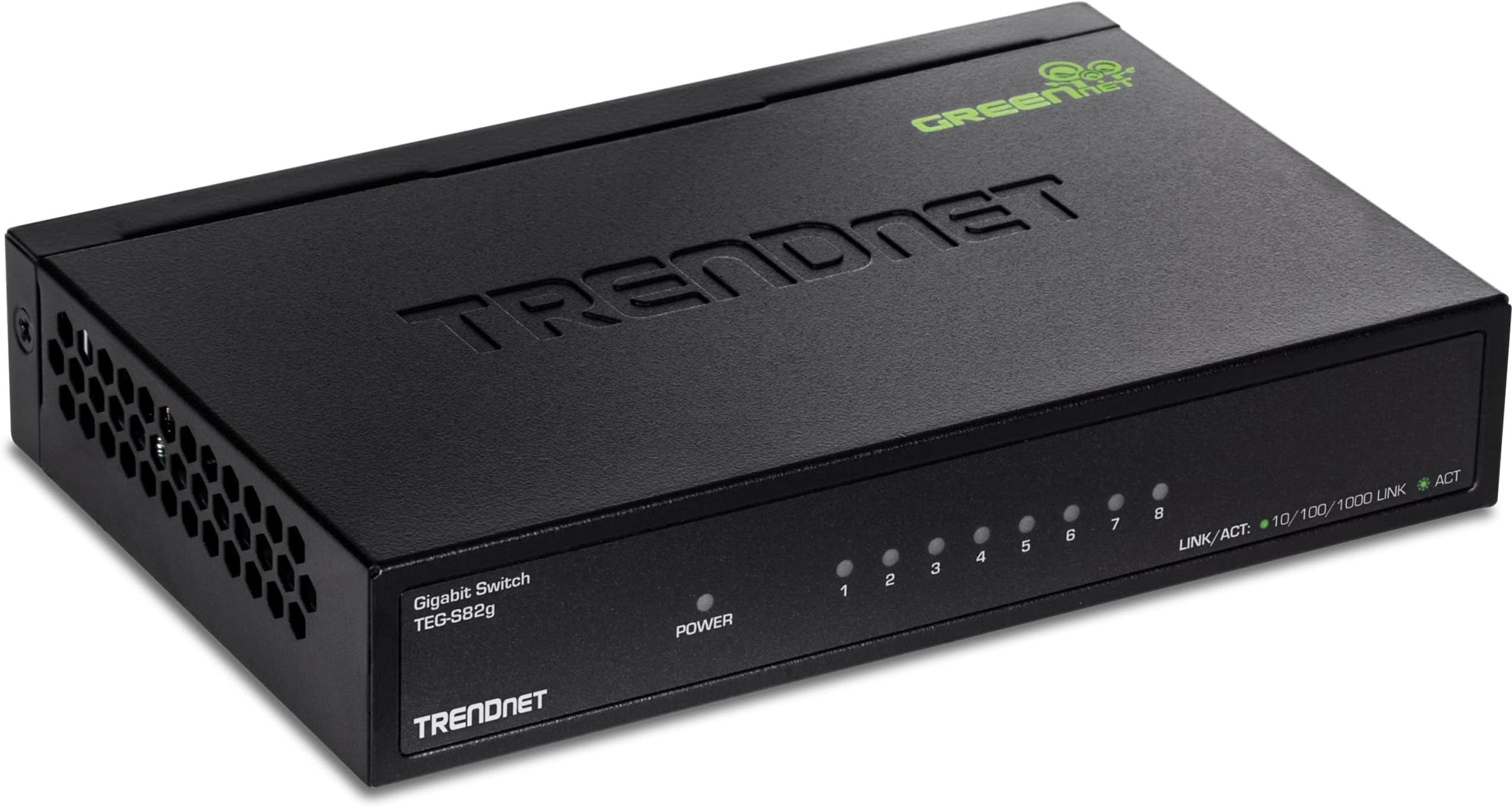
The TRENDnet TEG-S82G is an 8-port unmanaged Gigabit Ethernet switch featuring a robust 16Gbps switching capacity and GREENnet technology that reduces power consumption by up to 70%. Its compact, fanless metal design ensures silent, durable desktop use. With lifetime manufacturer protection and NDAA/TAA compliance, it offers reliable, secure connectivity ideal for professional and government environments. Plug-and-play ease makes it perfect for upgrading office or home networks with high-speed, energy-efficient performance.


| ASIN | B00C2H0YFU |
| Best Sellers Rank | #39 in Computer Networking Switches |
| Brand | TRENDnet |
| Built-In Media | Power adapter, Quick installation guide |
| Case Material Type | Metal |
| Color | 8 Port Gigabit Switch |
| Compatible Devices | Desktop |
| Current Rating | 1 Amps |
| Customer Reviews | 4.7 out of 5 stars 2,268 Reviews |
| Data Transfer Rate | 2000 Megabits Per Second |
| Global Trade Identification Number | 00710931140057, 00710931140064, 00806293540557 |
| Interface | RJ45 |
| Item Dimensions L x W x H | 5.9"L x 3.8"W x 1.1"H |
| Item Type Name | TrendNet Greennet 8 Port Gigabit Switch (TEG-S82g) |
| Item Weight | 380 Grams |
| Lower Temperature Rating | 32 Degrees Fahrenheit |
| Manufacturer | TRENDnet |
| Mfr Part Number | TEG-S82G |
| Model Number | TEG-S82G |
| Number of Ports | 8 |
| Platform | No Operating System |
| Product Dimensions | 5.9"L x 3.8"W x 1.1"H |
| Switch Type | unmanaged |
| UPC | 809385680124 710931140057 803983038127 095205741513 809185828627 172302706260 731215280368 163121152765 806293540557 851975732546 151903613948 352407835823 796594350729 168141485695 782386482884 132017755533 809186285283 710931140064 088021275386 807030509486 |
| Unit Count | 1.0 Count |
| Upper Temperature Rating | 104 Degrees Fahrenheit |
| Voltage | 5 Volts |
| Warranty Description | Limited Lifetime Warranty |
T**R
Perfect for use
I thought I would not find a switch like this one (replaces one no longer made by manufacturer). The status lights on the front panel, ethernet and power connections on the back panel, small footprint to place on a desk, and an affordable price is perfect. Plug and play use. Durable metal case. Easy to see status lights in a brightly lit area. The switching performance is fine and does not seem to need as much connection power rebooting as the previous one. Affordable to buy multiple spares for future use. Highly recommend!!!
M**K
Unobtrusive, reliable, and durable
I’ve had good success with all my TRENDnet switches (about 8 of the over the past 7 years). This one is sturdy and I love that it doesn’t have blinking lights! It’s wall mountable and sturdy. Have had no issues with any of them after 7 years. Speeds are good. Does not seem to slow down internet or cause cut outs even though I gave several of them daisy chained throughout the house. 5 stars, sorry NetGear.
A**R
Works great, very reliable and cheap
I was an IT pro for many years. I have used Trendnet switches for years. They work great, are very reliable and cheap. A wonderful combo.
J**O
Still works years later
I have had this little switch for years. Metal housing, rear facing ports make it good for desktop applications. It has been running non-stop for years, no issues.
S**G
Works Perfectly But With One Demerit
This TEG-S82G GREENnet switch is sturdy, compact, solidly built and comes with a nice small efficient power supply. Once powered up, it connects all the occupied ports to my LAN quickly within a few seconds and the connections are fast and reliable. I tested data speeds through this switch and found that it operates at the very limit of my Gigabit Ethernet LAN. I could not find any instance where this switch throttled network throughput or affected the speed of network traffic. Admittedly, I have a small network that consists of only about 40 nodes, but some are security cameras that transmit a high volume of data on the network continuously and might decrease available bandwidth with other, less capable switches. My favorite feature is that these TRENDnet switches have their status lights on the front face of the case and the ports and power connection on the back. This makes them perfect for sitting on a desk in a home network and allowing all the cabling to fall behind the desk out of the way against the wall. I only have one gripe, hence the 4-star review. I have been using the older TRENDnet TEG-S80G switches for a while now and they, too, have provided reliable service. Recently, an older, well used switch faltered and limited the throughput on one port to T-100 speeds. Noticing the slowdown on the LAN, I was easily able to spot the cause because this older TRENDnet switch has two-state status lights on the front. Green for Gigabit connections and orange for T-100. Well, the faulty port was connected to a Gigabit device and yet the indicator showed only a T-100 link. This visual confirmation was simple and instant, and I was able to identify and replace the faulty switch easily. But, these new model TEG-S82G switches have only a single state status indicator on the front. It is green for any connection speed, and therefore not an indicator of LAN speed for each port. Once you connect a node, the indicator lights to indicate a connection and blinks as data it transmitted on that node, but there is no indication of the connection speed. I can no longer assess the quality of my LAN at a glance like I used to.
V**.
Great switch - truly plug and play
I wanted an inexpensive Ethernet switch that offered at least 4-6 ports AND which had the ports on the back side of the unit with the status lights on the front. Enter this product which met all my criteria (and then some) for what I consider to be a resonance price. It’s literally a plug and play solution. Set up was east: Just plug one Ethernet cable into any of the rear ports and the other end of that cable into your router. Then plug the rest of your Ethernet cables into any of the other remaining open Ethernet ports on the back of this switch. Once all wires are connected, just plug in the power cord and power up the unit. Within a minute or two all lights were green - indicating all plugged devices were connected to the internet. Easy, simple and fast. What’s not to like.
D**3
Works Great as a Home Network Hub
I recently wired my house for gigabit Ethernet. I use this 8 port switch as the main hub. It's secured it to the back side of my bath/shower access door, and all of the CAT5e cables that are plugged into it run down into the crawlspace right next to the shower drain - there's just enough of an opening - before fanning out to several room locations all over the house. To complete the installation, I drilled a hole in each of the room's floor right up next to the wall where I wanted an Ethernet port. Then in each location I installed a baseboard Ethernet jack to the baseboard trim. And wired them up. So far I have seven rooms wired to this switch with one port to spare. It's so nice seeing a baseboard Ethernet jack down near the floor with a CAT5e cable plugged into it, rather than seeing just an ugly old cable coming up from a hole in the floor all willy-nilly. These baseboard Ethernet jacks look professional, in other words, and make for a very clean looking installation. Also, I found that installing a baseboard Ethernet jack was way easier than trying to install a wall-plate Ethernet jack to my sheet rock walls. All you have to do is drill a hole in the floor right next to the wall for where the cable will come up, and then secure the jack to the trim using screws. Then wire everything up. You can't see the cable coming up from the floor because the Ethernet jack itself hides it. It's very very similar to installing baseboard telephone jacks. Let me tell you: it's simple and easy, and you don't have to cut into your drywall. Who doesn't like that? As for the switch itself, it's been running for a few weeks now and has performed flawlessly. It's wonderful having all of my Ethernet-enabled devices wired up to a network, especially since I have a home server and several Windows PCs. I have my very own family-friendly home network, in other words. WiFi just doesn't cut it. It's great for tablets and phones, but that's about it. The switch just works, and each device that I have hooked up to it can communicate with all the other ones. Gigabit Ethernet is the way to go. Highly Recommended!!!!
C**E
Excellent Gigabit Switch. Plug and Play, Full duplex capable for 16gb total throughput.
Plugged it in, watched all the networked computers drop offline, and plugged the cables in, watched each PC come right back online @ 1000mb full duplex. Finally able to use Spectrum 1gb internet as it was intended. No issues whatsoever, only thing id ask in next revision is dual or tri colored LED's on each port to show idle, speed or traffic. flashing green is ok, but it doesnt show if a particular channel has dropped speed or is sleeping. I have this unit 1 hop from a Cisco 24 port gigabit switch and it was totally hassle free. I did have to force almost every PC to full duplex, and it immediately showed a full 16gb throughput. For 20 bucks this is the one to have for a home or small office to actually allow your wired Desktops and media devices to go above 100mb speeds. The difference, especially on Roku and Game systems and Smart TV's is immediately apparent. Most Spectrum Internet is above 100mb, but many only have a cable modem with a single 10/100 port or a router with 10/100 ports. If you have - as in my case, gigabit Internet thru Spectrum and no gigabit equipment, you are paying for speeds you can NEVER get. UPGRADE your Cable modem w one with a gigabit port, upgrade your router and you are ready for astonishing speed. I did this for my elderly mother (Charter/Spectrum Gigabit internet) and she had an old Motorola 100 mb half duplex Modem. Swapped that for a Netgear gigabit modem, and 2 of these switches and she gained over 800mb throughput.Shes a netflix/Roku junkie and Her TV has not buffered for months. all 4k content is now instantaneous. 20 bucks well spent.
ترست بايلوت
منذ شهر
منذ شهر