We remain fully operational. Our teams are working around the clock to ensure your deliveries continue safely.

قم بتنزيل التطبيق


معلومات عنا
حقوق الطبع والنشر © 2024 Desertcart Holdings Limited
قم بتنزيل التطبيق
Buy anything from 5,000+ international stores. One checkout price. No surprise fees. Join 2M+ shoppers on Desertcart.
Desertcart purchases this item on your behalf and handles shipping, customs, and support to Morocco.
🔐 Unlock the future of secure, effortless login—because passwords are so last decade.
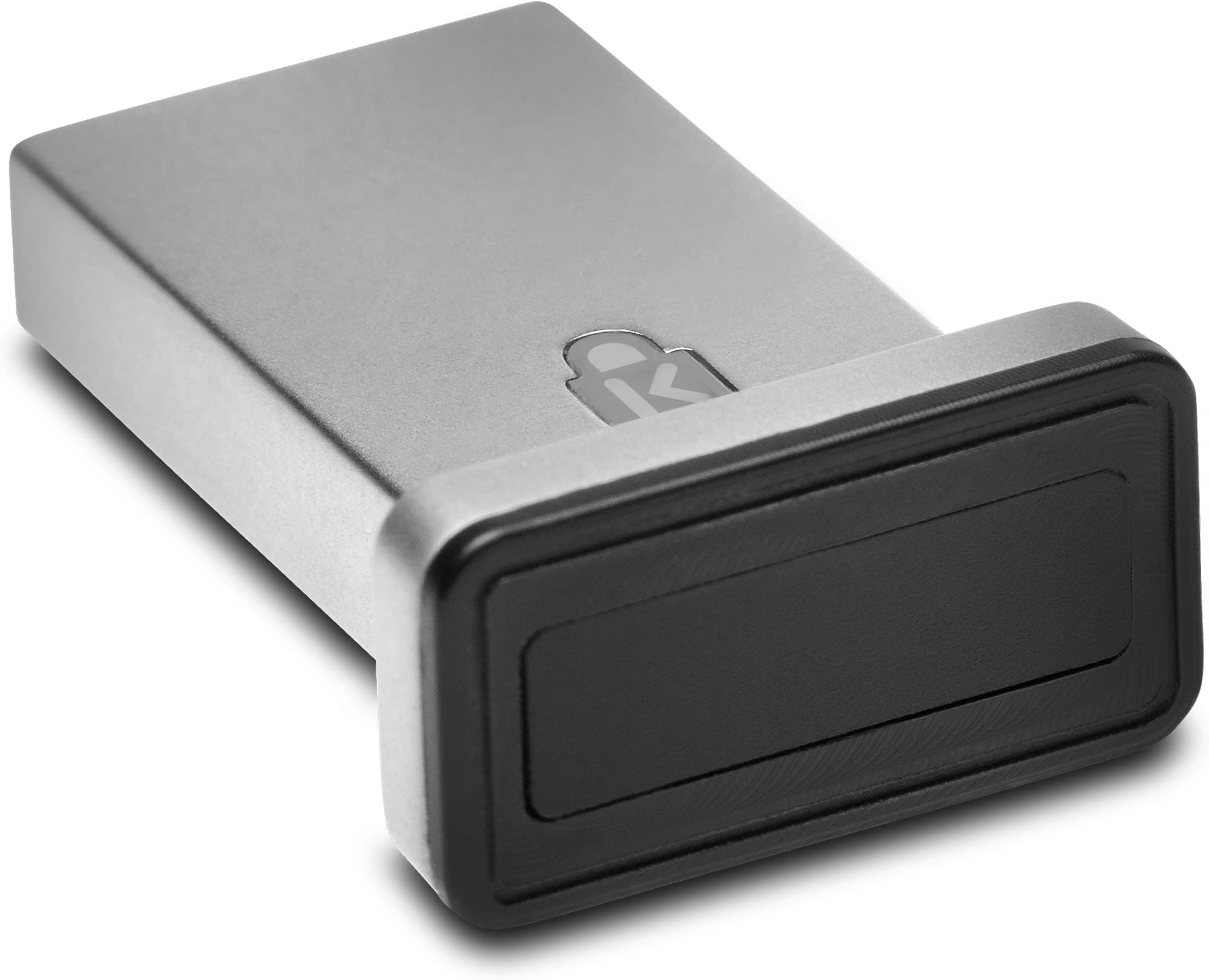
The Kensington VeriMark™ Gen2 USB-A Fingerprint Key Reader delivers advanced biometric security with 360° fingerprint recognition and industry-best false acceptance/rejection rates. Designed exclusively for Windows Hello on Windows 10 and 11, it supports up to 10 fingerprints and the CTAP2 Tap & Go protocol for passwordless authentication. Ideal for enterprise environments, it ensures compliance with major privacy laws while integrating seamlessly with popular password managers. Note: Not compatible with MacOS, ChromeOS, or Windows ARM devices.


| ASIN | B07W8W74QR |
| Best Sellers Rank | #22 in Security & Surveillance Biometrics |
| Customer Reviews | 3.6 3.6 out of 5 stars (432) |
| Date First Available | August 7, 2019 |
| Item Weight | 0.8 ounces |
| Item model number | K64704WW |
| Manufacturer | Kensington |
| Product Dimensions | 5.1 x 3.7 x 0.9 inches |
W**L
Devices itself works great, wouldn't recommend it with NordPass.
Do Not Use This With NordPass!!! They require a network connection for Windows Hello to work with this. Meaning if your network goes down for any reason, this device becomes useless. It does work with Roboform without a network, so that was my solution. It has since worked great on Windows 10 22H2. Commenting on another review that mentions this sticks out and isn't flush, that is because the devices has a light to indicate its waiting for a finger print scan. It doesn't always do this, but they gotta flash that logo for marketing swag. While not ideal for Laptops, since it could easily get bumped and damage the USB port, I use this on my desktop and have no worries.
T**N
TOTAL FAILURE OF A PRODUCT
I cannot add or remove fingerprints. I'm told that I've used all 10 fingerprints in it (but I've only stored one finger until I tried to add my wife as a second fingerprint on her account). Doesn't even register with Hello (although it still appears as working correctly in Device Manager) in last few days. No way to wipe the sensor and start over. No response from tech support after 48 hours. Documentation is absolutely atrocious. I will NEVER buy another Kensington reader. NEVER EVER EVER.
N**E
This is the 'Just Works' Solution You are Looking For
Win 11 - immediate success, no driver drama. Hello Windows just works, no drama. Replaced a previous cheaper unit that was a total drama master. Training fingerprints? Less than 1 minute for two fingers Touch reliability: Outstanding to Excellent This is worth the money. If you value your time and sanity, just get it now. I know I'm glad I did.
J**O
Works great
This is super easy to set up and has worked every time. Great quality item and small size of it makes it even better.
P**S
Works on Win11 24H2!
I had the older, all-black version of this same product, and it stopped working for Windows Hello when the Windows 11 24H2 update came out earlier this year. I spoke to support, and they didn't have a driver fix, and no ETA on a fix. I was shocked to plug this newer silver one in and discover that IT WORKS! So if you're looking for a fingerprint reader that works after Win 11 24H2 update broke compat with a ton of fingerprint readers (for security reasons), get this one. Works great.
C**A
Not recognized and poor manual driver install experience
The reader was not recognized by LG gram laptop (Windows 11). The PDF Instructions for manual driver installation did not match up w/ associated driver download. Instructions showed a setup file in the driver zip file, which did not exist. Not worth my time to troubleshoot it. It should just work when you plug it in. Returned.
B**E
There's no going back
I thought it would sit inside the USB port, it does not which is a shame as I wanted it to be low profile. Either way it is a huge game changer being able to use your fingerprint for managing account passwords on not only device sign-in but online accounts. Very secure design. Picture this: you sit down at your desk, the PC has already waken up from sleep because your phone is nearby, photos and other docs synced, everything is secure as you've setup Bitlocker and a few other countermeasures, and all you need to do is reach out and touch the bottom of your monitor where the scanner is currently plugged in, and like the press of a power button the whole PC come to life in under 3 seconds you are logged into your desktop, applications auto-booting and bringing up webpages.
K**.
Works perfectly and allows me to disable the camera.
Works great. My HP Onen Laptop did not come with a fingerprint sensor and I bought this because I prefer a fingerprint sensor to face recognition. It allows me to disable the laptop camera and iss fast and simple with no noticable errors. It works better than the built in sensor in my Acer.
M**L
The Kensington VeriMark IT Fingerprint Key is a high-quality security key with a premium metal build—feels durable and well-made right out of the box. Setup was smooth with Windows Hello, and the driver installed automatically via Windows Update, no manual steps needed. It works flawlessly with my password manager and is compatible across multiple PCs, making it a reliable choice for both personal and work setups. Only downside? You need to touch it lightly—pressing too hard and it won’t register your fingerprint. Once you get the feel for it, it reads fast and accurately. Bottom line: Sturdy, easy to set up, and does its job well. Just be gentle with the touch.
G**S
Excelente! Produto prático de usar no Windows Hello e possui importantes certificações de segurança.
M**G
Works nicely for windows logon, if only it can be used with other password managers for websites
A**L
Excelente producto. No me dio problemas al instalarlo en mi laptop. Funciona a la perfección el detector, no me ha dado problemas.
W**H
Hatte nur kurz funktioniert Jetz KAPUT! WEGEN kauf bei AMAZON.DE aber geliefert durch AMAZON USA KEIN GARANTIE!!! AMAZON schäm dich!
ترست بايلوت
منذ يوم واحد
منذ شهر