

🚀 Elevate your mobile workspace with the Galaxy Tab 4 – where portability meets power!
The Samsung Galaxy Tab 4 features a sharp 7-inch 1280x800 display, powered by a 1.2 GHz Qualcomm processor and 1.5 GB RAM, delivering smooth multitasking. With 8 GB of internal storage and up to 7 hours of battery life, this lightweight Android tablet is designed for professionals seeking a compact yet capable device for work and play.
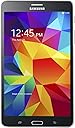
| ASIN | B00J8DL6UI |
| Age Range Description | Kid |
| Aspect Ratio | 16:10 |
| Battery Average Life | 7 Hours |
| Battery Capacity | 8 Watt Hours |
| Battery Cell Type | Lithium Ion |
| Battery Power | 14.8 Watt Hours |
| Best Sellers Rank | #372,156 in Electronics ( See Top 100 in Electronics ) #4,672 in Computer Tablets |
| Brand | Samsung |
| Built-In Media | Tablet |
| CPU Model Speed Maximum | 1.2 GHz |
| Camera Description | Front, Rear |
| Cellular Technology | 3G |
| Color | Black |
| Compatible Devices | Docking Station, External Speakers, Headphones |
| Connectivity Technology | Wireless |
| Customer Reviews | 4.4 out of 5 stars 7,429 Reviews |
| Display Resolution Maximum | 1280x800 Pixels |
| Display Type | AMOLED |
| Flash Memory Supported Size Maximum | 32 GB |
| GPS Geotagging Functionality | GLONASS |
| Generation | 4th Generation |
| Global Trade Identification Number | 00887276042275 |
| Graphics Description | Integrated |
| Hard-Drive Size | 8 GB |
| Hardware Interface | USB |
| Human-Interface Input | Touchscreen |
| Item Dimensions L x W x Thickness | 0.35"L x 7.36"W x 0.35"Th |
| Item Type Name | SAMSUNG SM-T230NYKAXAR 7" Tablet |
| Item Weight | 9.74 Ounces |
| Lithium-Battery Energy Content | 8 Watt Hours |
| Manufacturer | Samsung IT |
| Memory Slots Available | 1 |
| Memory Storage Capacity | 8 GB |
| Mfr Part Number | SM-T230NYKAXAR |
| Model Name | Galaxy Tab 4 |
| Model Number | SM-T230NYKAXAR |
| Model Year | 2014 |
| Native Resolution | 1280 x 800 pixels |
| Number of Rear Facing Cameras | 3 |
| Operating System | Android 4.4 KitKat |
| Operating System Family | Android |
| Other Special Features of the Product | Lightweight |
| Processor Brand | Marvell |
| Processor Description | Quad-core Qualcomm |
| Processor Speed | 1.2 GHz |
| RAM Memory Installed | 1 GB |
| RAM Size | 1.5 GB |
| Rear Facing Camera Photo Sensor Resolution | 3 MP |
| Screen Size | 7 Inches |
| Size | 7.0 |
| Specific Uses For Product | personal, gaming, business |
| Style Name | Tablet |
| Supported Audio Format | MP3 |
| Total Usb Ports | 1 |
| UPC | 803982832665 887276042275 |
| Unit Count | 1.0 Count |
| Video Processor | Qualcomm |
| Warranty Description | 1 year coverage for labor, 1 year coverage for parts, 6 months coverage for the battery |
| Warranty Type | Limited |
| Wireless Compability | 802.11a |
| Wireless Technology | Wi-Fi, Bluetooth, GPS |
C**N
Very cool and and extremely economical! Love the screen.
She loves it! I got this for my bride for Christmas, along with a fancy pink case. I haven't added her music to it, but she most loves the note taking and calendar. It is the Wi-Fi only version, so it doesn't work everywhere. We are shifting from Outlook Calendar to Google Calendar because it works on our phones and computers, and her tablet. I really like Outlook's popup with sound, and I wish I had some simple way to configure Google Calendar to do the same. That Lady loves being able to see her appointments on her phone when finding a time for another. Conflicts realized later make her unhappy, and when momma ain't happy... It's cool and it's Android, and that screen is awesome! The fact that she can control the TV and TIVO with it is a bonus! That's what I got it for, and I was surprised she hasn't even tried it yet. As a geek, I like Android architecture. One of these days I'll write some Android apps and want them to work on this tablet and our phones. There are lots of apps, which is good. I don't do crApple. They are built for those with much more money than good sense, so very glad to support more reasonable economic models. The cams are ok, but there is no such thing as a decent camera in a tab or phone. Get a real camera with a 50x zoom if you want to take decent pictures. For web conferencing / video phoning, this will work ok. UPDATE: 1/25: I tried to use this outside today, and the display is not bright enough to use, even in the shade. Other than that I like it fine. I got it so my wife could use it with TV/Tivo. To my surprise, she hasn't done that AT ALL. Newp, she loves it for entering stuff into Google Calendar. We're ditching Outlook Calendar for a web calendar. The G-cal notifications are sucky, but maybe will get better. Maybe. I also raised a weather station, and web-enabled that, so using an App to access that. Pretty cool. Liking the idea of the tablet better each time I goof with it. WebCam is next? Who's that knockin' at my door?
K**R
Excellent tablet! Go with Samsung over Apple or Fire tablets - you'll be glad you did.
We tried the Fire tablet (ick!) and sent it back while ordering this one instead. This was a present for my 10 year old and it's been really great. We all have Samsung S4 phones and I've been super happy with my Samsung phones the past few years and I also have the Samsung Note tablet 8.0 with the little pen. While my girl does wish the tab had a pen like mine, she actually prefers the smaller shape of the Tab and all in all she's been thrilled (she's had it a few months now...). We've had absolutely no problems with it and unlike the Fire tablet you can access anything you want online including all the google apps you've previously bought through google play (Amazon Fire doesn't let you access the Google Play store in any way shape or form - you'd have to root the device to do it, thus voiding your warrantee). All the Samsung phones and tablets have a super easy to use and navigate interface. It's easily customizable with many available options for static or dynamic wall papers (my favorite is an aquarium that I have on both my tablet and phone) and tons of apps through google play. You can also download the Amazon apps for Android as well, but I've yet to see any on the Amazon store that I can't find on play and I like having all my apps on Google Play so that they're automatically migrated to any new Android product I buy (such as when you upgrade your phone or tablet, or add a new Android device). I highly recommend this product for kids, teens and any adults looking for a better alternative than the cultish Apple Ipad (I'm sure I'll take some heat for that comment...). It's a great tablet, a great size and well worth the price.
D**X
Great small tablet, fast response, great screen quality.
This is a great tablet for the price, and has expandable storage available through the micro SD slot. I have my Tab 4 7.0in running with a Samsung Evo 32GB card, and it works flawlessly. The response time and accuracy on this tablet seems to be much better than my and older Tab 3.0. I am not sure why Samsung list this as only 32GB expandable for Tab 4 7.0 and Tab 4 8.0. I tested it with my 64GB from my Galaxy S3 and it worked. I have even heard that some people have been able to get 128GB cards to work. With the 7 in screen its size is smaller than the iPad Mini, the 8 in Tab 4 model screen size is about the same as the iPad. However, from my research the Tab 4 8" and Tab 4 7" models have identical processors and internals (the 8" model does have a larger battery 4450mAh vs 4000mAh), and since this was for my daughter I didn't see the need for +$90 for the slightly larger screen. I was trying to find a decent smaller size tablet without breaking the bank. The new iPad mini 16 GB is $300 and 64GB is $500!! This Galaxy Tab 4 7" was on sale new for $130, a 32 GB card was $20, giving me 40GB total memory for $150. This gives me over double the storage capacity, for half the price. In my opinion I prefer the Android OS anyway, due to its better compatibility across different media types and sources. I would recommend this tablet to anyone looking for a small quality Android tablet.
T**E
my first tablet
This is my first tablet and i love it so far. It's been only two weeks and i cannot give you a full review yet, but i can say below confidently: I have not used my laptop much since i got this. I don't have a smart phone, but this is like one without phone service or connectivity, i imagine. Only time i use my laptop anymore is when i have to do heavy duty typing, organize my pictures and music, and when i want to print something. Emails, skype, net surfing, do it all on tablet. If you are used to apple products and never worked on Android product, it will take a bit of time to get used to, so it will require some patience. It seems like everything is customizable. Pro is you can personalize it to almost exactly how you want it to function. Con is that you have to go through so many setup options to get there. Default setting is okay, but definitely spend some time on setup to conserve battery and turn off annoying notifications. If you are not familiar with Android and don't want to mess with setup much, apple maybe a better choice. But don't discount this option just yet. Google play (app store) is setup to auto update all apps. It seems to slow down device and sucks battery. To turn it off, go to Google play store, setting (top left corner of the screen), and turn off auto update apps. Screensize is about x4 of iPod touch screen (not the whole device, just screen) A person with a larger smartphone may think 7 inch tab is just an extra large smartphone without phone and be unsatisfied. Not a fan of the soft keyboard, but you can download different keyboard apps to solve the issue. Two things i do like are: numbers are part of the main keyboard, and language option. So many languages. I can type japanese just like on a regular keyboard, which is huge. (I still haven't found a keyboard app offers this AND has better english typing experience) One cool thing about this tab (maybe if this is standard in all tabs??) is you can set up different users like computer. Everything is completely split. Even pictures you take won't be available for another user to view (though for our case we wish it was a shared album) camera is ok. Low light takes poor picture, but just change the mode to night and it improves quality quite a bit. If you have decided to buy this product, make sure to also purchase: Screen protector Tablet case Mini SD card mini SD card, so that you can move downloaded apps to it to save storage. If you have a card inserted, all pictures you take will be automatically saved on the SD card. The tab comes with 8GB storage, and the mini SD card i got for 10 dollars on amazon adds 32GB more. Tab comes with pre-installed apps you cannot get rid of, so 8GB doesn't go very far. Packaging was eco friendly with 100% post consumer recycled paper, printed with soy ink. 100% recyclable. This was not expected and was a big plus for me. If you are like me who wants hands on experience before deciding, go to your local store and play with it first. I think this is a perfect tab for a beginner with tight budget like us. The price has come down so much since now there is a newer tab called S, but it still seems like a very well built product and i am very satisfied with my first time tablet purchase and experience. ***addtitional info as of 12/26/2016. About storage, fun apps, and more This tab has Android 4.4.2, Kitkat. What i have read says that starting with this operating system they started preventing some Apps to be moved to SD card. I downloaded photo edit app, which i was able to move to SD card, but the photo i edit won't save on the card. I downloaded an app that imports library from my iTune account but it won't save the music on card. The reason for this restriction is speculated to be in effort to promote and encourage consumer to use Cloud service. 2 years of service is offerred for free with this tab (or maybe for a new samsubg user?) Anyway, i worked around to save music on SD card, and it is fine, just take extra time. There are some apps that helps you move these non-movable apps, (search under SDCARD FIX), but it doesn't solve all issues and some required more tech involvement than i was willing to invest my time on. IF you are trying to hook up your tablet to a mini projector or any HDMI, this tablet doesn't support the functionality. There is no adaptor out there that could do that either. I believe newer device supports it, but you have to make sure you check whether HDMI is supported or Video Out is supported for it to work. This is one big disappointment for me. IF you are trying to download Apple Music, this device is currently isn't compatible either. the Apple Music app is in Beta stage, so it may change, but i won't be surprised if it just ever doesn't get supported.Seems as though there is a lot of limitation built into this device. I was buying this to test out to see if we like a tablet in our household. Now I see all the things a tablet could possibly do, I wish it did all of that. With that said, if I had known all of this and I would like having tablet around my household, I would probably have shelled out 50+ dollars to buy newer tablet so that I could do a lot of things that this tablet isn't letting me do. I think I got greedy with functionality. This tablet still is good for the price and if you aren't looking for the tablet to do all the things that $200+ tablet would do for you, this is still a really good tablet. :) Now let's make the most out of this cool little device. Here are some free fantastic fun apps to consider downloading: Pocket - any online materials you may want to read later, just "share" via Pocket (instead of facebook, twitter, and such), and the article will be saved on your Pocket app and read it offline. Youtube videos are viewable when you have internet connection only. Sony sketch-turn your tab into a drawing board, sketch pad, canvas, and create your own scrapbook page, greeting cards, and simply let your inner artist come through and shine! This is a far better app than game apps if you are looking to kill time. Photo Director-this app does so much and take your already-proud-of pics to a whole another level! It can also make your less than ordinary picture a piece of art! iSyncr - if you are still a iTune lover and you have lots of music on iTune but you want the library on your device, this app will do the job for you. The free version will limit you to transferring 100 songs per transfer, but you can do as many transfers as you need to. Also you will have to transfer the music to the device first and then move the music files to the SD card afterwards - it's due to the whole SD card thing I talked about earlier. Yes, it's not as convenient, but it still works, and the transfer is fast. Musixmatch - this is an app that shows you lyrics of the music you are playing from your music library. It's cool. There is a function that works just like Shazam, music identifier and also displays lyrics at the same time. This app is actually a really cool music player app, so instead of using the built in music player app, I use this app as default. Crackle - shows Sony Entertainment TV shows and movies. Selections are not anything like NetFlix or anything like that, but it's FREE! I love watching Comedians in Cars Getting Coffee, which is Crackle Original and hosted by Jerry Seinfeld. Avast products - they are really good app to keep your device protected, cleaned up, saves battery, and it's free! Install Avast Mobile Security, Avast Battery Saver, and Avast Cleanup. It's amazing how much junk get saved and take up your limited memory by simply browsing internet and Play Store
T**E
Turtle's wife and Turtle approve!
I pre-ordered the original Ipad and had owned it since launch day. I loved it. I carried it everywhere with me and felt like I had arrived in the future. A short time later however ( too short ), I was already disenchanted with the IPAD I had once loved so. I now hold a strong grudge toward Apple and all it's products. The IPad was so hard to add music and pictures to as it lacked an SD memory card slot. I despise ITUNES and the time it would take to add pictures and music to the IPAD. AINT NOBODY GOT TIME FOR THAT! Flash forward to the present. My once beloved IPAD is now a paperweight. I was dissapointed as I was expecting my first baby and had hoped to update family, friends and have tons of pictures and music flowing freely. My amazing husband surprised me with this beautiful addition to our electronic family. Yes, it's smaller than the Ipad. I appreciate the smaller stature of the Galaxy tab. They have larger available, but i can attest from the IPad, your wrists will appreciate the smaller, lighter Galaxy Tab. Plus it is easier to transport the Galaxy tab with a baby in my hands too. The Galaxy Tab has a beautiful display. I have all he apps I need, want and more. The speakers are louder than those on the Ipad. The Galaxy Tab also has 2 cameras for picture taking/video. I wish it had a flash though! The processor is super fast and I can have multiple tabs / apps open and switch back and forth without crashing! The SD card can be upgraded to a larger size to hold lots of precious moments. Easy to transfer and manage between multiple devices. I will never Ipad again! Basically, great price, great features, great product. Highly recommend!!!!!!!!
E**G
Its a good, fast tablet and great for the price
I could tell you about all the things that are rough, but those are the accessories that come on the side. The cases, the screen protectors, the memory cards, apps, whatever. Honestly, comment if you want to know and I'll give you the 411. Consider this: This is a newer if not the current model tablet. It's at min a quad-core (if memory serves), and even the texture on the back is smooth and fun. In a few years, when newer tablets come out for more money, this one is still going to be just as fast, as ones you could buy then. So it's a good one to buy for the price. Just consider if a 7" is going to be big enough/worth it for the price. To save $50 - $100 to for a 7" vs an 8" was worth it to me. They do make a 10" version too, but the price was nearly double at it's cheapest. So it's worth it to think about. 7" is just fine for taking notes in my classes, finishing up and submitting the odd assignment, etc. There is an annoying factor. Samsung split screen view is almost ALWAYS off because it don't work with any of the apps I ACTUALLY NEED IT TO! I can split between Chrome and Internet though. WOOPIE! It won't split between games and apps you need. Or my online school app and internet either. So...consider that.
Z**3
Revised review - This tablet is ok but the software doesn't quite do what I thought it would from the description.
1. Speed of switching between applications, browsing, etc. This tablet is not very fast. I have a Note 3 that runs laps around this thing. I have never owned a tablet before (well I had a Nabi 2 for my daughter before this) and I guess I thought that the Tab 4 would run as well as my Note 3. I, admittedly, was a bit uneducated on it all and I assumed that although my phone runs at a ~2.3 ghz processing speed (quad core) that this tablet's ~1.2GHz (quad core) would run similar since it has less to run (i.e., no PHONE parts - no need for a SIM card or that software, idk. I guess I shouldn't assume I know anything about technology lol). This tablet is sluggish. But really I bought it for my 4 year old, so it is okay for what it is used for. But I will not be using it in any of my college classes and I do my internet shopping on my Note 3, because everything is faster. 2. "KIDS MODE" If you bought this for the "Kids Mode," the first thing you might notice is that Kids mode does not come installed. It is confusing, because if you look in your list of "all applications" (under settings), you can see the application there (with a dinosaur icon). However no icon on any of the home screens on the tablet itself or under installed applications. I did a hard reset and still it did not pop up, as I read online that some people were able to do a hard reset and the app icon popped up after that. This did not work. After some more goofing around and internet research I realized that you have to go under the "widgets tab" in the app drawer, and scroll through the list of widgets and it is there (although if you don't update the software first, it might not even be in widgets yet). When you long press the widget to get it to the desktop it just looks like an icon. It does not look like you would expect a widget to. From there you load it. I like the "kids mode" app itself, except you can only have a LIMITED number of apps. I was hoping to just load every single app my kid has ever liked to play in there for her but I had to pick and choose. Also, if your kid button smashes and hits the power button, they can get out of kids mode accidentally. This is problematic because of what I will mention in 3. 3. Multiple User Profiles This software allowing multiple user profiles is kind of neat. However, there are some annoying things about it. For example, you can ONLY run "kids mode" from the "owner" user profile. Because of this, if your kid does what I mentioned in 2. above and gets out of kids mode accidentally (normally when you hit "exit" properly, the parent has to enter a 4 digit pin to actually exit), they end up in your profile and can navigate wherever they want to. Other annoying things about the way multiple user profiles work: - You can't lock someone out of the Google bloatware, such as the google search bar, etc. - You can't share pictures from one user to another in the gallery. Samsung tech tells me this is a "security risk" for the owner of the tablet. SO, if you are going to use this table for a "RESTRICTED user" (i.e., an older child who would not want to use "kids mode"), and you want to set a wallpaper/lockscreen to a picture, you have to install some sort of photo sharing app (like This Life by Shutterfly, or I think you can download Dropbox), load the picture to the app, and then pull it from there into the restricted profile. But you have to load the app of course from the "owner" profile (which is kid of tedious), then uninstall it if you don't want your kid messing around in dropbox anymore. Unless you run a launcher (like Nova) and hide the app from within their profile, but that is getting pretty complicated, and it is suggested that the tablet's native Touchwiz launcher works best if you're using multiple user profiles. - You cannot run Kids Mode from within a restricted profile. This is what I was hoping to do with the tablet. Have my daughter's own icon that she could click on, then she'd launch her user and select the only icon I would have available for her - "Kids mode" (until she gets a little older anyway). Samsung tech support tells me that there is no workaround for this because it would be a security risk to allow multiple users to run the app. I'm not sure how that is a security risk if you just allow the app to run off a shortcut of the icon in the "owner" profile, which you need a password to make any changes to anyway. It seems like they could make it so that you can launch a shortcut of the app in a restricted profile or make it so that you can only make changes from the user profile to the kids mode app itself. I'm sure that would not be that hard of a software tweak to make, but it is a "security risk." 4. Asthetics - You cannot change the color of the menus that I have been able to figure out. This is nitpicky, but the blasting orange/blue on white background is pretty ugly to look at. On my Note 3 I can change the background to black. IDK why you don't have this option on the tablet. I assumed little things like this would be fluid from device to device, which is why I blindly chose a Samsung tablet to purchase for my daughter. - It feels a little more like using an Apple device with the limited amount of options they provide you with in the settings wheel. Also, you cannot choose to view all the settings options in a list, you have to use their swipe "tab" system. I don't really find these easier to use and I think it slows down the tablet swiping from tab to tab. There is a 2 second delay before the tablet fully loads the next setting tab, which is very annoying. I have reset the tablet twice hoping that somehow this would run smoother, but I have not had any luck. - You cannot resize the widgets to a size of your choice in the Touchwiz launcher. If you use the galaxy apps widget or the weather widget which are automatically available in the widget tab within the app drawer, it takes up like half the screen! 5. Other things to mention... - Developer options are accessed by hitting the device serial # 6 or 7 times. This is just more of an FYI for anyone who wants to know. - This tablet doesn't sense my 68 year old mother's fingers! For some reason her hands can register my Note 3's touchscreen, but not the Tab 4's. You might want to take that into consideration if you're buying this for someone old with poor circulation. Overall, this tablet is decent for someone with more patience than me. I think it is slow and would just pay more for a faster tablet next time. It is no fun to shop on and if you are running apps that load a lot of info (like amazon store), the app crashes. I had a Nabi 2 previously for my daughter which had a 1.3 GHz processor that seemed WAY faster. I also liked the way the kids mode worked much better on the nabi and the way the parent/kid modes split. You could also automatically launch the nabi in kids mode OR parent's mode, which, to my knowledge, you cannot set the Tab 4 to automatically load into the restricted user profile (which would be dumb anyway I guess since you can't have your kid use the Kids Mode in their own profile - which still makes no sense to me). This tablet comes with almost no bloatware, which is nice. If I could go back again, I'd get a more expensive tablet with a faster processor I guess (although the Nabi 2 runs at about the same so I'm not sure why the Tab 4 is so slow).
A**R
If you own a Galaxy phone, a Galaxy tablet is the logical next step.
I just received my tablet a few days ago and I love it. A lot of people write reviews with specs and comparisons, I just tell you what I like, which is a bit of a comparison to Amazon's own Kindle Fire (2nd Gen.) A while ago I bought an S3 phone and to this day it remains the best phone I have ever owned. That phone made me a Samsung Customer for life. When it came time for me to upgrade my Kindle Fire I almost bought an HDX but at the last moment, I opted for the Galaxy Tab for one simple reason... Google Play. As much as I loved my Fire, the clunky keyboard and inability to get a lot of the apps I love was what ultimately steered me toward the Galaxy Tab and I have not been disappointed. I love the user- friendly interface and I especially love how similar it is to my phone. I haven't yet found an app I wanted that I could not get. As soon as I fired it up and logged into my account it automatically installed everything for me very quickly. All I had to do was remove 2 or 3 apps that were specific to my phone and one that requires the use of a flash or exterior light. The battery has a great lifespan and the charger has a nice, long cord. The screen is beautiful, vibrant, and very responsive. The galaxy tab is also much lighter than my old Kindle Fire making it much easier for me to read into the wee hours of the morning. I will stop short of considering the Galaxy Tab a superior device, after all I am comparing a brand new device to one that I purchased a few years ago, perhaps I would feel different if I were comparing my Galaxy tab to a brand new HDX. So far Amazon's customer service has been TOP NOTCH with my Kindle Fire (actually I have two,) and I think Samsung would be hard pressed to beat them. In the end, as I said before..Google Play and a true android operating system is what won me over. If you have a Galaxy phone you're in love with and looking to compliment it with a tablet, you cannot go wrong with a Galaxy Tab. CONS: My only complaints are the weak camera, lack of flash or exterior light, and smaller 8g size. That said, I'm sure I could have spent more and got a flash, better camera, and 16 or 32 g or memory...but I'm not made of money. Compared to what I paid for my S3 phone, this was a steal anyway. In the end, those few items are not worthy of dropping a star, especially when I could get those options if I wanted to pay for a more advanced device. I didn't pay for a better camera, flash, or 16 g, so there is no reason to use those points to justify lowering my review. Again, my Galaxy Tab is brand spanking new so I will come back and update if anything changes.
E**N
DHL excelente
Es una tablet de uso rudo, me llegó al día siguiente por DHL. Ojala manejaran solo paquetería DHL, estafeta es muy lento
V**7
veloz
me agrado la velocidad del dispositivo, y a muy buen precio, lo que no me gusto es que es muy pequeña la pantalla, de ahi en fuera muy contento con la compra
F**Z
Muy bien
Todo muy bien, llego a tiempo y en excelentes condiciones, bien empacado,que es lo importante con lo electronico, lo recomiendo todo ok, gracias
Trustpilot
3 weeks ago
2 months ago