We remain fully operational. Our teams are working around the clock to ensure your deliveries continue safely.

قم بتنزيل التطبيق


معلومات عنا
حقوق الطبع والنشر © 2024 Desertcart Holdings Limited
قم بتنزيل التطبيق
Buy anything from 5,000+ international stores. One checkout price. No surprise fees. Join 2M+ shoppers on Desertcart.
Desertcart purchases this item on your behalf and handles shipping, customs, and support to Morocco.
⌨️🔋 Compact power meets silent efficiency — upgrade your desk, upgrade your game!
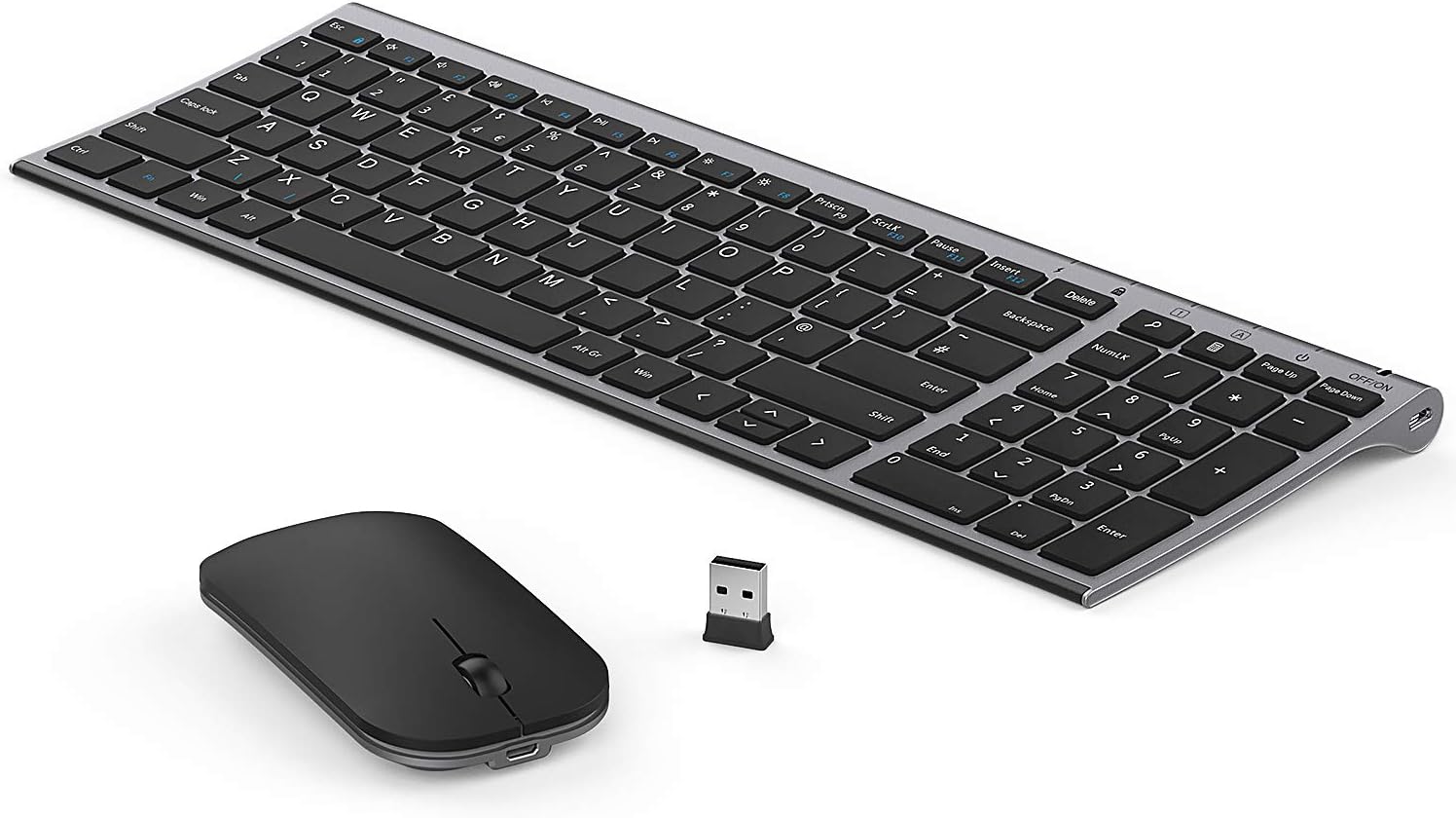
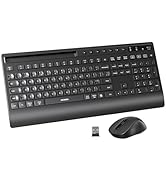
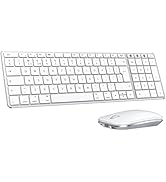
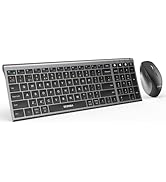
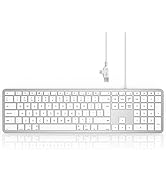
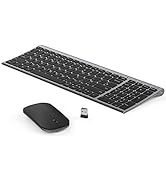
The seenda WGJP-031B is a premium ultra-thin wireless keyboard and mouse combo crafted from durable aluminum. Designed for professionals who value sleek aesthetics and high functionality, it features a full numeric keypad, silent keys, and a rechargeable battery lasting up to 2 months per charge. Its compact size is 1/3 smaller than traditional keyboards, making it perfect for office, home, or business use. Easy plug-and-play setup and included protective silicone cover ensure a clean, efficient workspace.






| ASIN | B07P2YH5MG |
| Antenna Location | General computing tasks, suitable for users seeking a compact, rechargeable keyboard and mouse set for Windows PC laptops or computers. |
| Are Batteries Required | Yes |
| Best Sellers Rank | 509 in Computers & Accessories ( See Top 100 in Computers & Accessories ) 11 in Computer Keyboard & Mouse Combos |
| Box Contents | USB Cable |
| Brand Name | Seenda |
| Colour | Black and Grey |
| Compatible Devices | Personal Computer, Laptop |
| Country of Origin | China |
| Customer Reviews | 4.3 4.3 out of 5 stars (7,536) |
| Hand Orientation | Right |
| Item Weight | 418 Grams |
| Keyboard Description | Wireless keyboard, ultra-valuable, with number pad, optical, non-backlight, with 99 keys |
| Keyboard Layout | QWERTY |
| Manufacturer | seenda |
| Movement Detection | Optical |
| Number of Batteries | 1 C batteries required. (included) |
| Number of Keys | 99 |
| Operating System | Windows |
| Other Special Features of the Product | Rechargeable |
| Power Source | Battery Powered |
| Product Warranty | 2 year warranty |
L**E
Great Value For Money
Took me a while to get used to the mouse being so flat as it didn’t feel natural to use. Other than that a great value for money, lightweight keyboard and mouse which I use for work. As the keyboard is so slim it fits into my laptop bag perfect. Easy to set up just plug the USB and go, I haven’t used the Bluetooth function of it. The keys are not noisy at all, great if you work in a very quiet office. The battery life on them are also great, I’ve only charged once or twice since receiving them. Would definitely recommend ☺️
L**Y
Absolutely GREAT!
This is one of those buys where you wonder why on earth you haven't done it way sooner .. for years I have been struggling with my previous enormous wireless keyboard and mouse, that took up a lot of space and had trouble pairing with a big USB device that had to be pretty close to them .. Anyway these are absolutely fantastic, I love how streamlined they are and how small ad I love that the keyboard is not plastic. The keyboard is very comfortable (I wouldn't say suuuper silent, but by no means annoyingly noisy) I read in one of the earlier reviews a remark about the function keys not working as main function; and that is very important for me as I use the function keys very often, but I had already spotted that this keyboard has a "function lock" mode (press fn and escape at the same time) in this mode the F function is the main function of the key. This brings me to the little indicators at the top that are both pretty and super useful and will tell you if you are in function lock, upper case and/or number lock. My previous keyboard didn't have that and it is essential notably when you are typing a masked password. I did have a little trouble getting the mouse to work and thanks to a useful video on YouTube I learned that the trick is to press the central scroll button and the right click at the same time, this will pair your mouse instantly with the bluetooth dongle. I hadn't seen that anywhere in the manual but it is very useful thing to know In short I TOTALLY recommend this mouse keyboard combo, I have not done much research on price, but I really thought it was reasonable for the quality you get. Love it !
T**M
Other than location of the backslash, it's a fantastic combo
Love both of these. Almost definitely 5* worthy. Will explain the drop at the end. Battery life is fantastic. I've only had to recharge twice in about 6 months. Both keyboard and mouse are aesthetically pleasing and slim. Feel solid. Good haptic feel on the buttons of both. Zero setup effort required, they just work. The receiver dongle is suitably tiny so it's pretty safe to just leave it in place even when transferring in and out of laptop bags. The only issue... But one that really irks me... The backslash "\" requires you to press the function key to get it. The function key that is right next to both the relevant keyboard button and the windows button... and the CTRL button. So, on a Windows system, God help you when trying to type a file path without stopping and looking between every folder name, or accidentally opening the start menu because you've pressed the windows key instead of the function key. And let's not even discuss writing scripts or regular expressions in Linux! Great keyboard for the normal user though. I just don't understand why such a these days standard symbol was relegated to function key status, while the tilde "~", which is used much less frequently still has standard keyboard location.
P**O
Great compact keyboard & mouse
I ordered this keyboard and mouse set because I wanted something compact—more like typing on a laptop rather than a bulky traditional keyboard. This completely fits the bill! The keys are small, sleek, and very responsive, just like a laptop keyboard. It even came with a silicone keyboard cover, which was very handy and adds extra protection. It’s been almost a month since I started using it, and it’s working perfectly. The mouse felt a bit too flat at first, but I got used to it quickly. Now it’s actually very comfortable and convenient to use. One of the best things is how quiet the clicks are—very minimal and subtle, which I really appreciate. Overall, a great purchase. Highly recommend if you’re looking for a slim, quiet, and compact setup!
S**O
Not working anymore- new set received
Worked nicely for a few months and now keyboard randomly types 4s and wouldn’t stop. Used num lock and now another key started acting the same. Shame as I really enjoyed while it worked. An updated review: 04/11/2024 Seller has been in touch and they kindly sent a new set of keyboard and mouse- really pleased with them! Thank you!
S**L
The typing experience is pretty comfortable. The keys are responsive and have a nice bounce to them, making it easy to type for long periods without feeling like my fingers are getting tired. I appreciate that I don’t have to deal with cords everywhere; it keeps my workspace tidy. One of the standout features is the rechargeable aspect. I was a bit skeptical at first, but charging is super easy. I usually just plug it in when I'm not using it, and it lasts for days on a single charge. I can’t recall the last time I had to worry about batteries! The mouse is also decent. It fits well in my hand and moves smoothly across my mouse pad. The wireless connection hasn’t dropped once, which is a relief. Overall, I think this keyboard and mouse combo is a great buy, especially if you're looking for something functional yet stylish. It’s been a solid addition to my setup!
M**S
The keyboard is really fine but the mouse is so annoying
P**7
Keys don’t match
L**O
ottimo prodotto
P**T
Nice design (looks like the Apple keyboard). I use this keyboard with a Macbook and a computer running Windows. I am French speaking, the accents when the keyboard is used with my MacBook are not in the same place but you get used to it! Under Windows, the accents are in the right places. It's also interesting that this keyboard and mouse don't use batteries and that they are rechargeable. Very good purchase, I highly recommend it!
ترست بايلوت
منذ شهرين
منذ شهر